WooCommerce returns for EU stores with the withdrawal button
WooCommerce returns for EU stores need two parts: your own returns process and the online withdrawal function required since June 19, 2026. WPReturns runs both from one plugin and keeps them apart. A withdrawal always ends in a refund with no restocking fee.
This page covers the settings. For the law itself, read the EU withdrawal button guide.

What makes returns hard here
- 01
Two rights in one inbox
A return follows your own policy. A withdrawal is the customer's legal right to cancel within 14 days without a reason. Mixing them up risks the wrong refund.
- 02
The withdrawal button is now required
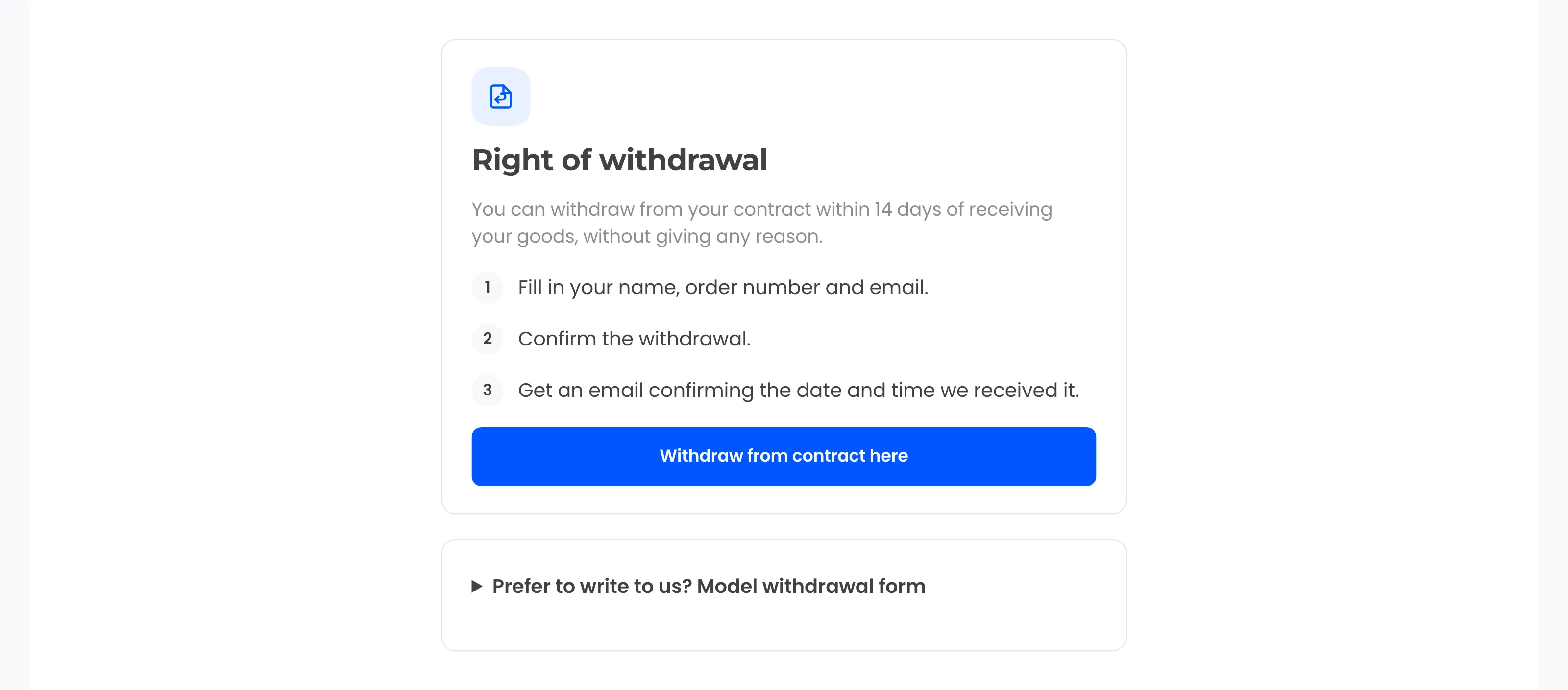
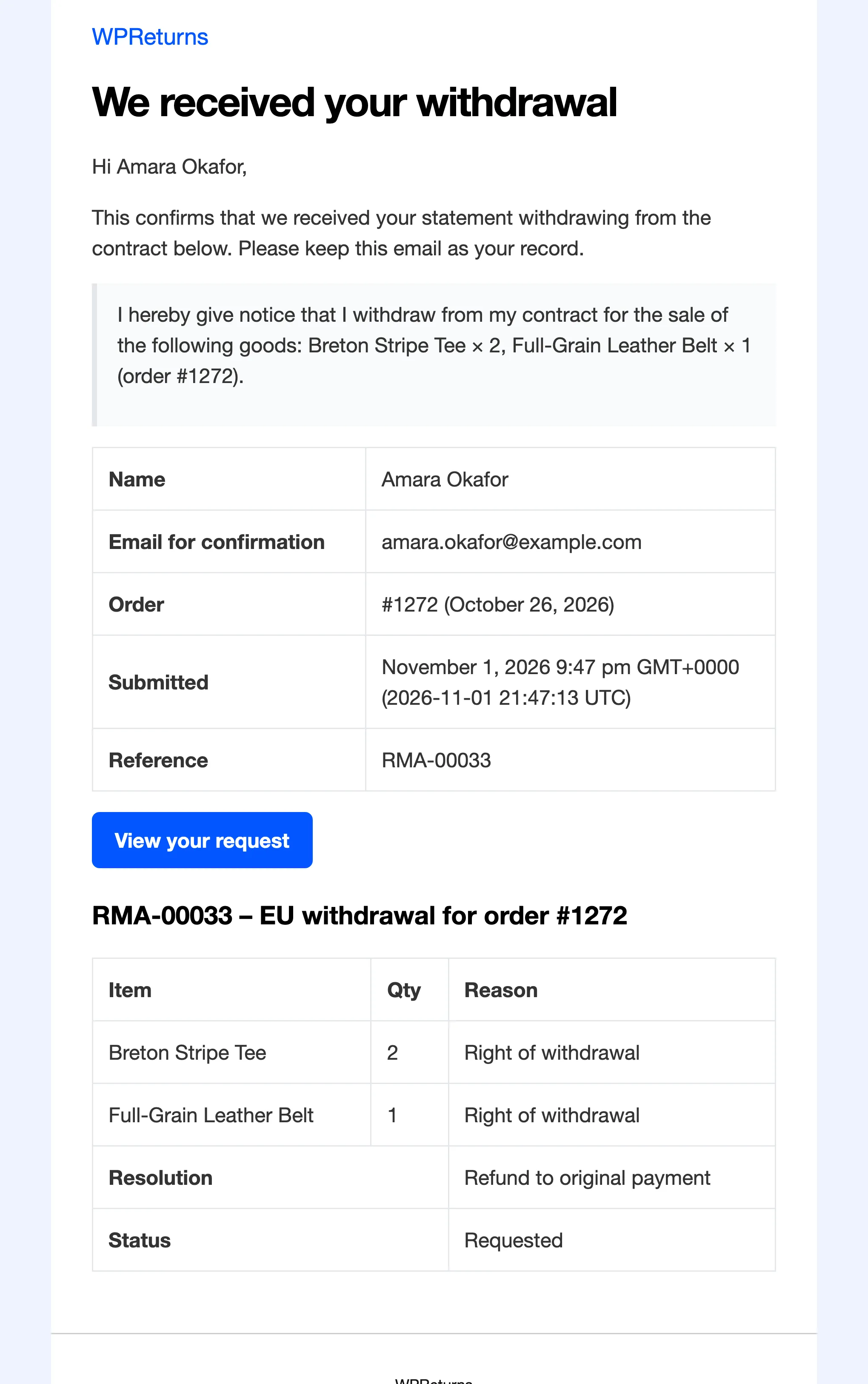
Since June 19, 2026 online shops must offer a function labeled withdraw from contract here or a clear equivalent. It needs a confirmation step and an acknowledgement on a durable medium.
- 03
Store credit and fees do not fit
Article 13 requires a refund by the original payment method unless the customer expressly agrees otherwise. Article 14 leaves no room for a restocking fee on a withdrawal.
- 04
Some goods are exempt
Personalized items and sealed hygiene goods opened after delivery can be exempt under Art. 16 of the directive. Downloads are exempt only after the customer consents to immediate supply.
How to set up WooCommerce returns for EU stores
Offer the withdrawal button
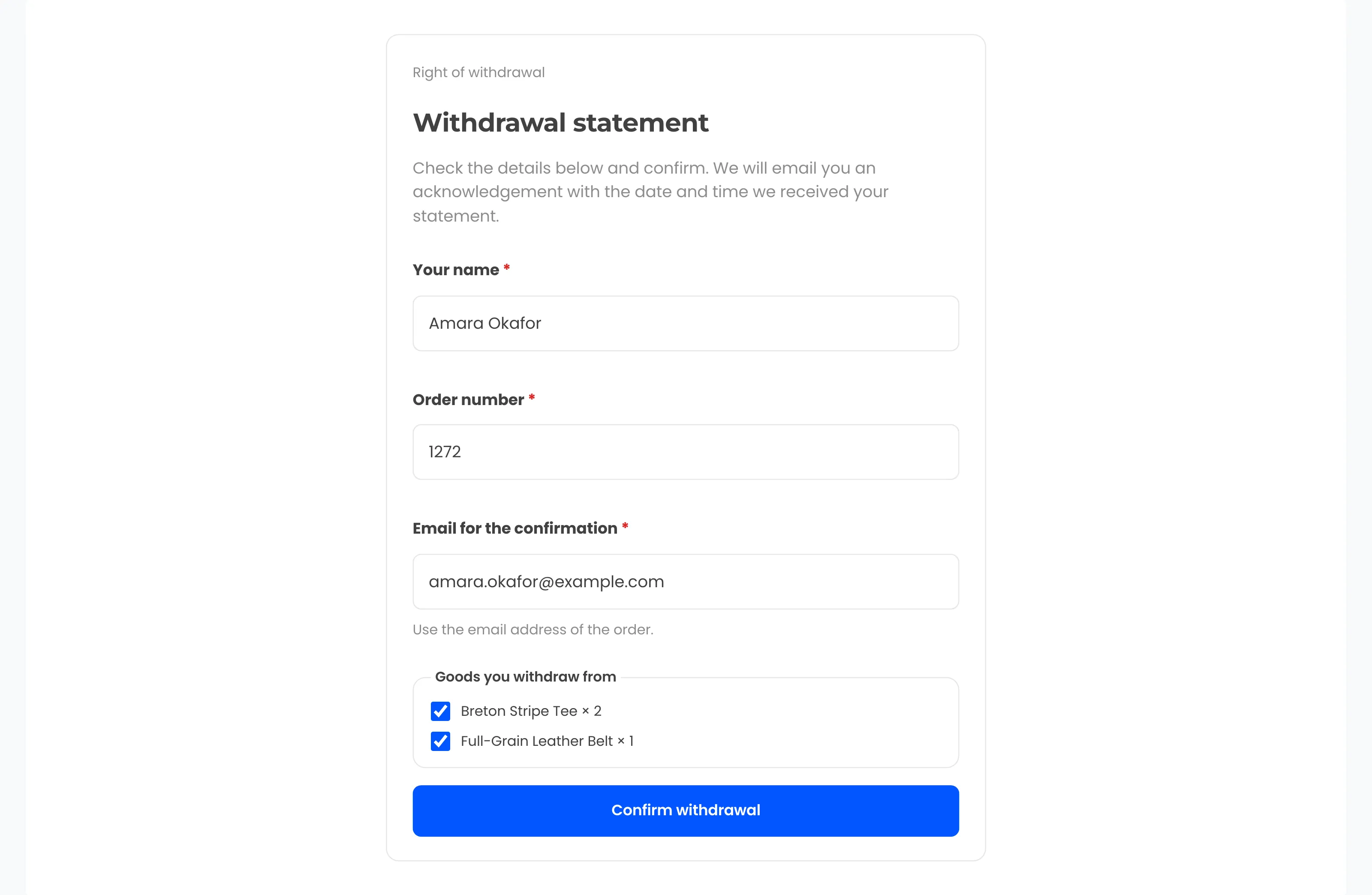
The Withdraw from contract here link shows in the footer, in My Account, on orders still in the withdrawal period and in order emails. The customer confirms the statement and gets an acknowledgement with the date and time.
EU withdrawal buttonAsk consent for downloads
When the cart holds downloadable products, checkout shows a required consent checkbox. The consent time is saved on the order and those downloads leave the withdrawal flow.
EU withdrawal buttonMark Article 16 exemptions
Tick Exempt from withdrawal on a product or pick exempt categories. This is separate from final sale. A final-sale item can still be withdrawn from unless it is exempt.
Return rulesKeep credit for ordinary returns
Store credit and exchanges are offered on returns under your own policy. A withdrawal is always resolved as a refund.
Store creditNever refuse a withdrawal
Restocking fees and return shipping fees are never charged on withdrawals. Auto-reject rules and the blocklist skip them. Fraud checks only flag a withdrawal.
Fraud protection
The real screens
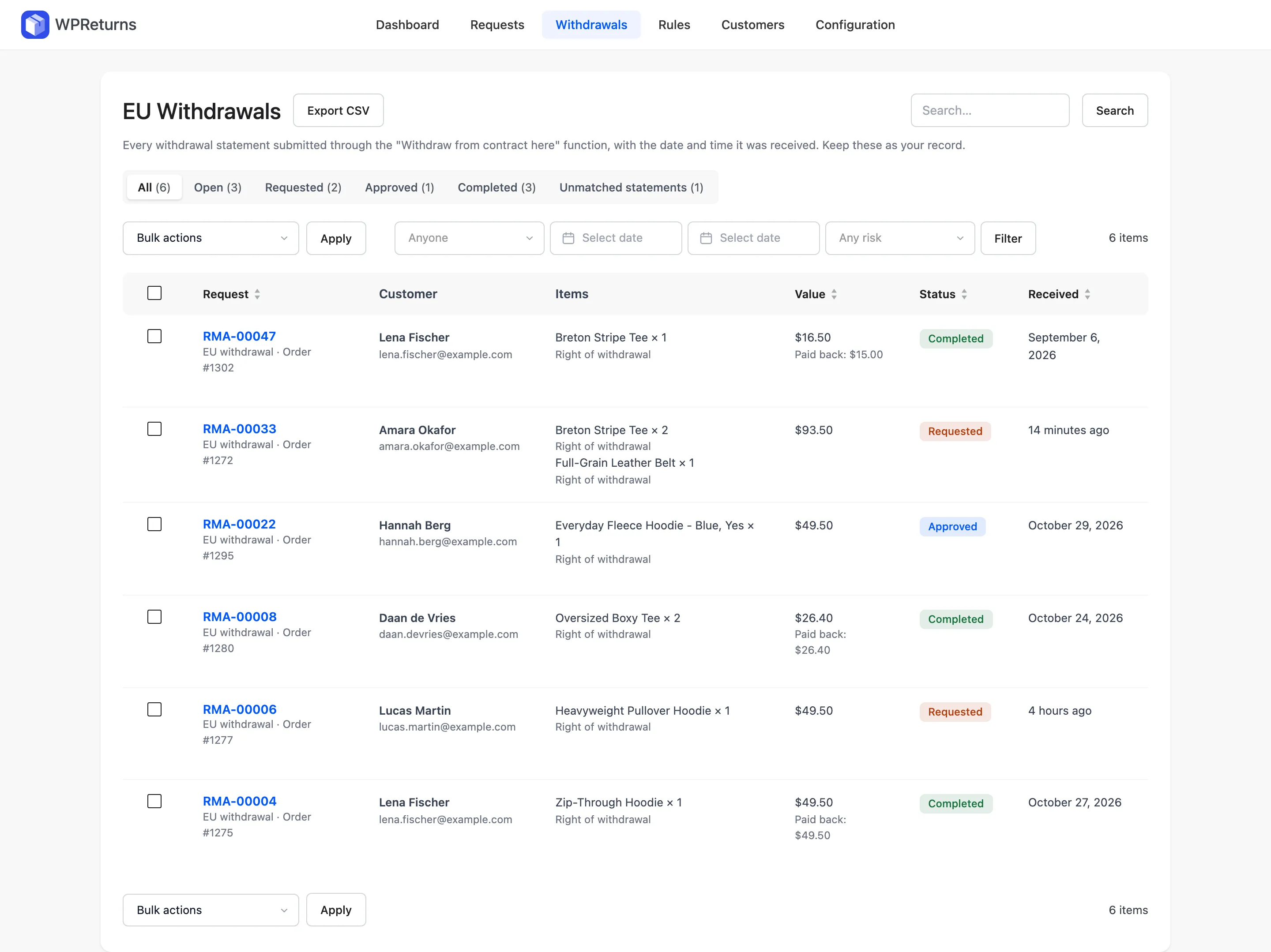
Screens from the WPReturns demo store, an apparel shop with real orders and requests.
Configure it in this order
- 1
Check the EU Withdrawal tab
Go to DevDiggers Plugins > WPReturns > Configuration > EU Withdrawal. Keep Offer the online withdrawal function ticked and set Offer it for orders from to EU and EEA countries.
- 2
Keep the button easy to find
Leave the footer link and the order email link ticked. Add the Withdraw from contract page to your footer menu.
- 3
Set when the period starts
Set Period starts to When the order is completed (delivered). This matches the 14 days from delivery if you complete orders on delivery.
- 4
Mark exempt goods
Choose Exempt categories on the same tab. Tick Exempt from withdrawal on single products such as made-to-order items.
- 5
Turn on digital consent
If you sell downloads, tick Ask for consent at checkout when the cart has downloadable products.
EU stores questions
Ask the team or read the docs if your question is not here.
What is the difference between a return and a withdrawal?
A return follows your own window, reasons and final-sale items. A withdrawal is the EU consumer's right to cancel a distance contract within 14 days without a reason. WPReturns handles them as separate request types.
Can I offer store credit for a withdrawal?
Not as the default. Article 13 requires a refund by the same payment method unless the customer expressly agrees otherwise. WPReturns resolves every withdrawal as a refund.
Can guests use the withdrawal button?
Yes. Guests enter their name, order number and email. Logged-in customers find those fields filled in and can pick the items.
What about UK customers?
The UK's 2013 Consumer Contracts Regulations give a 14-day cancellation right. We found no withdrawal button requirement in them. Set the countries the button covers on the EU Withdrawal tab.
Is this legal advice?
No. This page explains the plugin settings. Check your country's law with a lawyer for your own store.
Is there a free version?
Yes. The whole withdrawal flow is in the free plugin, including the acknowledgement email, the log and digital consent. Store credit, exchanges and rules are part of WPReturns Pro.
Other store types
Free plugin on wordpress.org
Set up WPReturns for EU stores
Start with the free plugin and the EU withdrawal button. Move to Pro from $99 a year when you want credit, exchanges and rules.