A WooCommerce returns portal guests can use without an account
A WooCommerce returns portal is the page where customers start a return without emailing you. WPReturns puts one in My Account and one on a guest page that finds the order by number and billing email. Shoppers pick items and quantities, add photos and send the request.
The problem
Email returns start with three questions
Most stores still take returns through the contact form. You ask for the order number, the items and a photo of the damage in three separate emails.
Guests have it worse. Two popular free returns plugins keep the guest portal for their paid version (compared on October 30, 2026). A shopper who checked out without an account ends up back in your inbox.
How WPReturns solves it
One WooCommerce returns portal for account holders and guests
Logged-in customers get a Returns page in My Account and a return button on every order that can still be returned. Each order also shows how many days are left to send it back.
Guests type the order number and billing email on the portal page. WPReturns creates that page on activation. You can also place the portal with the [ddwcwr_returns_portal] shortcode or the Returns portal block.
After sending, the shopper gets a request page with a progress tracker and a message thread. The return label download and a tracking number field sit on the same page.
- Guest lookup by order number
- Partial returns with quantities
- Reason and condition per item
- Private photo and video uploads
- Days left shown on orders
- Customer message thread
- Shortcode and block
- HPOS and block checkout ready
The real screens
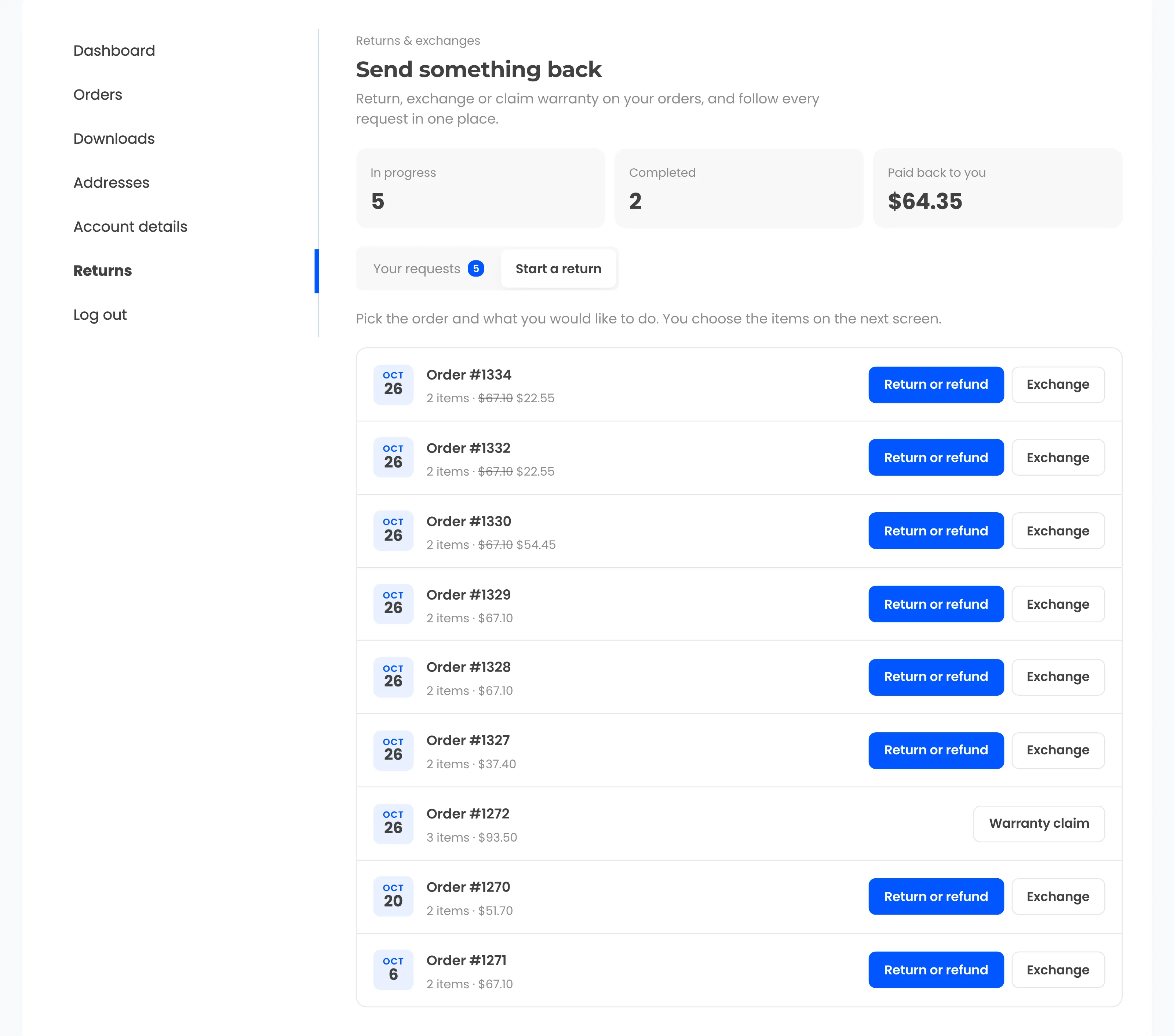


How it works
- 01
Find the order
Account holders open the order in My Account. Guests enter the order number and billing email and get access for two hours.
- 02
Pick items and quantities
The customer chooses which items to send back and how many of each. Every item gets a reason and a condition such as unopened or damaged.
- 03
Attach photos
Photos and videos go to a private folder outside the media library. A reason marked Photo required holds the form until a file is attached.
- 04
Follow the request
The request page walks from Requested to Resolved. Guests come back to it through a private link in every email.
The settings involved
These settings control this feature. The plugin explains each one next to its field.
Free or Pro
- Returns page in My Account and on each order
- Guest portal page with shortcode and block
- Partial returns with a quantity per item
- Photo and video uploads with your limits
- Request page with progress and messages
- Label download and tracking number field
- Exchange picker with store search
- Printable packing slip
- Appearance settings for customer screens
Returns portal questions
Ask the team or read the docs if your question is not here.
Can guests return items without an account?
Yes. The guest portal finds the order by order number and billing email. Guests then follow their request through a private link sent by email.
Can customers return only some items from an order?
Yes. They pick the items and set a quantity for each one. The form only offers quantities that have not been returned already.
Where are customer photos stored?
In a private folder inside uploads with random file names. They never appear in the media library. Only the customer and your team can open them.
How do I add the returns portal to my site?
WPReturns creates a Returns page when you activate it. You can also add the [ddwcwr_returns_portal] shortcode or the Returns portal block to any page. Link that page from your menu or footer.
Will the portal match my theme?
The customer screens use your theme's fonts. Accent color, button text color, card background and corners are set under Configuration > Appearance. Themes can also override the front templates.
Is there a free version?
Yes. The returns portal, guest lookup, partial returns and photo uploads are all in the free WPReturns plugin. The exchange picker, the printable packing slip and appearance settings are part of WPReturns Pro.
Related features
- ExchangesCustomers swap for another size or any product in your store and the price difference is charged or refunded.
- Order cancellationsCustomers ask to cancel an order that has not shipped. Approve it and the order is canceled and refunded in one step.
- Return rulesSet return windows and final-sale items per product or customer and let rules approve or reject routine requests.
- PricingOne yearly license with every feature and no per-return fees.
Free plugin on wordpress.org
Returns portal for your WooCommerce store
Start with the free plugin and the EU withdrawal button. Move to Pro from $99 a year when you want credit, exchanges and rules.