A WooCommerce exchange plugin for another size or any product
A WooCommerce exchange plugin swaps a returned item for a different one inside the same request. WPReturns lets customers pick another size or color or any product in your store. A linked order then charges or refunds the price difference.
The problem
An exchange should never cost the customer twice
Without an exchange flow you refund the first item and ask the customer to place a new order. Some never come back to place it.
Returns apps that do offer exchanges have their own failures. Merchants report swaps billed at full price with no credit for the returned item. Others say the original order never showed the return and their books drifted.
How WPReturns solves it
How the WooCommerce exchange plugin links each order
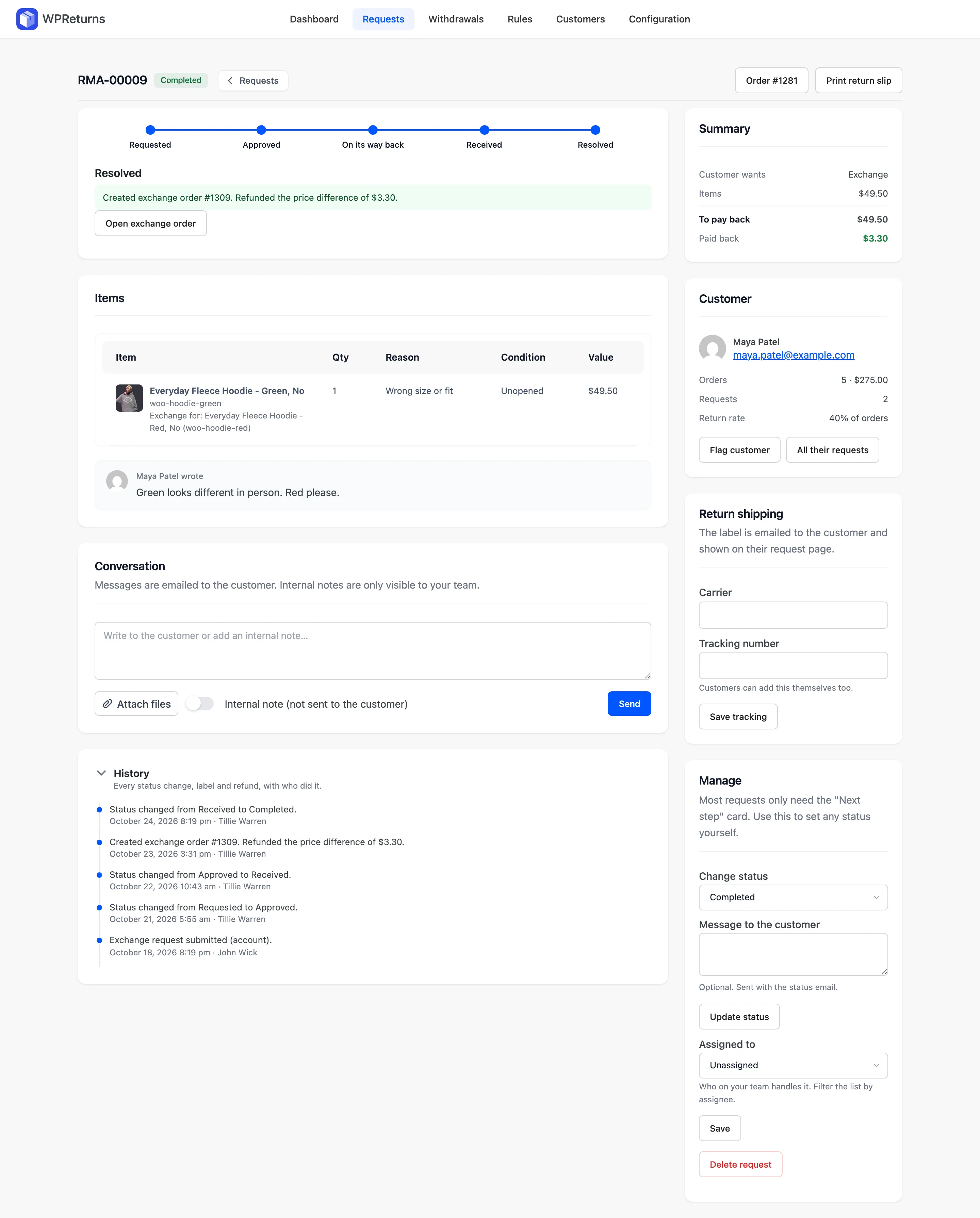
When you resolve a request as an exchange, WPReturns creates a new WooCommerce order tied to the request. The returned item's value appears on it as a credit line.
If the new item costs more, the order waits as pending and the customer gets a Pay the difference link. If it costs less, WPReturns refunds the gap on the original order. Equal prices create a processing order at zero.
The credit is entered net of tax. WooCommerce adds the tax back and the credit matches what the customer paid for the returned item.
- Size and color swaps
- Exchange for any product
- Pay the difference link
- Refund of a cheaper swap
- Linked exchange order
- Tax-inclusive credit line
- Own return fee for exchanges
The real screens
How it works
- 01
Choose the swap
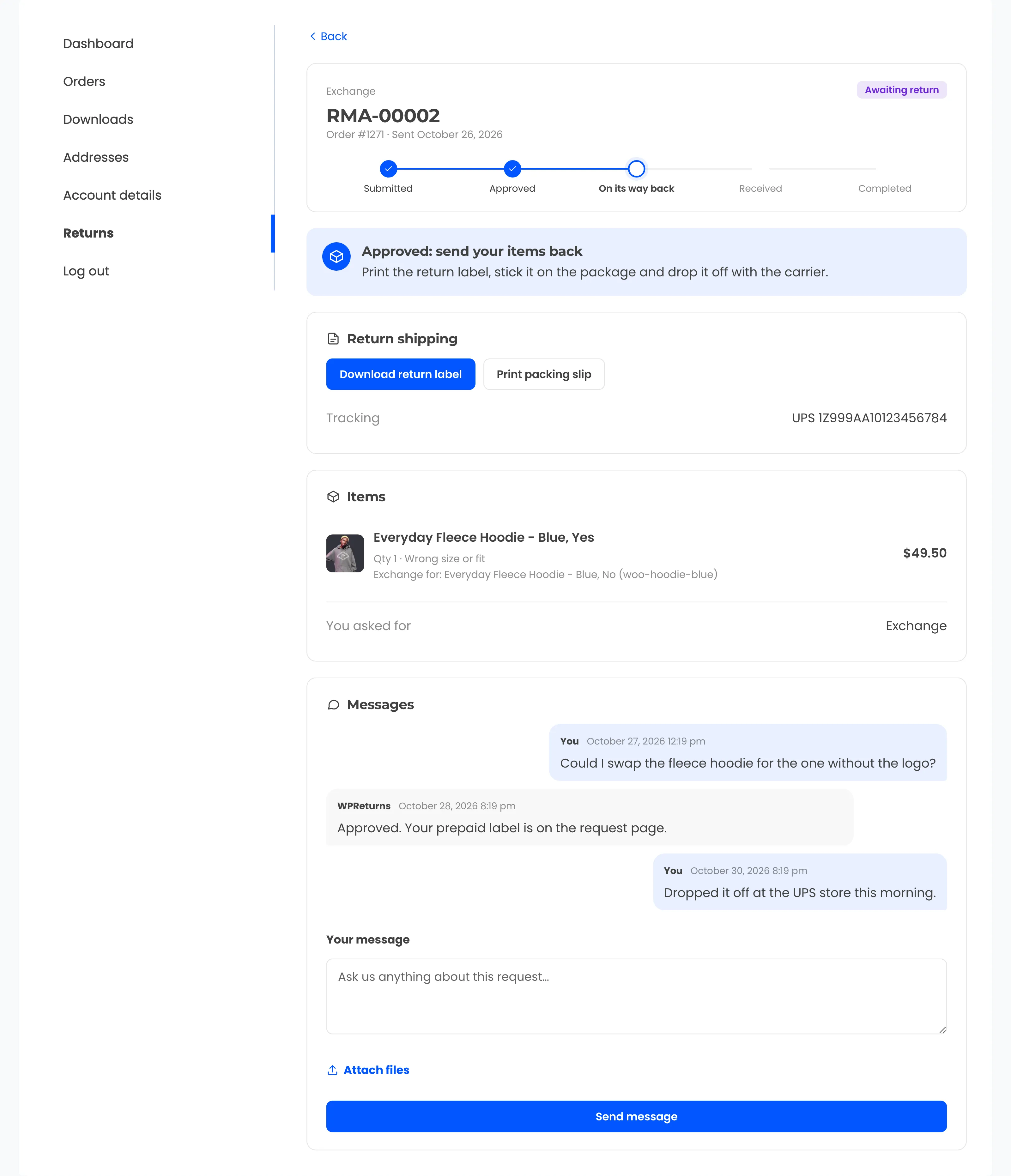
The customer clicks Exchange on the order and picks another variation. With Any product turned on they can search your whole store.
- 02
Approve and receive
You approve the request and mark the parcel received when it lands. The returned item can go back into stock at the same time.
- 03
Resolve as an exchange
Resolving creates the linked order with the credit line and the new item. Stock for the new item is taken when that order is created.
- 04
Settle the balance
The customer pays any extra through the order pay page. A cheaper swap gets the difference back as a WooCommerce refund.
The settings involved
These settings control this feature. The plugin explains each one next to its field.
Free or Pro
Not part of the free plugin.
- Same-product size and color swaps
- Any-product exchanges with store search
- Linked exchange order with a credit line
- Price difference charged or refunded
- Separate return shipping fee for exchanges
Exchanges questions
Ask the team or read the docs if your question is not here.
What happens when the new item costs more?
The exchange order stays pending for the balance. The customer gets an email with a Pay the difference link and pays it like any WooCommerce order.
What if the new item is cheaper?
WPReturns refunds the difference on the original order through WooCommerce. It appears in that order's refunds like any other refund.
Is tax handled on the exchange credit?
Yes. The credit is entered net of tax and WooCommerce adds the tax back. The customer is credited the tax-inclusive price they paid.
What if the customer never pays the difference?
The exchange order stays pending and holds the new item's stock. Cancel that order and WooCommerce puts the stock back.
Can customers exchange for a product they did not buy?
Yes, when Any product is on under Configuration > Resolutions. They search your catalog on the request form. Leave it off to allow only other variations of the same product.
Is there a free version?
The free WPReturns plugin handles returns, refunds and cancellations. Exchanges, including any-product swaps and price difference handling, are part of WPReturns Pro.
Related features
- Store creditPay returns as a coupon or Wallet balance with a bonus that makes credit the first choice over a refund.
- Returns portalA returns page in My Account and a guest portal where shoppers pick items and quantities and add photos.
- Return rulesSet return windows and final-sale items per product or customer and let rules approve or reject routine requests.
- PricingOne yearly license with every feature and no per-return fees.
Free plugin on wordpress.org
Exchanges for your WooCommerce store
Start with the free plugin and the EU withdrawal button. Move to Pro from $99 a year when you want credit, exchanges and rules.