WooCommerce return rules that decide routine requests for you
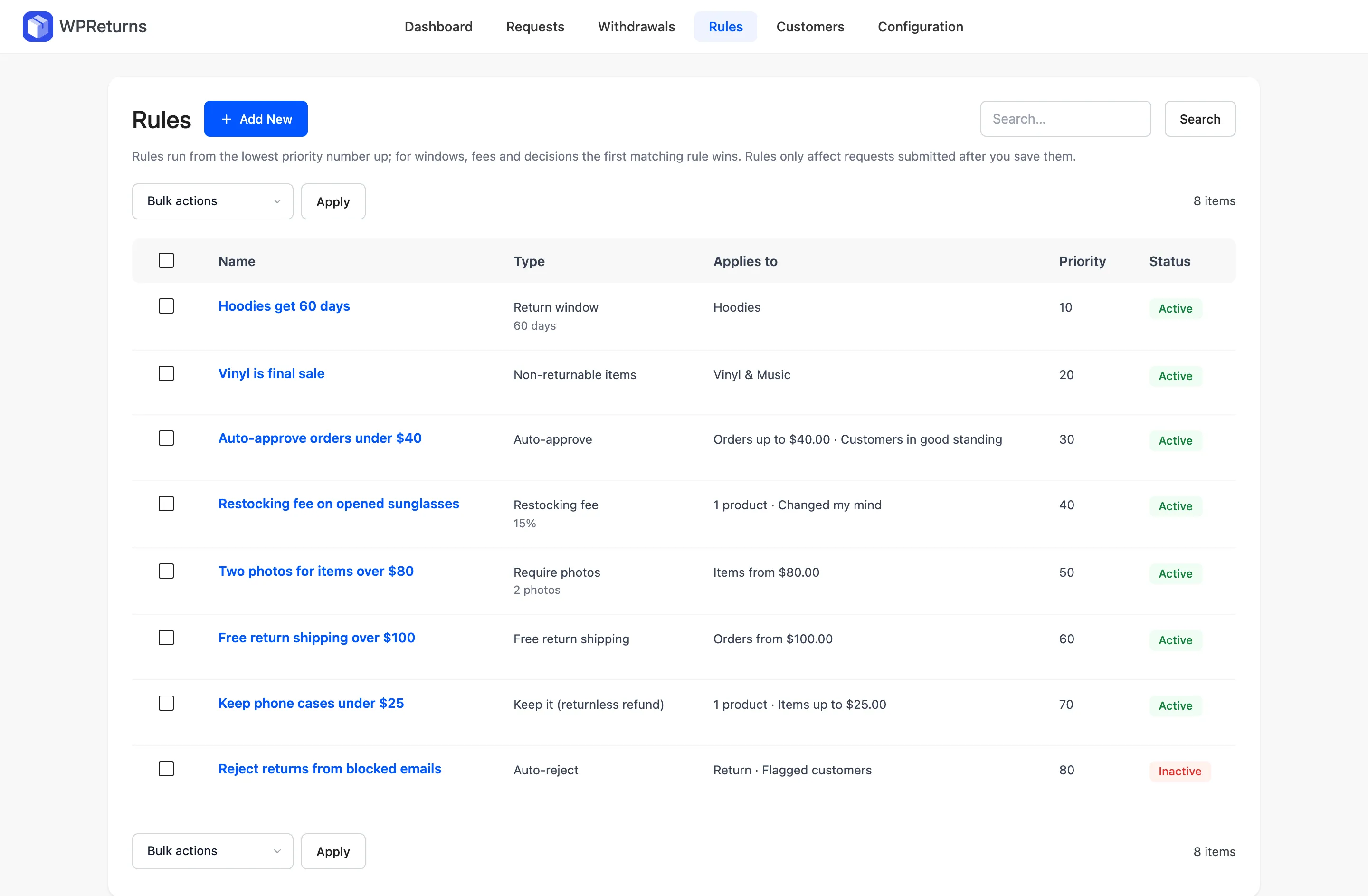
WooCommerce return rules decide how a request is handled before you open it. WPReturns has eight rule types, from return windows and final-sale items to auto-approve, restocking fees and keep-it refunds. Each rule matches products, categories, roles, prices, countries or flagged customers, and the first match of each type wins.
The problem
One return policy cannot fit every product
A store-wide 30-day window treats a clearance T-shirt like a $900 camera. Every exception turns into a judgment call in your inbox.
Only one WooCommerce returns plugin we checked offered restocking fees (compared on October 30, 2026). Auto-approve sat behind a paid plan wherever it appeared.
How WPReturns solves it
WooCommerce return rules built from conditions
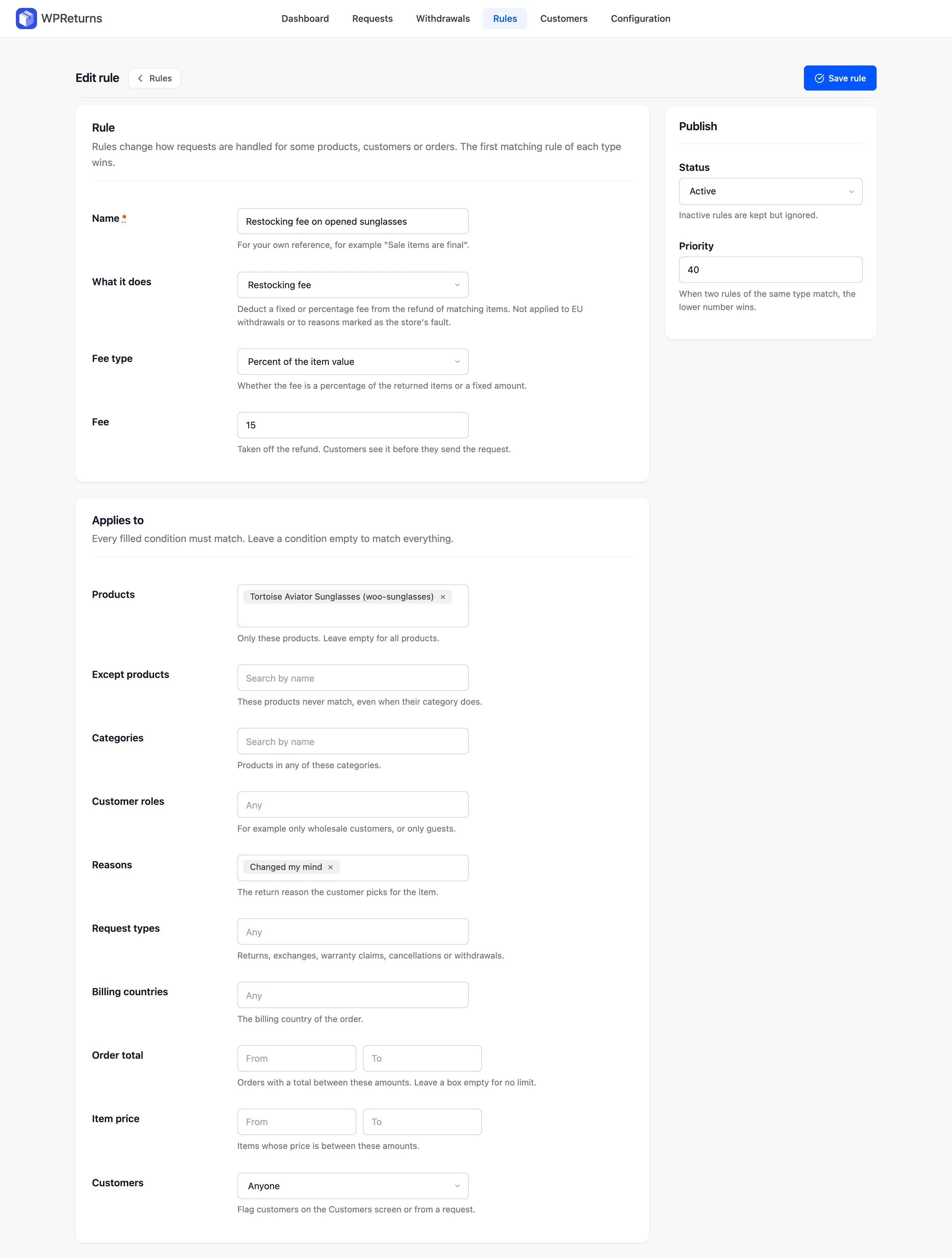
Each rule has a type and a set of conditions. Every filled condition must match. An empty one matches everything.
Auto-approve sends matching requests straight to approved and buys the label when a provider is set. Auto-reject answers with your own message. EU withdrawals are never auto-rejected.
Restocking fees and the return shipping fee come off the refund and customers see them before sending. Neither applies to EU withdrawals or to reasons marked as the store's fault.
- Windows per product or role
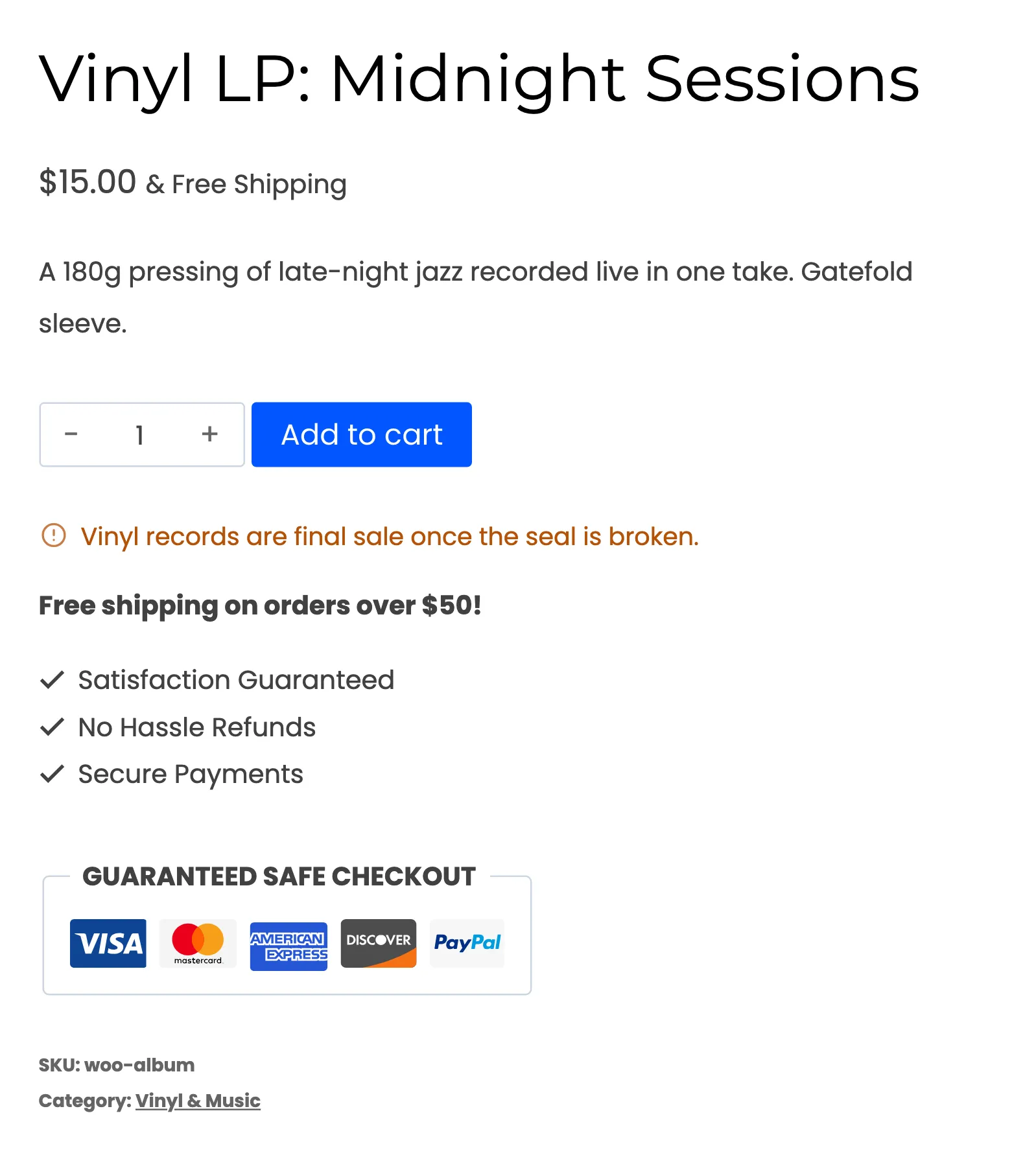
- Final-sale rules
- Auto-approve routine requests
- Auto-reject with your message
- Fixed or percent restocking fee
- Free return shipping threshold
- Required photos per item
- Keep-it refunds
The real screens
How it works
- 01
Pick a rule type
Choose one of eight types under What it does. The description below the field explains the type you picked.
- 02
Set the conditions
Narrow the rule by products, categories, customer roles, reasons, request types, billing countries, order total or item price. Leave a field empty to match all.
- 03
Order by priority
When two rules of the same type match, the lower Priority number wins. Inactive rules are kept but ignored.
- 04
Check new requests
Each request is checked against your active rules when it is created. Requests already open keep their current status and fees.
The settings involved
These settings control this feature. The plugin explains each one next to its field.
Free or Pro
- One store-wide return window
- Final-sale products and categories
- Policy line on product page and checkout
- Days left to return on each order
- Eight rule types with conditions
- Final-sale rules by price and customer
- Auto-approve and auto-reject
- Restocking fees and free return shipping
- Required photos and keep-it refunds
Return rules questions
Ask the team or read the docs if your question is not here.
Can different products have different return windows?
Yes. A Return window rule gives matching items their own number of days. Items with no matching rule use the store default.
Can I charge a restocking fee?
Yes. A Restocking fee rule takes a fixed amount per line or a percent of the item value off the refund. It never applies to EU withdrawals or to reasons marked as the store's fault.
What is a keep-it refund?
It resolves the request without asking for the item back. Use it for low-value items where return postage costs more than the product.
Will auto-reject block an EU withdrawal?
No. EU withdrawals are never auto-rejected. Final-sale items also stay open to withdrawal unless Article 16 exempts them.
Do rules change requests that are already open?
No. Rules are checked when a request is created. Open requests keep their status and fees.
Is there a free version?
Yes. The free WPReturns plugin has one store-wide window plus final-sale products and categories. The eight rule types, fees and automatic decisions are part of WPReturns Pro.
Related features
- Fraud protectionScore each request and flag serial returners and wear-and-return patterns. Keep a blocklist of emails and domains.
- Return labelsBuy one prepaid return label per request from your EasyPost or Shippo account or upload your own label file.
- Store creditPay returns as a coupon or Wallet balance with a bonus that makes credit the first choice over a refund.
- PricingOne yearly license with every feature and no per-return fees.
Free plugin on wordpress.org
Return rules for your WooCommerce store
Start with the free plugin and the EU withdrawal button. Move to Pro from $99 a year when you want credit, exchanges and rules.