WooCommerce warranty claims checked against each item's expiry date
WooCommerce warranty claims let a customer report a faulty product after the return window has closed. WPReturns stores the warranty on each order item, checks the expiry when a claim comes in and sells extended warranties on the product page. You resolve each claim as a repair or a free replacement order.
The problem
Warranty promises live in someone's inbox
Most stores print a warranty on the product page and handle claims by email. Nobody checks the purchase date until the customer is already annoyed.
The best-known warranty extension for WooCommerce is rated 2 out of 5 on its listing (compared on October 30, 2026). One review says warranty info vanished from out-of-stock products and the fix was offered as paid work.
How WPReturns solves it
WooCommerce warranty claims with repair or replacement
Give each product or variation No warranty, Lifetime or a limited length in days, months or years. Store default applies your default length to everything else.
The warranty is copied onto the order line at checkout and starts when the order is completed. Customers file a Warranty claim from My Account or the guest portal while it lasts.
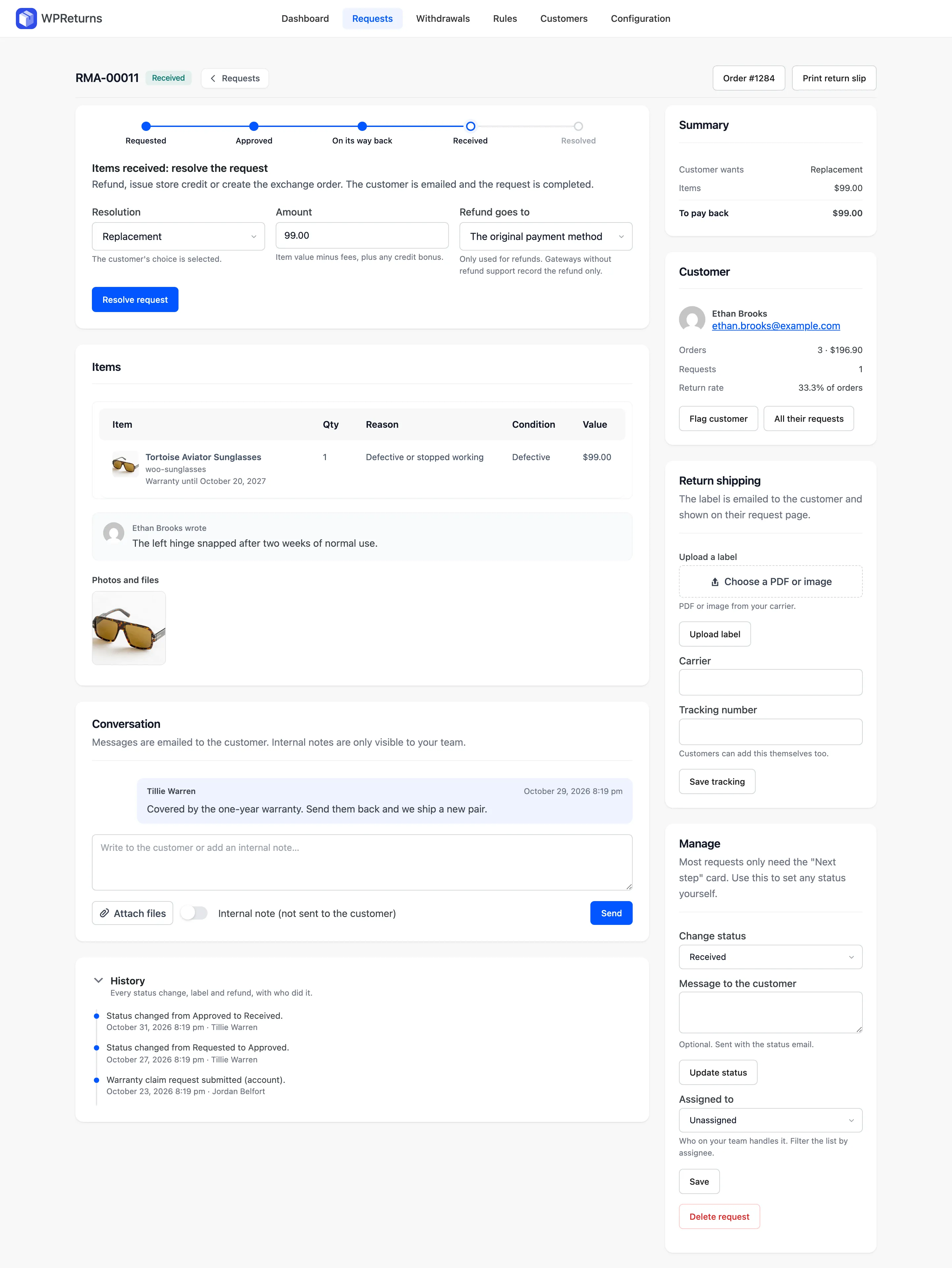
Resolve a claim as Repair or Replacement. A replacement creates a linked order at zero for the new unit. Return shipping fees are never charged on warranty claims.
- Lifetime or limited warranty
- Per-variation warranty
- Expiry checked on every claim
- Free replacement order
- Repair tracking
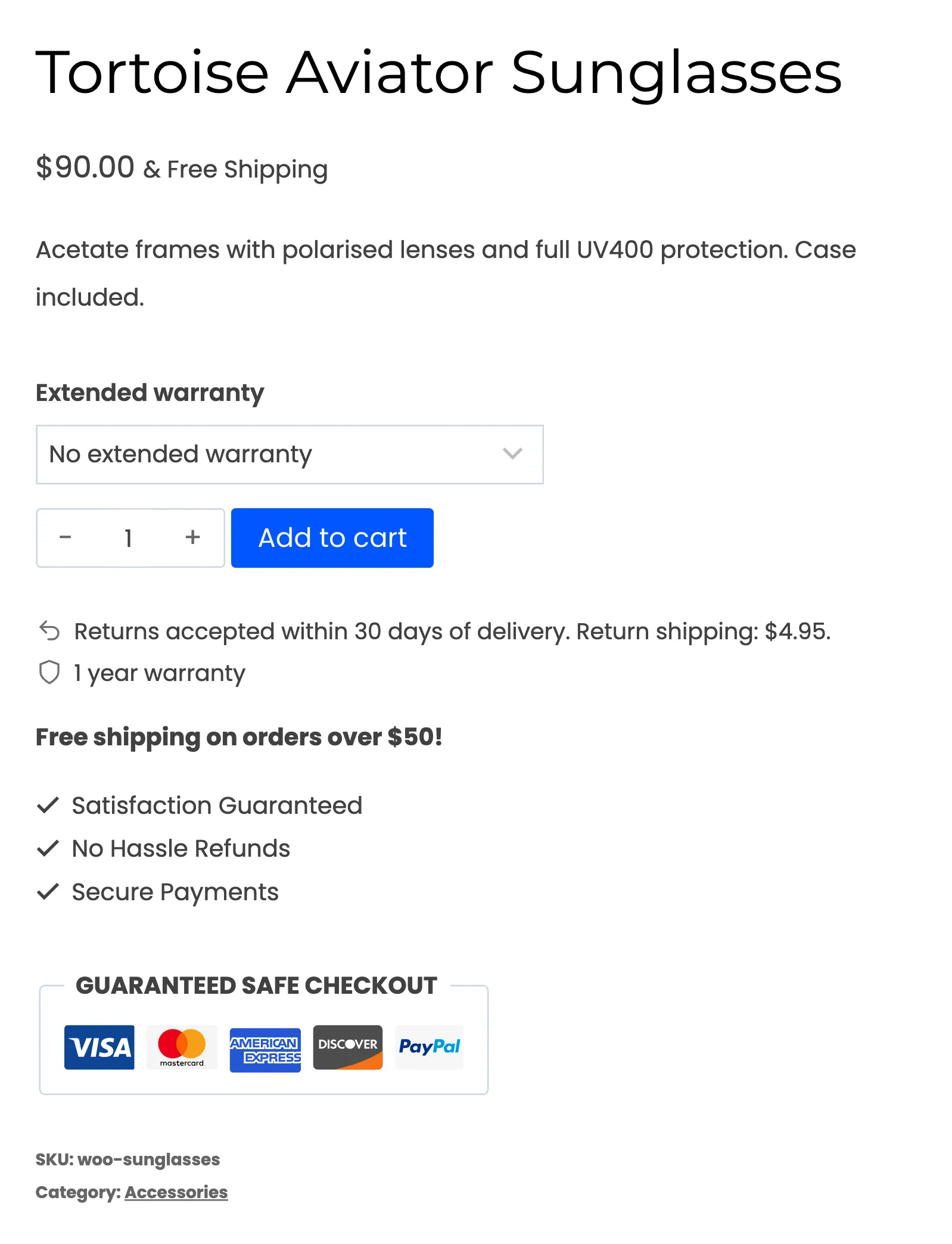
- Paid extended warranties
- Classic and block checkout
- Shown on out-of-stock products
The real screens
How it works
- 01
Set the warranty
Choose it on the product's General tab or per variation. Bulk edit sets it on many products at once.
- 02
Show it before purchase
The product page shows a line such as 2 years warranty. It stays visible on out-of-stock products.
- 03
File the claim
The customer opens the order and picks Warranty claim. A claim on an expired warranty is refused before it reaches you.
- 04
Repair or replace
Pick Repair to track the fix or Replacement to send a new unit. The replacement ships on a linked order at zero.
The settings involved
These settings control this feature. The plugin explains each one next to its field.
Free or Pro
Not part of the free plugin.
- Warranty per product or variation
- Warranty line on product pages
- Claims from My Account and the guest portal
- Repair and replacement resolutions
- Extended warranties sold at checkout
- Bulk edit of warranty fields
Warranty claims questions
Ask the team or read the docs if your question is not here.
When does the warranty start?
It starts when the order is completed. The terms are copied onto the order line at checkout. Later product edits do not change a warranty the customer already bought.
How do I sell an extended warranty?
Turn on Extended warranty under Configuration > Warranty. Add terms in the product's Extended warranty box one per line such as 2 years | 29.99. Customers pick a term on the product page and pay for it at checkout.
Can guests file warranty claims?
Yes. The guest portal finds the order by number and billing email. The Warranty claim option shows there while the warranty lasts.
What does a replacement cost the customer?
Nothing. A replacement creates a linked WooCommerce order at zero for the new unit. Return shipping fees are never charged on warranty claims.
Does a final-sale product lose its warranty?
No. Final sale blocks returns and exchanges only. Warranty claims and the EU right of withdrawal still work.
Is there a free version?
The free WPReturns plugin covers returns, cancellations and the EU withdrawal button. Warranty claims and extended warranties are part of WPReturns Pro.
Related features
- Returns portalA returns page in My Account and a guest portal where shoppers pick items and quantities and add photos.
- ExchangesCustomers swap for another size or any product in your store and the price difference is charged or refunded.
- Return rulesSet return windows and final-sale items per product or customer and let rules approve or reject routine requests.
- PricingOne yearly license with every feature and no per-return fees.
Free plugin on wordpress.org
Warranty claims for your WooCommerce store
Start with the free plugin and the EU withdrawal button. Move to Pro from $99 a year when you want credit, exchanges and rules.