WooCommerce returns automation for high-volume stores
WooCommerce returns automation matters once requests arrive faster than your team can read them. WPReturns approves routine requests by rule, buys automatic return labels on approval and sends reminders. It closes stale requests and refunds after receipt, and your team handles only the exceptions.
Every automation applies only to requests created after you turn it on.

What makes returns hard here
- 01
Every request waits for a person
Routine returns sit in the queue next to the hard ones. Customers wait days for an approval that was never in doubt.
- 02
Labels made one at a time
Copying addresses into a carrier site for each return takes hours each week. A typo means a second label.
- 03
Stale requests clog the list
Customers ask for a return and never ship it. Those requests stay open until someone closes them by hand.
- 04
Data stuck in the admin
Finance wants a spreadsheet and the warehouse wants a live feed. Copying from admin screens does not keep up.
How to set up WooCommerce returns automation
Approve routine requests by rule
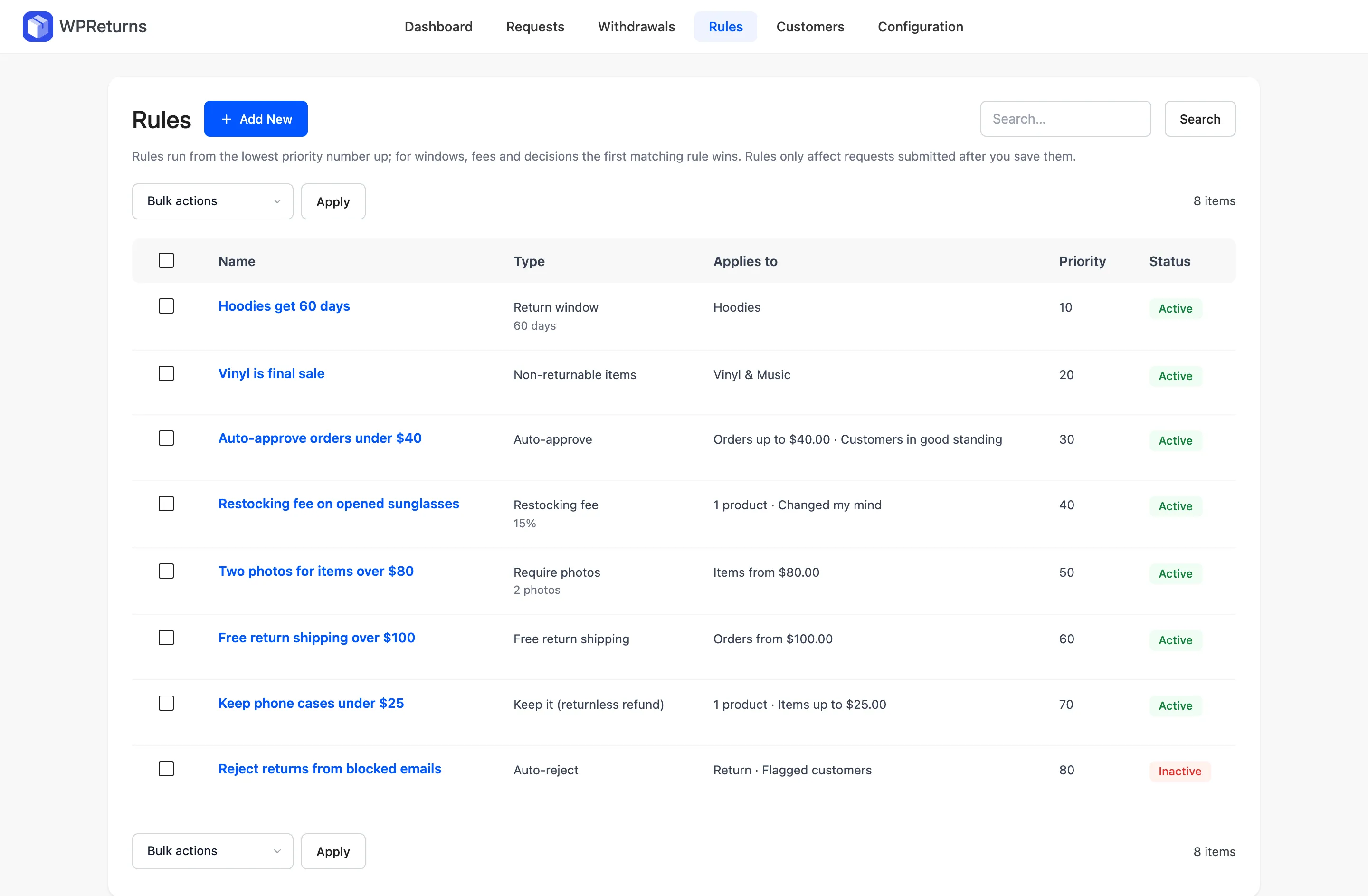
Auto-approve rules match on product, category, item price, order total, country or customer risk. Auto-reject rules turn away requests you never accept. EU withdrawals are never auto-rejected.
Return rulesBuy labels on approval
Connect your EasyPost or Shippo account and labels are bought when a request is approved. One label covers every item in the request. The label goes out with the approval email.
Return labelsClose and resolve requests on a schedule
Action Scheduler sends label and ship-by reminders and closes stale requests. It can refund, credit or exchange a set number of hours after an item is received.
Return rulesKeep flagged customers in manual review
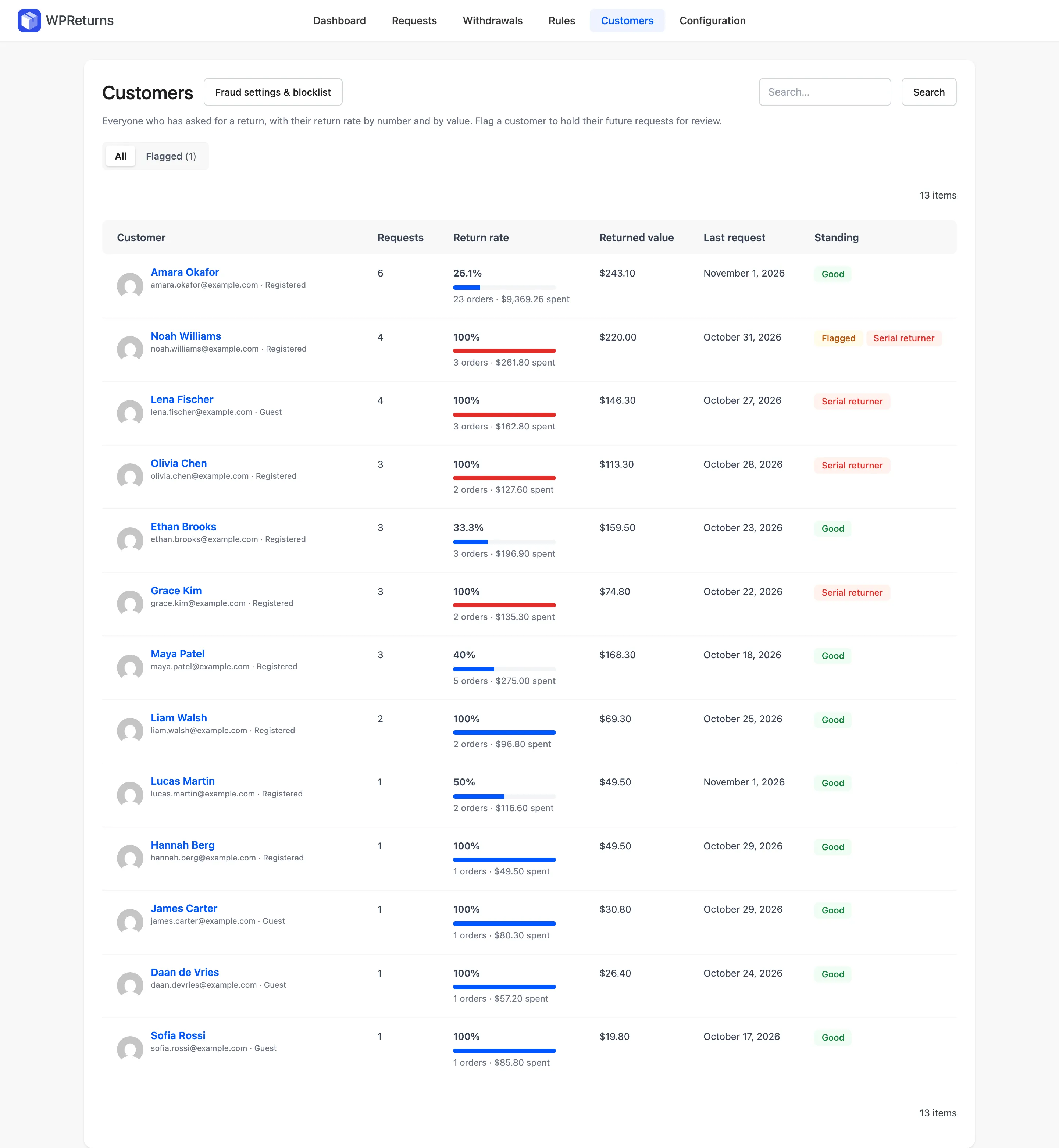
Requests from flagged customers always wait for a person. Serial returners can be held for review or rejected automatically.
Fraud protectionExport the numbers
The dashboard shows return rate, revenue kept, reasons and time to resolve. Export every request with its items and reasons to CSV.
AnalyticsConnect your own systems
The ddwcwr/v1 REST API lists, creates and updates requests and adds messages. WooCommerce webhooks fire on return_request.created and return_request.updated.
Developer API
The real screens
Screens from the WPReturns demo store, an apparel shop with real orders and requests.


Configure it in this order
- 1
Add an auto-approve rule
Go to DevDiggers Plugins > WPReturns > Rules and add an Auto-approve rule. Limit it by item price or category and leave flagged customers out.
- 2
Connect a label provider
Open DevDiggers Plugins > WPReturns > Configuration > Shipping Labels. Choose EasyPost or Shippo and paste your key. Tick Buy and email the label as soon as a request is approved.
- 3
Turn on automation
Under Configuration > Automation set Close stale requests after (days) and the ship-by reminder. Tick Refund, credit or exchange automatically after a return is received.
- 4
Connect webhooks
Add webhooks for return_request.created and return_request.updated under WooCommerce > Settings > Advanced > Webhooks.
High-volume stores questions
Ask the team or read the docs if your question is not here.
Will automation change my existing requests?
No. Each automation only affects requests submitted after you turn it on. Older requests stay as they are.
Can WPReturns buy return labels automatically?
Yes, with your own EasyPost or Shippo account. Labels can be bought on approval and emailed with it. Shippo return labels cover USPS, FedEx and UPS.
Is there a REST API?
Yes. The ddwcwr/v1 namespace has routes to list, read, create and update requests and to post messages. It uses application passwords or a logged-in cookie with a nonce.
Can several staff members work the queue?
Yes. Four custom capabilities split viewing, refunds, settings and reports. Requests can be assigned to a staff member with a My requests filter.
How do I export returns data?
Use Export CSV on the dashboard or the requests list. The file includes requests, items and reasons.
Is there a free version?
Yes. The free plugin has the request list with filters and search, label uploads and refunds. Rules, automation, API labels, bulk actions, CSV export and the REST API are part of WPReturns Pro.
Other store types
Free plugin on wordpress.org
Set up WPReturns for high-volume stores
Start with the free plugin and the EU withdrawal button. Move to Pro from $99 a year when you want credit, exchanges and rules.