The EU withdrawal button for WooCommerce stores
The EU withdrawal button for WooCommerce is the two-step online function that Article 11a of Directive 2011/83/EU requires from June 19, 2026. WPReturns adds it as a "Withdraw from contract here" link, a statement form and a "Confirm withdrawal" button. The customer then gets an acknowledgement email with the date and time.
The problem
Article 11a asks for more than a contact form
Directive (EU) 2023/2673 added Article 11a to the Consumer Rights Directive. Shops selling online to EU consumers must offer a function labeled "withdraw from contract here" or an unambiguous equivalent. It must stay easy to reach for the whole withdrawal period.
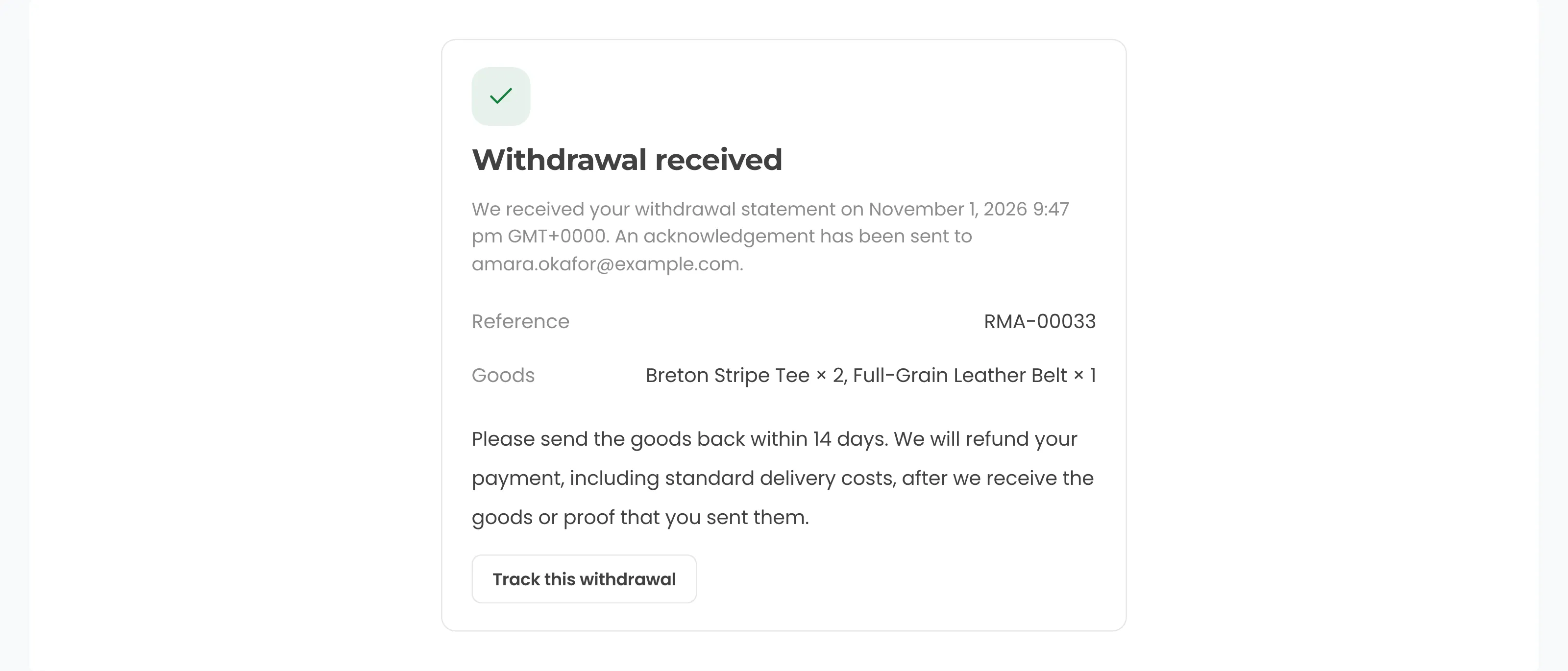
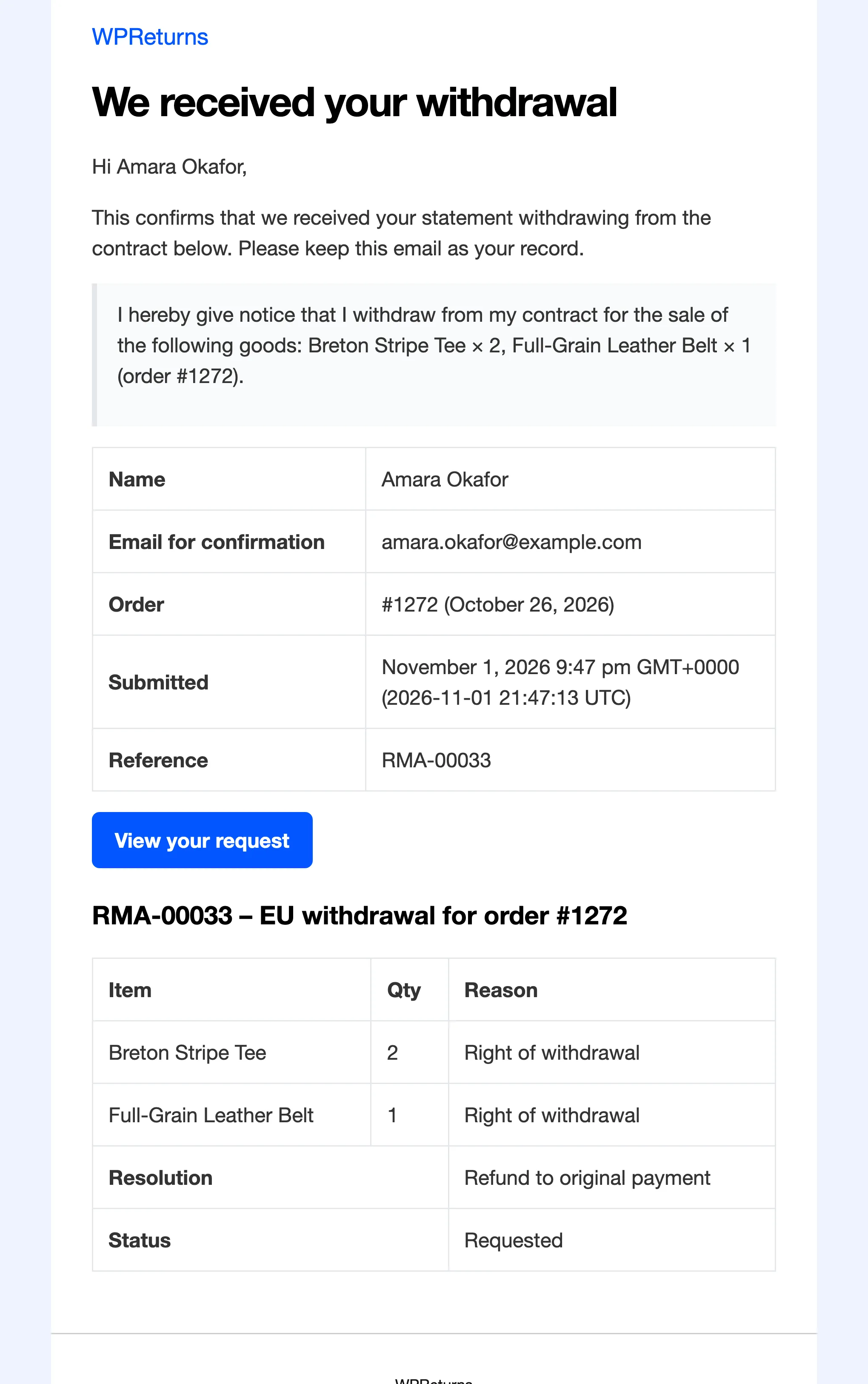
The customer confirms through a button labeled only "confirm withdrawal". The trader must then send an acknowledgement on a durable medium with the statement and its date and time without undue delay.
Single-purpose withdrawal plugins often stop at the form. One leading withdrawal plugin drew a review saying anyone could send its confirmation emails to any address. It later added a honeypot and rate limits.
How WPReturns solves it
How the WPReturns EU withdrawal button works in WooCommerce
The Withdraw from contract here link appears in the footer, in My Account, on orders still in the withdrawal period and in order emails. Guests and account holders reach the same form.
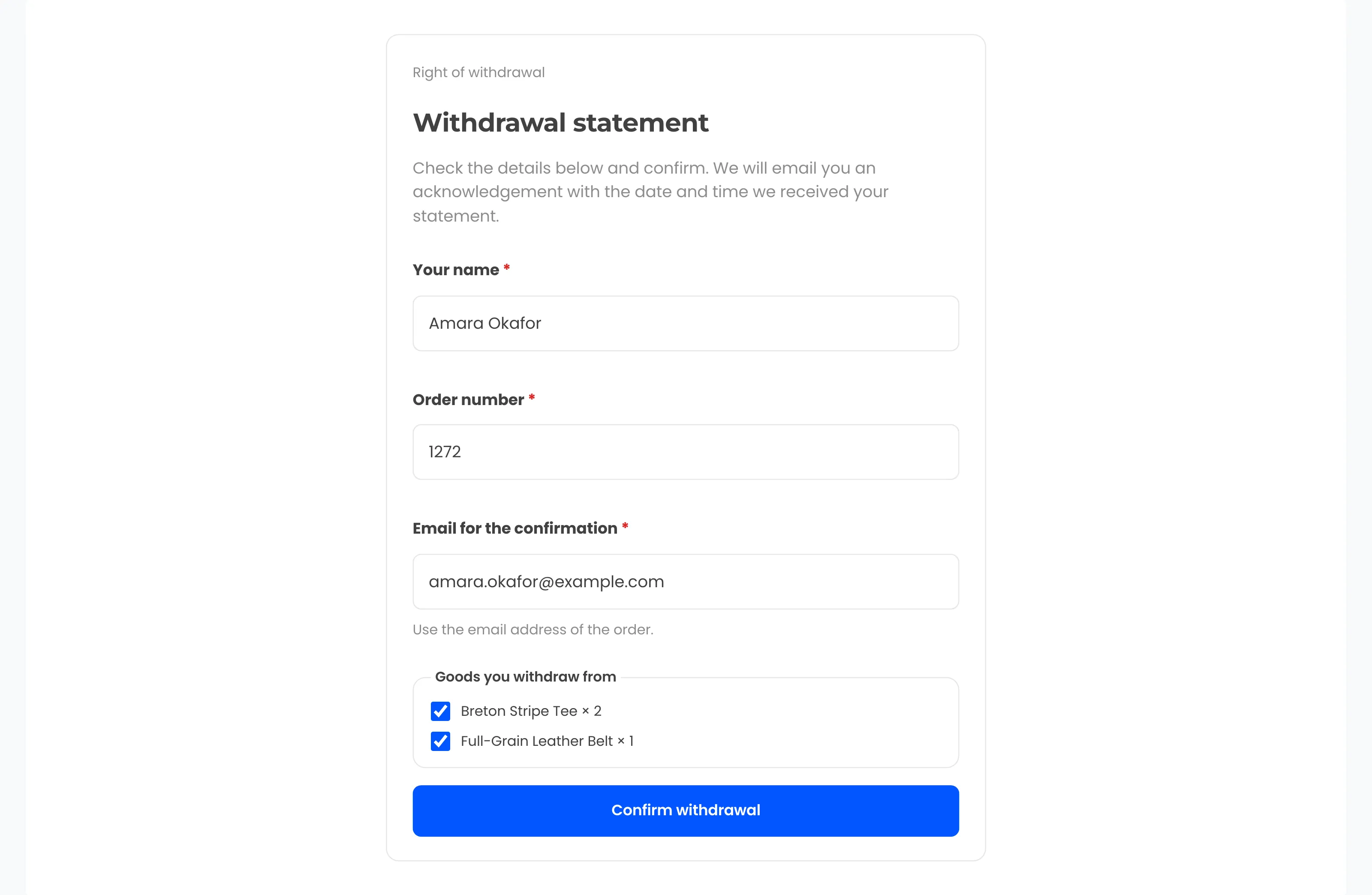
The statement asks for name, order number and email, prefilled for logged-in customers. No reason is required. WPReturns matches the order and email and sends the acknowledgement with the full statement and the time it was received.
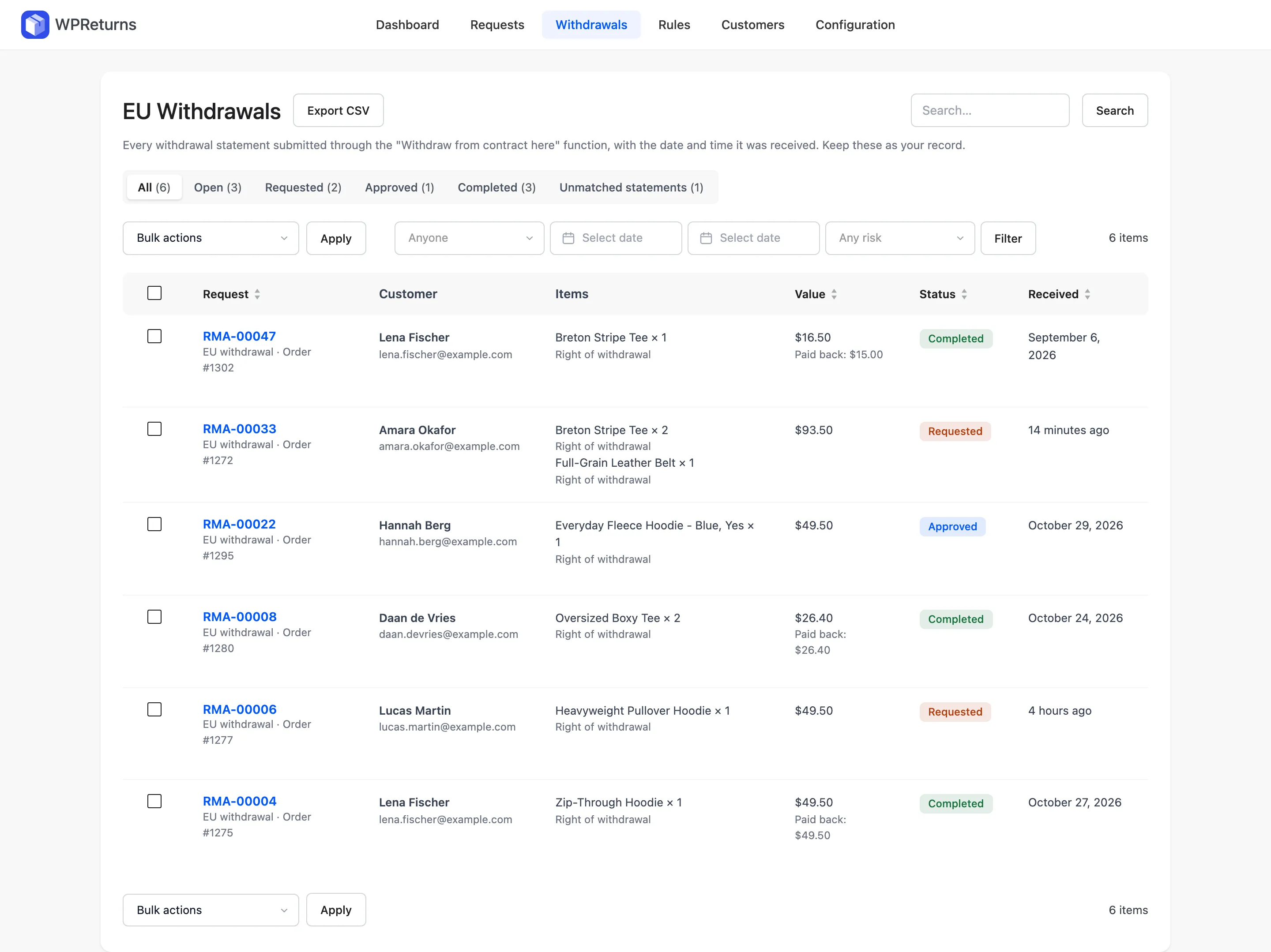
Statements that match no order are still kept on the Withdrawals screen with no email sent. A honeypot and a limit on attempts per hour stop the form being used to email strangers.
- Two-step Article 11a flow
- Acknowledgement on a durable medium
- Prefilled for logged-in customers
- Order and email matching
- Honeypot and rate limit
- Unmatched statements kept
- Article 16 exemptions
- CSV export for disputes
The real screens
How it works
- 01
Click the withdrawal link
The customer clicks Withdraw from contract here in the footer, on an order or in an order email. The link stays visible for the whole withdrawal period.
- 02
Fill in the statement
They give their name, the order number and the email for the confirmation. Logged-in customers find these fields already filled.
- 03
Confirm the withdrawal
A second screen shows the details with a Confirm withdrawal button. Nothing is submitted until they press it.
- 04
Get the acknowledgement
The acknowledgement email carries the statement and the date and time it was received. A matching request opens on your Withdrawals screen.
The settings involved
These settings control this feature. The plugin explains each one next to its field.
Free or Pro
- Withdrawal link in the footer and My Account
- Withdrawal link in order emails
- Statement form with a Confirm withdrawal button
- Acknowledgement email with date and time
- Model withdrawal form from Annex I(B)
- Article 16 exemptions per product and category
- Digital content consent at checkout
- Withdrawals log with CSV export
Everything here is already free.
EU withdrawal button questions
Ask the team or read the docs if your question is not here.
Is the EU withdrawal button free?
Yes. The whole withdrawal flow, the acknowledgement email, the model form and the withdrawal log with CSV export are in the free WPReturns plugin. Pro does not lock any part of it.
Do I need the withdrawal button if I sell to the EU?
If you sell online to consumers in the EU or EEA, yes. Article 11a applies from June 19, 2026. WPReturns turns the function on for EU and EEA orders by default.
What is the difference between a return and a withdrawal?
A return follows your own policy and window. A withdrawal is the consumer's legal right to cancel a distance contract within 14 days without a reason. A final-sale item can still be withdrawn from unless Article 16 exempts it.
Can someone abuse the form to email strangers?
The acknowledgement only goes out when the order number and email match an order. A honeypot and a limit on attempts per hour block bulk submissions. Unmatched statements are logged for your team.
Which products can I exclude?
Tick Exempt from withdrawal on a product or pick exempt categories under Configuration > EU Withdrawal. That covers Article 16 cases such as made-to-order or perishable goods. Exempt items are left off the withdrawal form.
Where can I read the legal background?
Our guide at /eu-withdrawal-button/ walks through Article 11a step by step with links to EUR-Lex. This page covers how the plugin handles each step.
Related features
- Returns portalA returns page in My Account and a guest portal where shoppers pick items and quantities and add photos.
- Return rulesSet return windows and final-sale items per product or customer and let rules approve or reject routine requests.
- Order cancellationsCustomers ask to cancel an order that has not shipped. Approve it and the order is canceled and refunded in one step.
- PricingOne yearly license with every feature and no per-return fees.
Free plugin on wordpress.org
EU withdrawal button for your WooCommerce store
Start with the free plugin and the EU withdrawal button. Move to Pro from $99 a year when you want credit, exchanges and rules.