WooCommerce return labels from your own carrier account
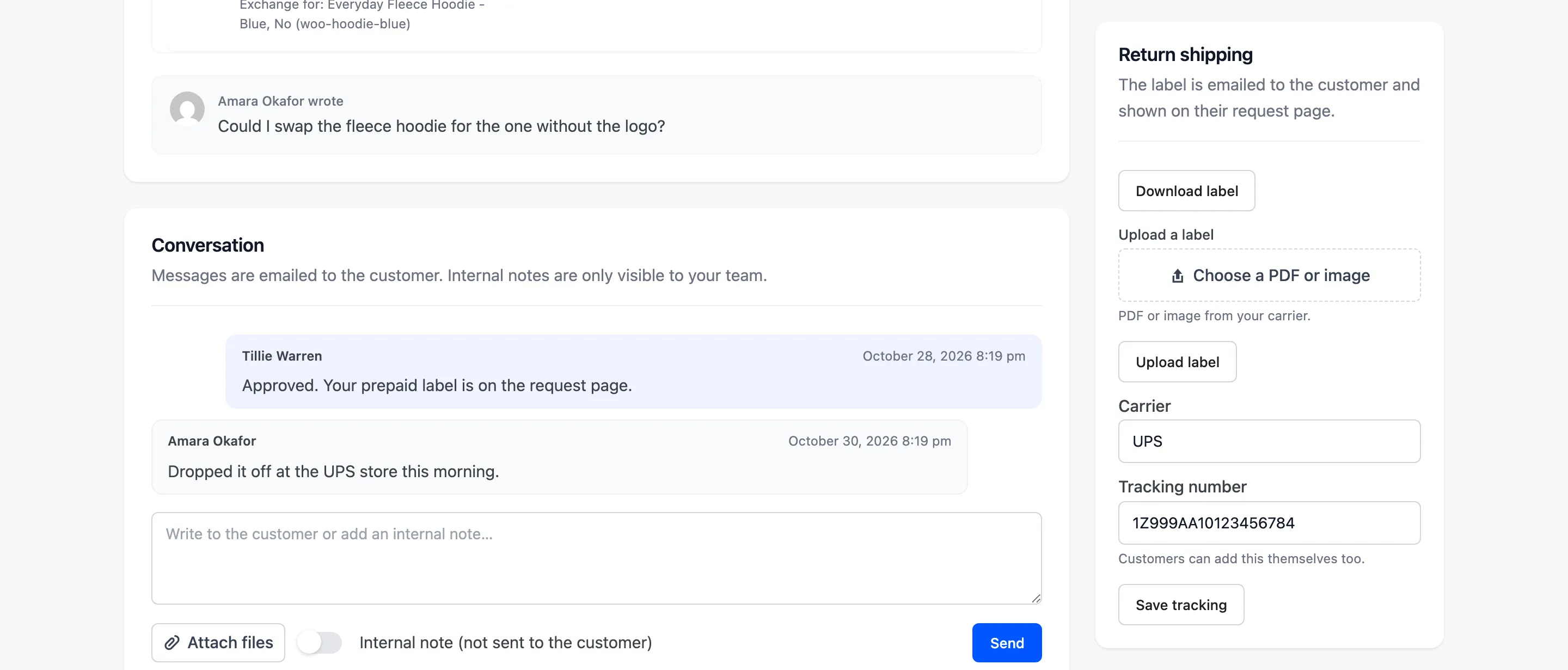
WooCommerce return labels are prepaid shipping labels the customer prints to send items back. WPReturns buys one per request from your EasyPost or Shippo account and can send it with the approval email. Customers download it, or a label file you uploaded, and add the tracking number on their request page.
The problem
Labels made by hand for every return
Without carrier labels you open the carrier site and copy the customer's address. You email a PDF and wait for a tracking number that may never come.
None of the WooCommerce returns plugins we compared on October 30, 2026 bought labels through a carrier API. Merchants on hosted returns apps report labels charged per item that cannot cover several items.
How WPReturns solves it
WooCommerce return labels bought from the request screen
Add your EasyPost API key or Shippo API token. WPReturns sends the customer's address, your return address and the package size and buys the label on your account.
One label covers every item in the request. With Automatic labels on, the label goes out in the approval email and the customer can ship the same day.
The provider bills your own account at your rates. WPReturns adds no fee per label. A PDF or image upload still works for any carrier you already use.
- EasyPost return labels
- Shippo return labels
- One label per request
- Label sent on approval
- Upload any label file
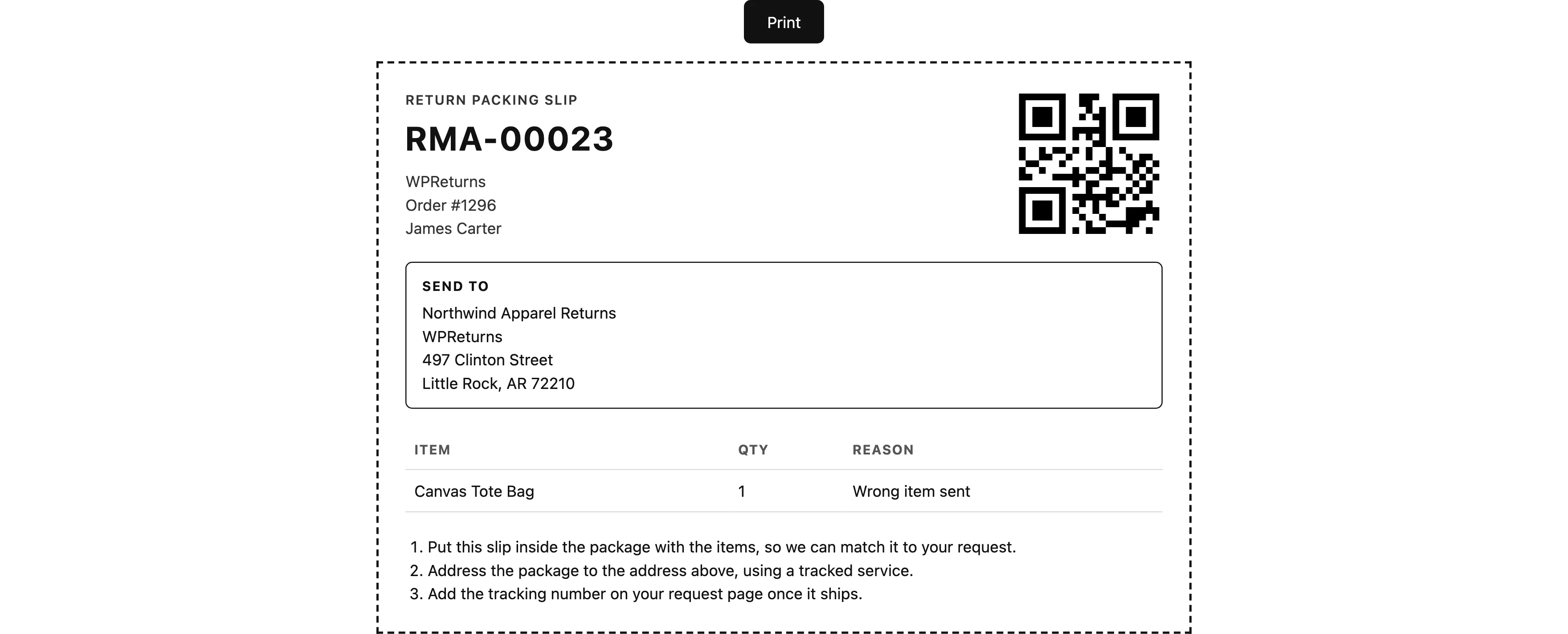
- Return slip with QR code
- Customer tracking entry
- No fee per label
The real screens

How it works
- 01
Connect a provider
Pick EasyPost or Shippo under Label provider and paste your key. Set the return address and a default box size and weight.
- 02
Buy the label
Click Buy return label on the request or let Automatic labels buy it on approval. Uploading your own file works on every request.
- 03
Ship the parcel
The customer downloads the label and adds the tracking number on the request page. A return slip with a QR code of the request number goes in the box.
- 04
Chase unused labels
If no tracking number arrives, one reminder email goes out after the days you set. Mark the parcel received when it lands.
The settings involved
These settings control this feature. The plugin explains each one next to its field.
Free or Pro
- Upload a label file per request
- Label download on the request page
- Customer tracking number entry
- EasyPost and Shippo return labels
- Automatic labels on approval
- Printable return slip with QR code
- Unused label reminders
Return labels questions
Ask the team or read the docs if your question is not here.
Do I need an EasyPost or Shippo account?
Yes, for bought labels. They are charged to your own account at your own rates. Without one you can upload label files from any carrier.
Which carriers can I use?
EasyPost buys the lowest rate it returns for the shipment. Shippo return labels cover USPS, FedEx and UPS. Any other carrier works through a label upload.
Is the label cost taken off the refund?
No. The provider's cost shows on the request but is not deducted. Use the return shipping fee to charge customers for return postage.
What data goes to the label provider?
The customer's name, address, phone and email, your return address and the package size and weight. Nothing is sent until you choose a provider.
Can one label cover several items?
Yes. WPReturns buys one label per request for every item in it.
Is there a free version?
Yes. The free WPReturns plugin lets you upload a label per request and lets customers add tracking. EasyPost and Shippo labels, automatic labels and the return slip are part of WPReturns Pro.
Related features
- Returns portalA returns page in My Account and a guest portal where shoppers pick items and quantities and add photos.
- Return rulesSet return windows and final-sale items per product or customer and let rules approve or reject routine requests.
- Developer APIREST routes under ddwcwr/v1, WooCommerce webhooks for new and updated requests and PHP hooks for every step.
- PricingOne yearly license with every feature and no per-return fees.
Free plugin on wordpress.org
Return labels for your WooCommerce store
Start with the free plugin and the EU withdrawal button. Move to Pro from $99 a year when you want credit, exchanges and rules.