Product page and checkout
WPReturns tells shoppers the return terms before they buy. Product pages show the return window, a final-sale or exemption notice and the warranty. Checkout shows the policy line and the withdrawal notice above the Place order button in both classic and block checkout.
Available in: Free and Pro. Warranty lines and extended warranties need Pro.
Product page lines
Section titled “Product page lines”The lines appear in the product summary, under the Add to cart button. Each line has a small icon.
| Line | Example text | When it shows |
|---|---|---|
| Return policy | Returns accepted within 30 days of delivery. | Product page is on (Return Policy tab) and the item can be returned |
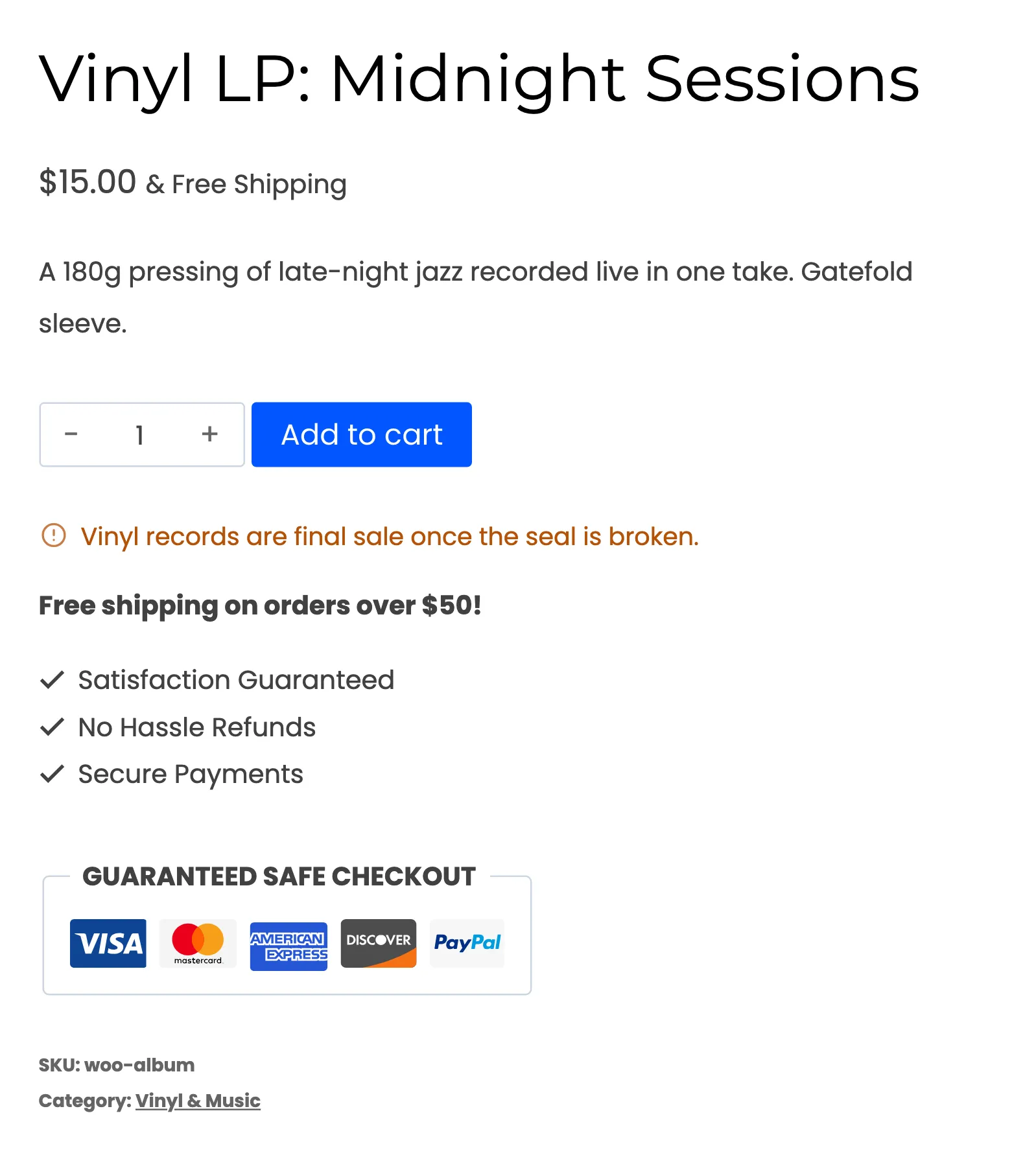
| Final sale | Final sale: this item cannot be returned. | The product has Final sale ticked or is in a final-sale category |
| Withdrawal exemption | This item is exempt from the statutory right of withdrawal. | The withdrawal function is on and the product is exempt under Article 16 |
| Warranty (Pro) | A line such as “1 year warranty” | Product page is on (Warranty tab) and the product has a warranty |
With a return policy page set, the policy line ends with a Details link to it.
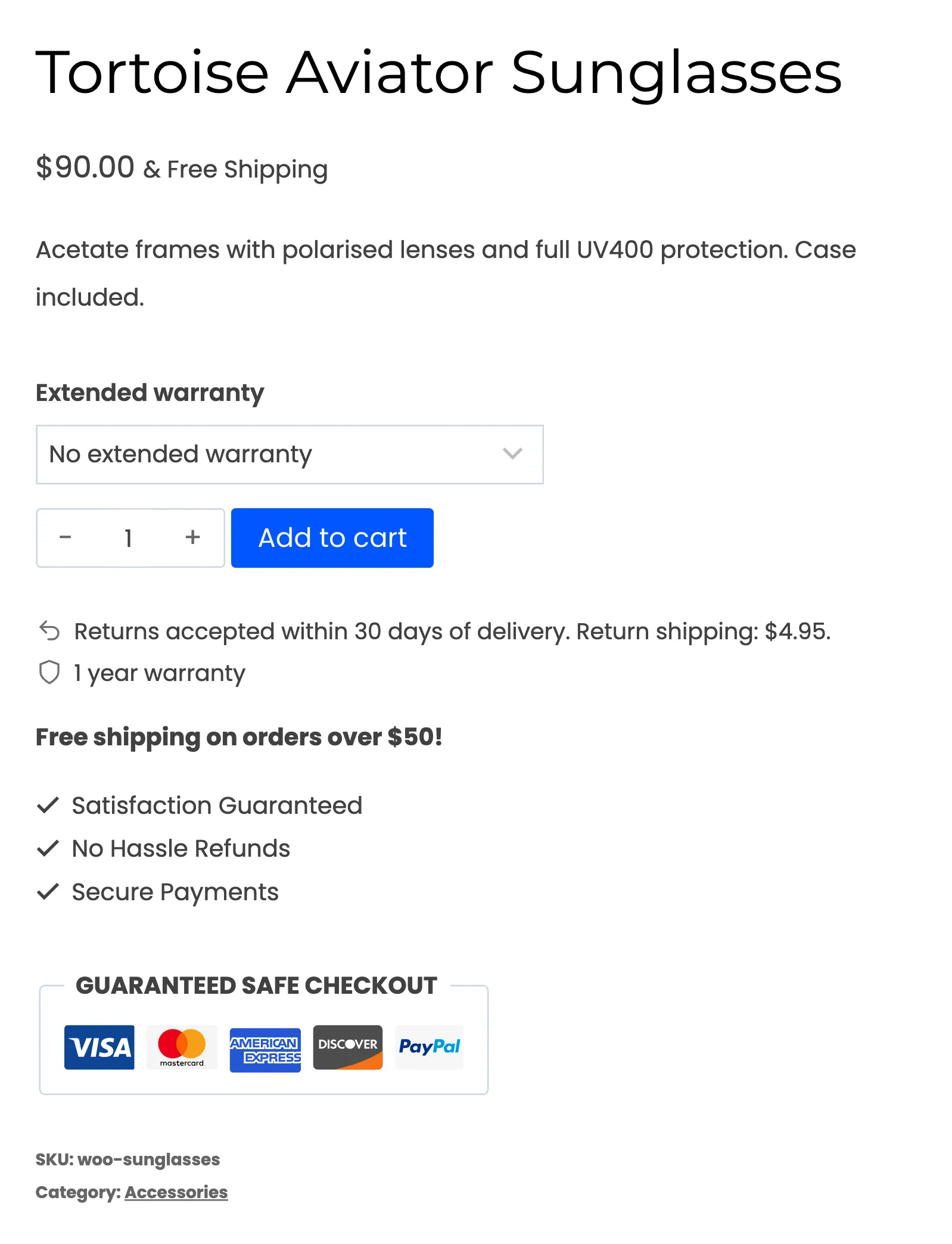
In Pro, a Non-returnable items rule replaces the final-sale text with the rule’s own message. A Return window rule changes the number of days for matching products. See Rules.
How the policy line is built
Section titled “How the policy line is built”Leave the policy text empty and WPReturns builds the line from your settings. That keeps it from promising something your settings do not do.
- It counts from delivery or from purchase as set in Count days from.
- It adds “Return shipping: $5.00.” when a fee applies. Different fees per resolution read like “Return shipping: $5.00 for refunds, free for exchanges.”
- It adds “Free return shipping.” only when an EasyPost or Shippo label provider is selected and no fee applies.
Write your own text instead and use {days} for the number of days. See Return policy.
Product edit screen fields
Section titled “Product edit screen fields”Each product gets these fields on the General tab of the product data box.
| Field | What it does | Available in |
|---|---|---|
| Final sale | Blocks returns and exchanges for the product. Warranty claims and EU withdrawal stay open. | Free and Pro |
| Exempt from withdrawal | Removes the product from the withdrawal flow (Article 16) | Free and Pro |
| Warranty and Warranty length | Included warranty, shown on the product page and checked on claims | Pro |
| Extended warranty | One paid extension per line as length unit | price | Pro |
Variations have their own warranty fields. Products > Bulk edit can set warranty fields on many products at once.
Extended warranty at checkout
Section titled “Extended warranty at checkout”With Extended warranty turned on (Warranty tab), products with extension terms get an Extended warranty dropdown above Add to cart. The first option is No extended warranty. Each other option shows its price, for example “2 years (+$29.99)”.
The chosen term shows in the cart and at checkout as an Extended warranty line, and its price is added to the item. The term is saved on the order item. Warranty claims use it to check the cover.
Checkout notice
Section titled “Checkout notice”With Checkout turned on (Return Policy tab), a short paragraph appears above the Place order button. It holds:
- the return policy line
- a Return policy link when a policy page is set
- the withdrawal line and a link to the withdrawal page when the withdrawal function is on. It reads “You can withdraw from this contract within 14 days of delivery using our withdrawal function.”
Classic checkout shows it before the submit button. Block checkout shows it above the Place order block.
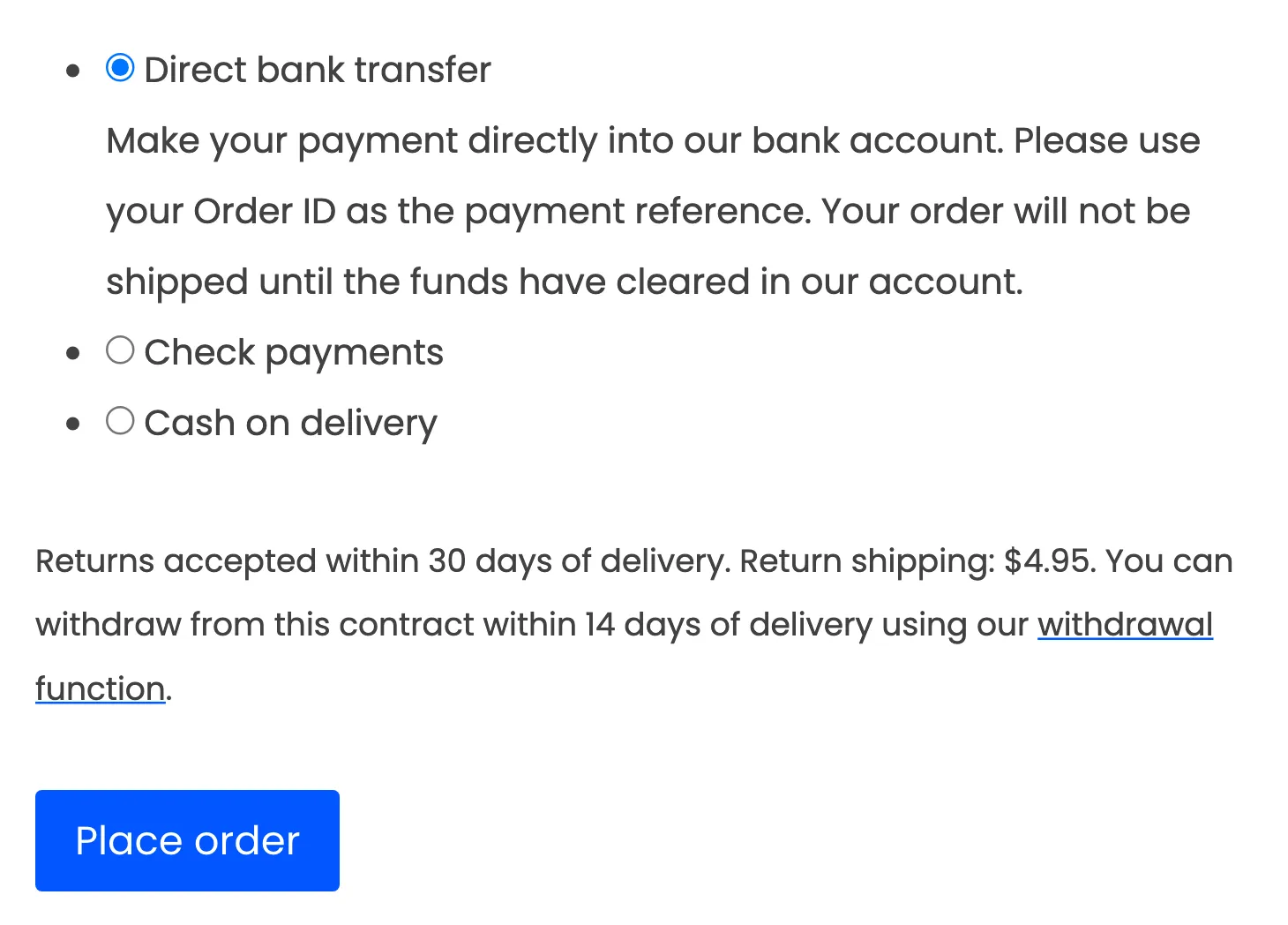
In the withdrawal line, the words “withdrawal function” link to the withdrawal page.
Consent for digital content (Article 16(m))
Section titled “Consent for digital content (Article 16(m))”EU consumers lose the right of withdrawal for digital content only after they agree to immediate supply. Turn on Digital content on the EU Withdrawal tab to ask for that consent.
When the cart holds a downloadable product and the withdrawal function applies to the billing country, checkout shows a required checkbox. The default text reads: “I agree that you start supplying the digital content before the withdrawal period ends. I understand that I lose my right of withdrawal once the supply has started.”
- The order cannot be placed without the tick. The error reads “Please agree to the immediate supply of the digital content to place your order.”
- The time of consent is saved on the order and shown on the edit order screen.
- Order emails record the date, time and product names of the consent.
- Downloads covered by the consent leave the withdrawal form.
The checkbox is off by default. Its text can be changed and translated. See EU withdrawal settings.