Resolving requests
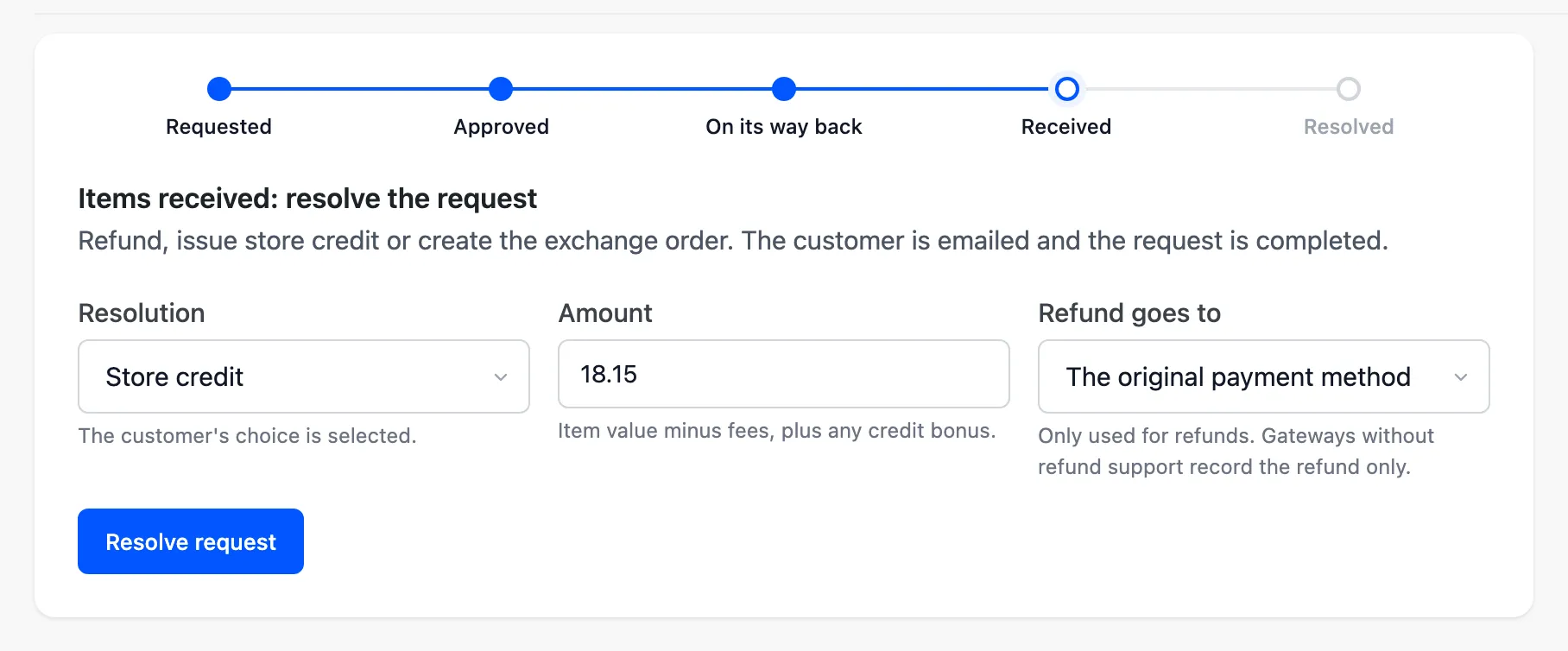
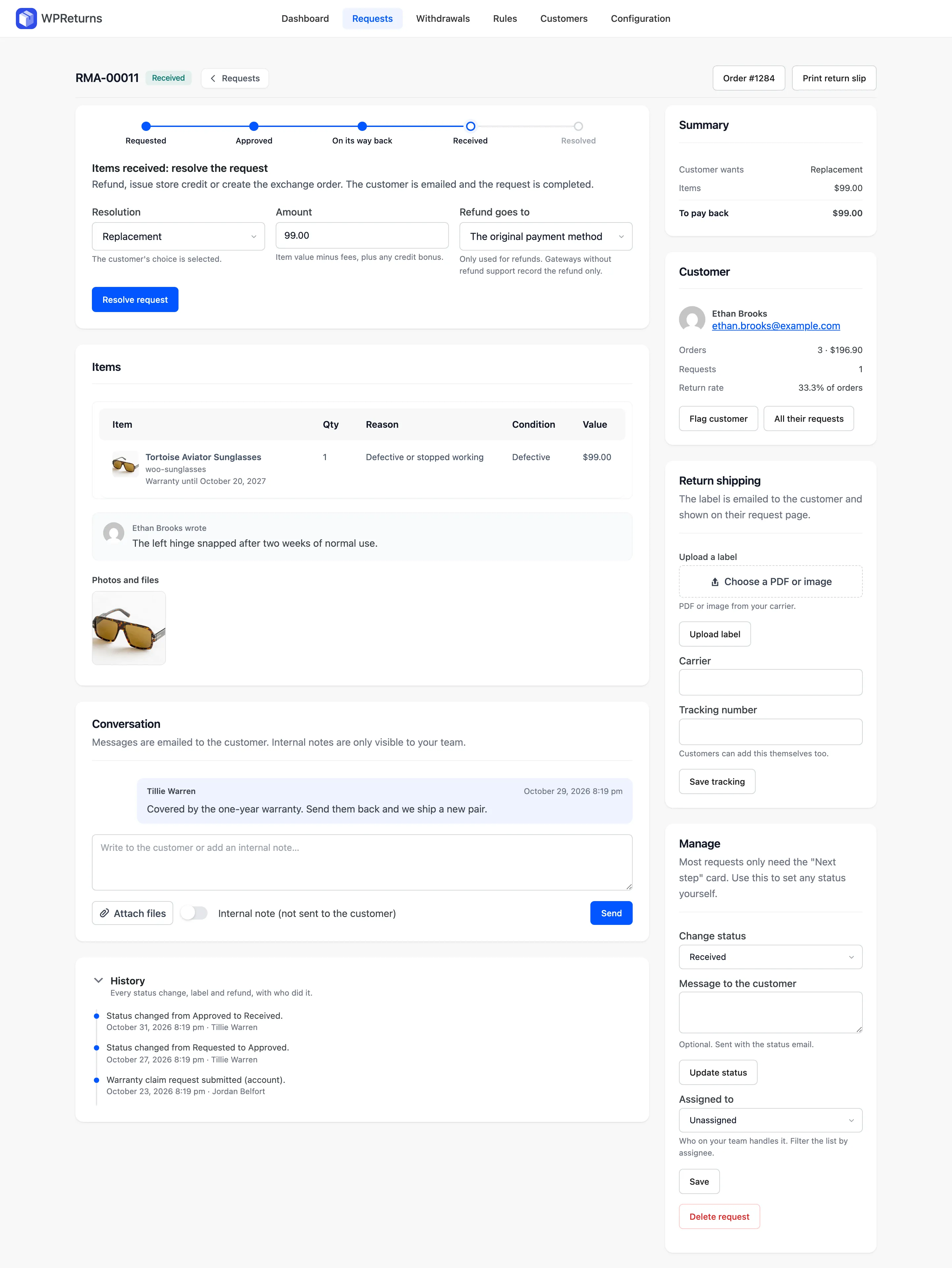
Resolving a request settles it with the customer through one Resolve request button. WPReturns can refund through WooCommerce, issue store credit or create a linked exchange order. Warranty claims get a repair or a free replacement, and keep-it rules refund without a return.
Available in: Free and Pro. The free plugin resolves with refunds only. Store credit, exchanges, repair, replacement and keep-it refunds need Pro.
The Resolve request button sits on the request screen. The options customers may pick are set on the Resolutions tab. See Resolution settings.
What each resolution creates
Section titled “What each resolution creates”| Resolution | Label customers see | What WPReturns creates | Available in |
|---|---|---|---|
| Refund | Refund to original payment | A WooCommerce refund on the order | Free and Pro |
| Store credit | Store credit | A coupon or a DevDiggers Wallet top-up | Pro |
| Exchange | Exchange | A new linked order for the replacement items | Pro |
| Repair | Repair | A log entry: “Marked as repaired.” | Pro |
| Replacement | Replacement | A linked order at no charge | Pro |
| Keep it | Keep the item (refund without return) | A refund with no parcel to wait for | Pro |
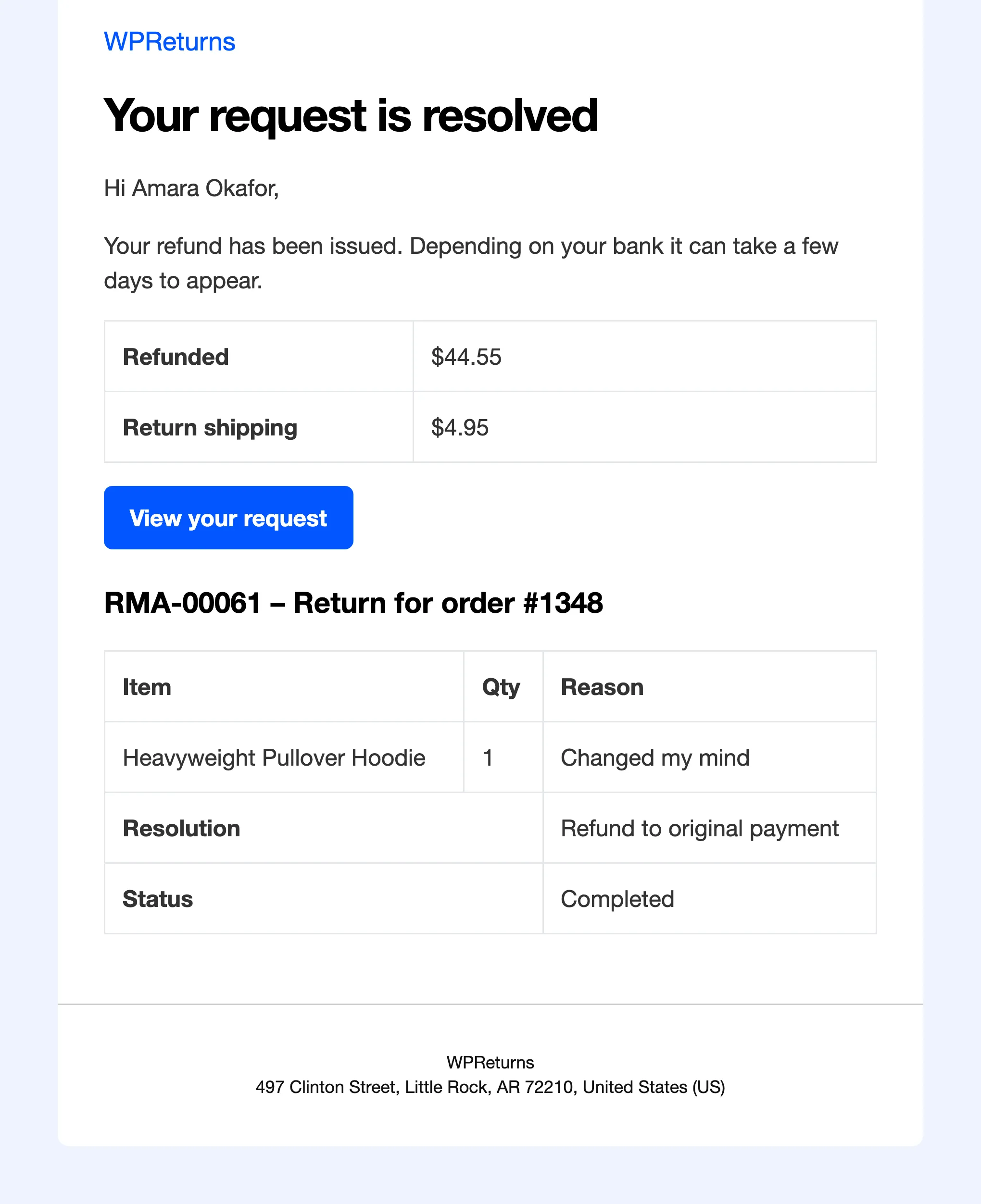
After a resolution runs, the request moves to Completed and the customer gets the Return resolved email. The email says what was paid back and shows the final status, Completed. The result also lands in the history and on the customer’s request page.
How the amount is worked out
Section titled “How the amount is worked out”The Amount field starts at the item value minus fees, plus any credit bonus. You can lower or raise it before you resolve.
| Part | Source |
|---|---|
| Item value | The price paid per unit times the quantity returned |
| Restocking fee | Restocking fee rules (Pro) |
| Return shipping | The return shipping fee for that resolution, unless a Free return shipping rule waives it |
| Credit bonus | Bonus credit (%) on the store credit amount (Pro) |
Fees never apply to reasons marked as the store’s fault, to warranty claims or to EU withdrawals. Keep-it refunds carry no return shipping fee.
Refunds
Section titled “Refunds”A refund creates a WooCommerce refund with the returned line items and quantities. Refund goes to decides where the money goes.
| Option | Effect |
|---|---|
| The original payment method | WooCommerce asks the gateway to refund. Gateways without refund support record the refund only. |
| The customer’s DevDiggers Wallet | Records the refund in WooCommerce and adds the money to the wallet balance (Pro with Wallet) |
| Record only (I pay it back myself) | Records the refund in WooCommerce. You send the money yourself. |
The default comes from Gateway refunds on the Resolutions tab. The history logs the outcome, for example “Refunded $49.00 to the original payment method.” A refund recorded without the gateway reads “Refunded $44.55 (recorded in WooCommerce; pay it back manually).”
Store credit
Section titled “Store credit”Store credit pays the customer in a form they spend in your shop.
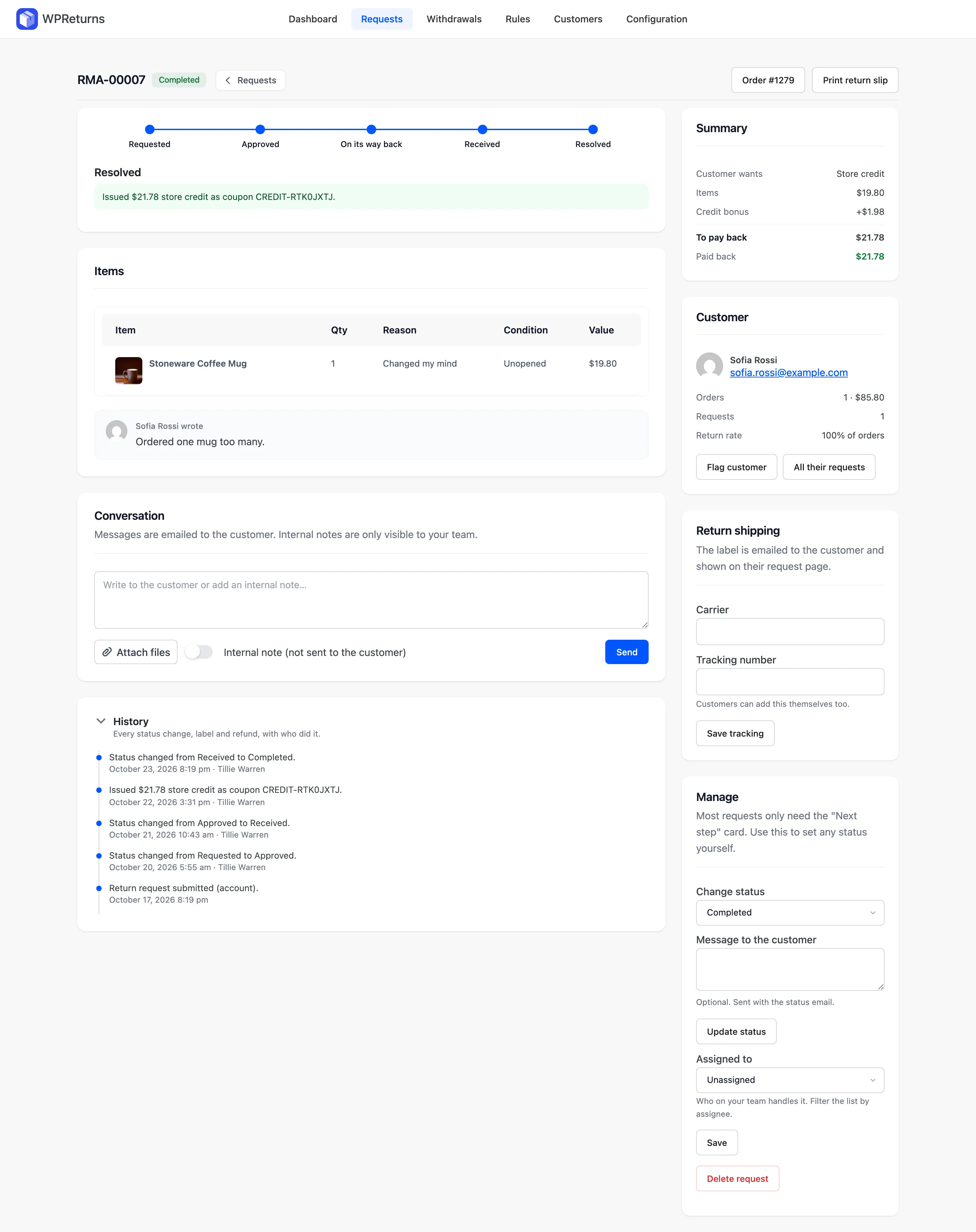
- A coupon pays it as a single-use coupon for the customer’s email. It expires after Coupon expires after (days) on the Resolutions tab, which defaults to 365. The code shows on the request page with “Enter it at checkout on your next order.”
- The customer’s DevDiggers Wallet takes the amount as wallet balance. It needs a customer account. See DevDiggers Wallet.
The result reads like “Issued $21.78 store credit as coupon CREDIT-RTK0JXTJ.”
WPReturns also records store credit as a WooCommerce refund that moves no money. Order totals, cashback and points then follow the return. The bonus is left out of that record.
If WooCommerce fails to record that refund, the credit still goes out. A private note on the request gives the reason. It starts “The credit was issued, but WooCommerce did not record it as a refund on the order”.
Exchanges
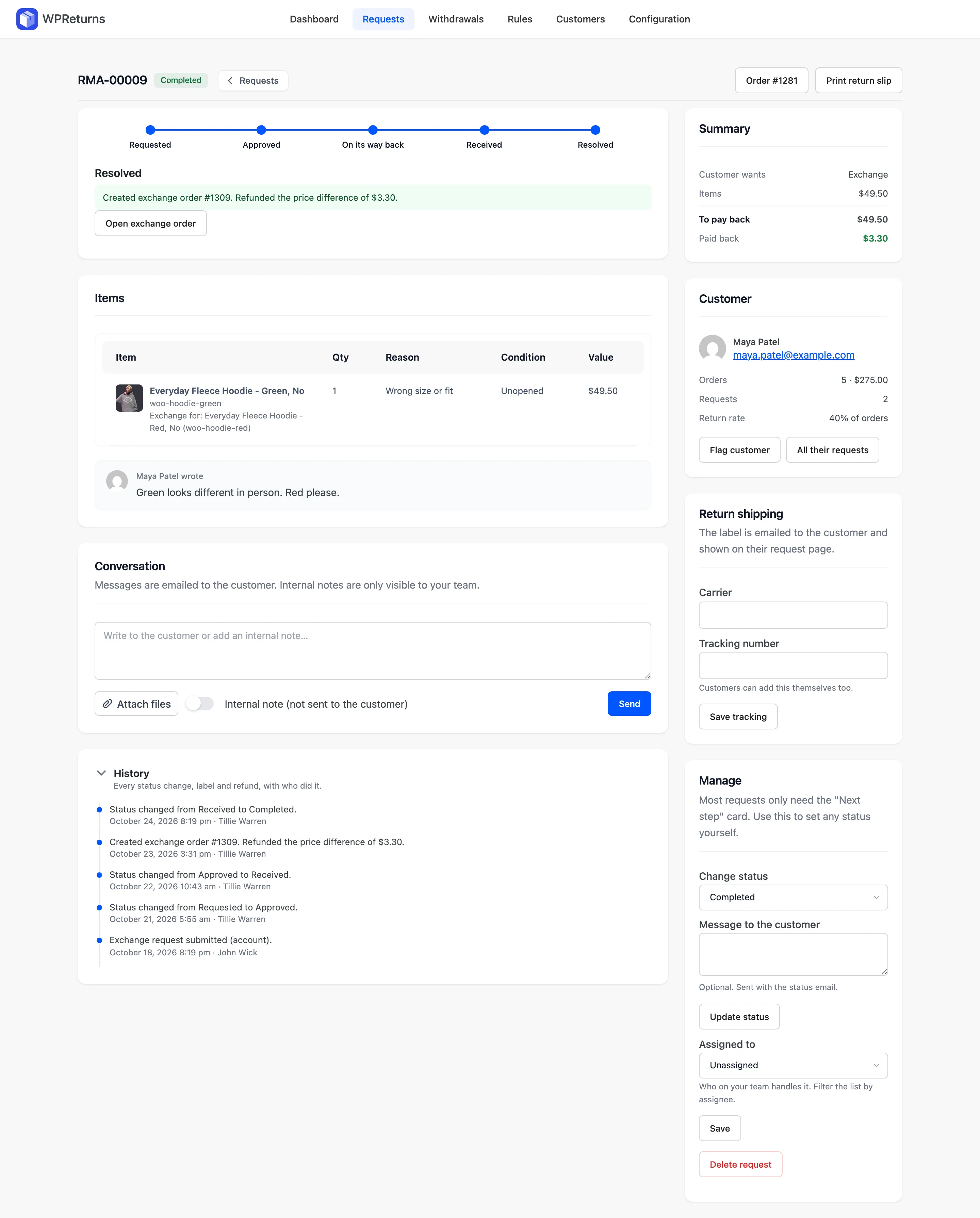
Section titled “Exchanges”An exchange creates a new order linked to the request, with the items the customer picked. The returned items count as credit on it.
Customers are only offered Exchange when Same product or Any product exchanges are allowed on the Resolutions tab. With both off, the option does not show.
| Price of the new items | What happens |
|---|---|
| Same as the credit | The exchange order is created as processing at zero |
| Higher | The exchange order waits for payment. The customer gets a Pay the difference button. |
| Lower | The difference is refunded on the original order |
The result reads like “Created exchange order #1043. The customer pays the difference of $12.00.”
A cheaper exchange reads “Created exchange order #1309. Refunded the price difference of $3.30.” Use Open exchange order on the request screen to see it.
With Refund goes to set to the customer’s wallet, the difference is added to their DevDiggers Wallet balance. The result then ends with “Refunded the price difference of $3.30 to the customer’s wallet.”
Warranty resolutions: repair and replacement
Section titled “Warranty resolutions: repair and replacement”- Repair marks the request as repaired and logs it. You handle the repair outside WooCommerce.
- Replacement creates a linked order for the same items at no charge.
A warranty claim’s items show “Warranty until” with the end date. The Resolution field starts on the customer’s choice, such as Replacement.
Keep-it refunds
Section titled “Keep-it refunds”A Keep it (returnless refund) rule in Pro lets matching items stay with the customer. The request skips the shipping steps. The customer sees “No need to send this one back.” You resolve it with a refund or store credit as usual.
Automatic resolution
Section titled “Automatic resolution”With Automatic resolution on the Automation tab (Pro), WPReturns resolves received returns on its own. It waits the hours set in Wait after receipt (hours) and uses the resolution the customer chose. A failure shows as an internal note: “Automatic resolution failed: …”.