Withdrawals log
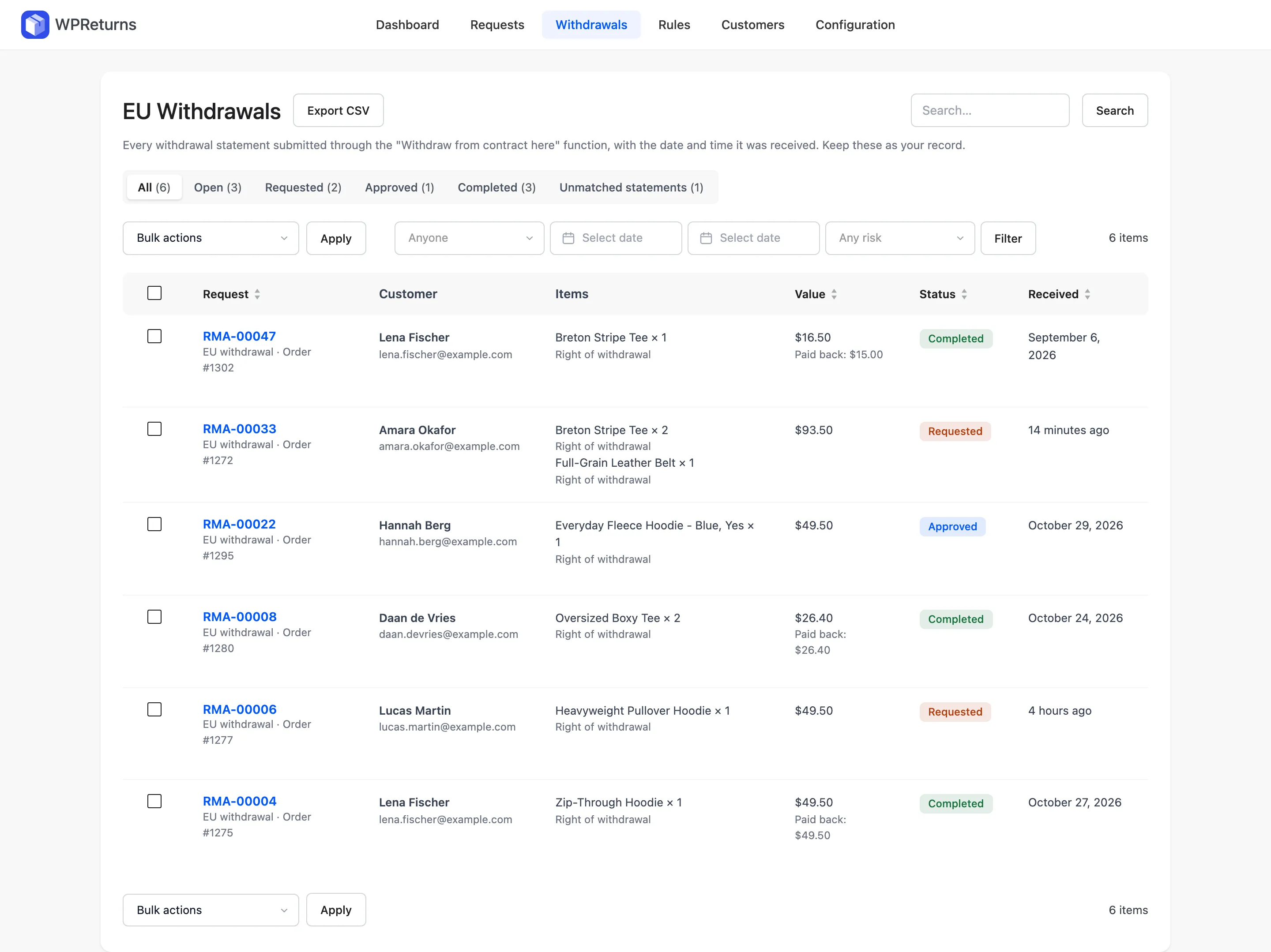
The Withdrawals log lists every statement sent through the “Withdraw from contract here” function, with the date and time it arrived. Statements that matched no order sit in a separate Unmatched statements tab. The whole log exports to CSV and is your record in a dispute.
Available in: Free and Pro.
Open it at DevDiggers Plugins > WPReturns > Withdrawals. The screen title reads EU Withdrawals.
What the log shows
Section titled “What the log shows”Each matched statement becomes a request of the type EU withdrawal with its own RMA number. The list works like the Requests list with a few changes:
- The Resolution and Risk columns are hidden.
- The date column is called Received.
- There is no Add New button. Staff cannot create a withdrawal for a customer, because the statement must come from the customer.
- There is no Delete permanently bulk action. Withdrawal statements cannot be deleted.
Status tabs and search work as on the Requests list. The filters are the assignee, the two date boxes and risk. There is no type, resolution or reason filter.
Handle a withdrawal
Section titled “Handle a withdrawal”- Open the withdrawal from the list.
- Check the Withdrawal statement card: Name given, Confirmation email and Received (UTC). Each item shows the reason “Right of withdrawal”.
- Approve it to tell the customer how to send the goods back.
- Mark it as received when the goods arrive, or when the customer shows proof of sending.
- Resolve it with a refund.
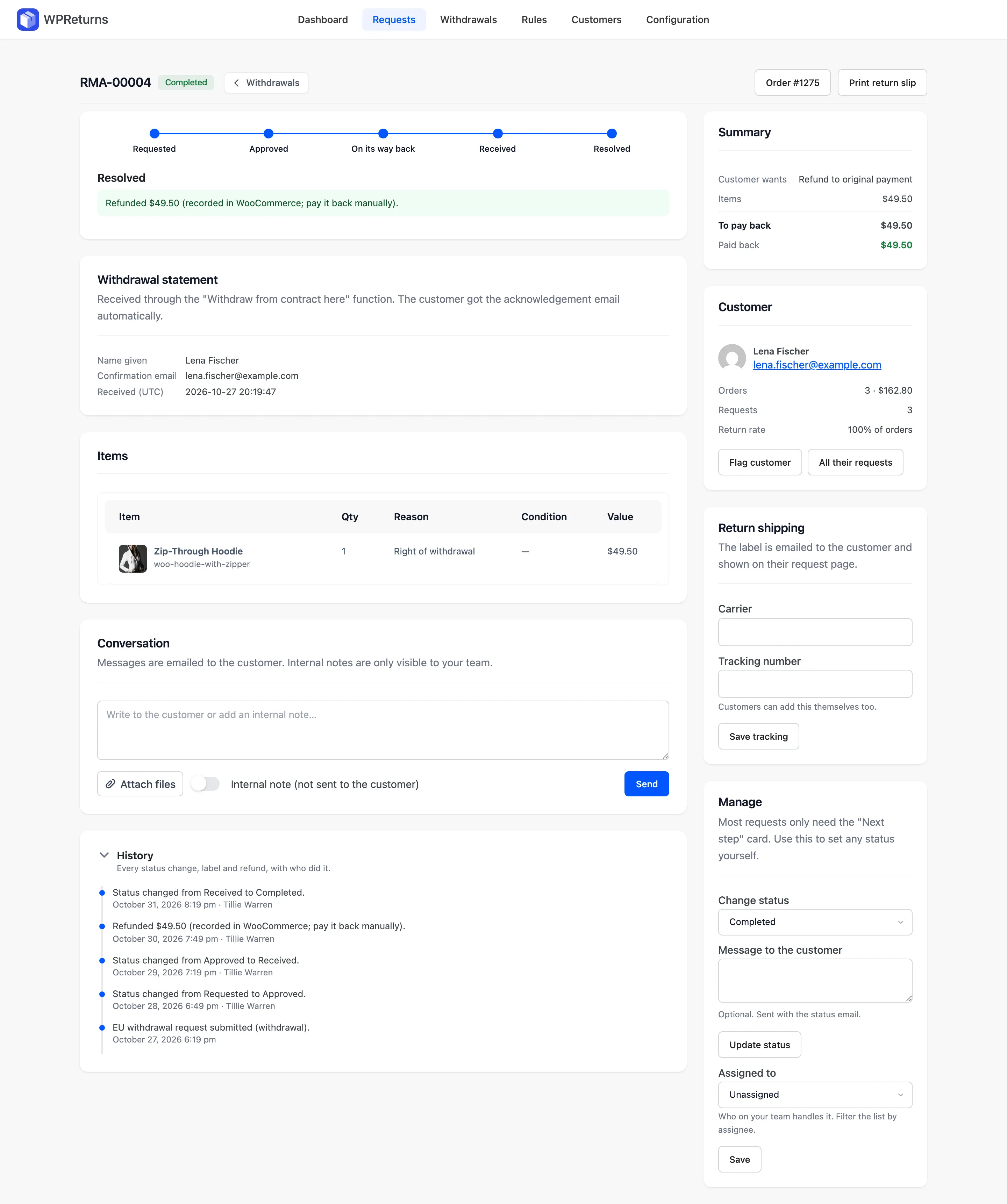
The customer already has the acknowledgement email. You do not need to send one.
A withdrawal has no Delete request button. A delete attempt returns “Withdrawal statements cannot be deleted. They are the record that the customer withdrew.”
Restocking fees and return shipping fees are not applied to withdrawals. See Resolving requests.
Unmatched statements
Section titled “Unmatched statements”A statement that matches no order lands on the Unmatched statements tab. That happens when the order number and email do not belong to the same order. The tab only appears when there is at least one.
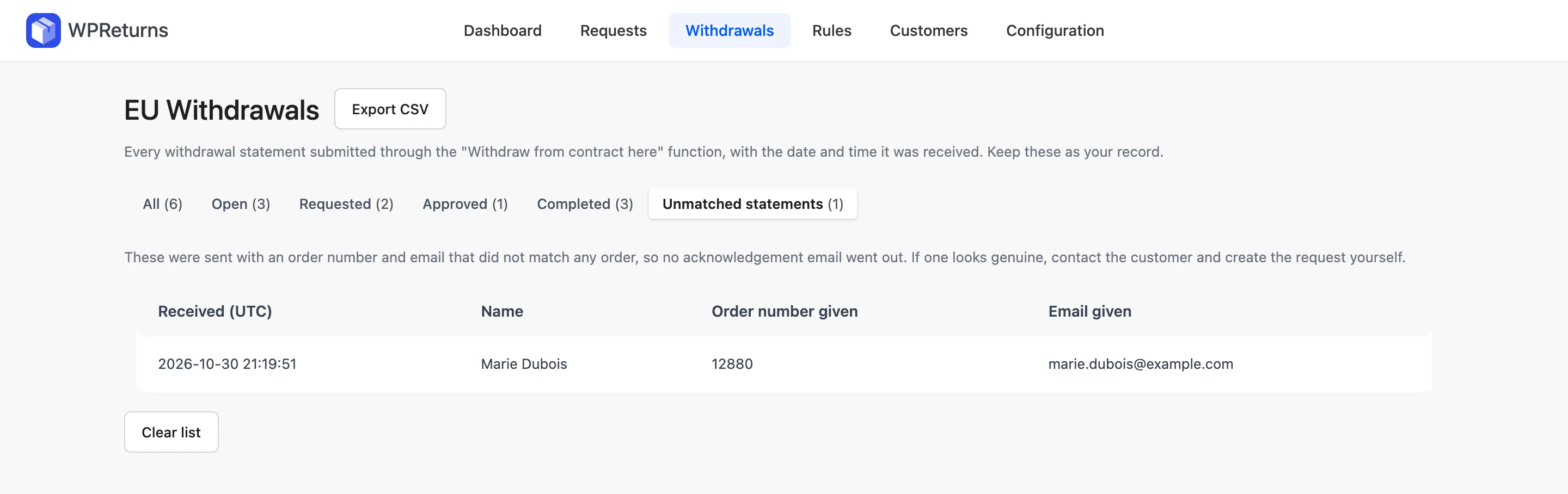
| Column | Content |
|---|---|
| Received (UTC) | When the statement arrived |
| Name | The name the visitor typed |
| Order number given | The order number as typed |
| Email given | The email as typed |
No acknowledgement email goes out for these. If one looks genuine, contact the customer.
You can create a return request for the order from the Requests list. A withdrawal itself must come from the customer.
Clear list empties the tab. WPReturns keeps the latest 200 unmatched statements.
Export the log to CSV
Section titled “Export the log to CSV”Select Export CSV at the top of the Withdrawals screen. It exports what the list shows, with the current status tab, search and filters. The file holds one row per withdrawn item with the request number, order, customer, email, created date, status and item details.
It uses the same columns as the requests export. For the whole log, export from the All tab with no filters.
Export regularly and keep the file with your records.
Privacy
Section titled “Privacy”The WordPress personal data exporter (Tools > Export Personal Data) includes withdrawal requests. The eraser anonymizes requests and deletes uploaded files. The request row, its dates and the order’s refund records stay as evidence.