
The best Loop Returns alternatives for WooCommerce are returns plugins that run inside your store. Loop is built for Shopify, and AfterShip Returns reaches WooCommerce from outside as a hosted app. Seven plugins made this list, and each one wins a different kind of store.
One thing to know first: we make WPReturns. So the list follows a six-job checklist that we applied to every plugin, ours included, as How We Ranked These Plugins shows. Here is the pick for each kind of store:
- WPReturns lists all six checklist jobs, but it came out in October 2026 and has no reviews yet.
- WP Swings is the most proven free plugin here, with 4,000+ active installs and 4.7 stars from 124 reviews.
- Zorem Returns is the one to check when most of your returns are exchanges.
- Returns and Warranty Requests suits stores that mainly sell extended warranties.
- WP Desk Pro is the cheapest paid upgrade at €59 a year.
- KoalaApps fits stores that refund as coupons and want detailed rules on who can return.
- YITH Advanced Refund System fits stores that already run YITH plugins and sell only to logged-in customers.
Why Loop and AfterShip Work Differently on WooCommerce
Loop and AfterShip are hosted returns platforms built around Shopify first. Loop serves other store platforms only through custom projects with its own team. AfterShip connects to WooCommerce from its own servers, while requests, rules and the portal live in the AfterShip admin.
Loop is direct about it. Its homepage FAQ says Loop “was and is currently for Shopify brands” and that other platforms need a custom implementation with longer timelines.
For a WooCommerce store that means a sales conversation and a custom project. There is no Loop plugin you can install yourself.
AfterShip has a documented path. Its WooCommerce connection guide has you install the app from the AfterShip Returns admin and add a plugin to your store. You then create an “Order updated” webhook in WooCommerce.
When the direct install fails, the same guide asks for a REST API key with Read/Write permissions. You also allowlist three AfterShip IP addresses with your host.
That connector plugin is public. The AfterShip Returns listing on WordPress.org showed 100+ active installs on November 2, 2026. It also warned that the plugin had not been tested with the latest 3 major WordPress releases.
wordpress.org > Plugins > AfterShip Returns

Its readme lists WordPress 6.3 as the last version tested, while the current WordPress release is 7.1. The plugin only carries data between your store and AfterShip. The returns work itself happens on AfterShip’s side.
A WooCommerce returns plugin works the other way round. It runs inside WordPress, stores requests in your own database and refunds through WooCommerce itself.
Note: A Read/Write API key lets the connected service change orders in your store. If you use one, give it to a dedicated user and revoke it the day you stop using the app.
Loop Returns Alternatives for WooCommerce Side by Side
The seven Loop Returns alternatives for WooCommerce below differ most on exchanges, labels and fraud tools. Only WPReturns lists API return labels, fraud scoring and the EU withdrawal button together. Zorem lists the most exchange tools after it, and two free plugins cover basic refunds at no cost.
Every row comes from the vendor’s own page, compared on October 30, 2026. “Y” means stated, “P” means a paid tier, ”~” means partial and ”–” means not mentioned on the source page.
A dash does not prove the feature is missing. It only means the vendor’s page did not say so.
| Plugin | Price (yearly) | Guest portal | Exchange for any product | Store credit | API return labels | Fraud tools | EU withdrawal button | Checklist score |
|---|---|---|---|---|---|---|---|---|
| WPReturns | Free; Pro $99 | Y (free) | P | P | P (EasyPost, Shippo) | P | Y (free) | 6 of 6 |
| WP Swings RMA | Free; Pro from $79 | P | – | P | – | Y | – | 3 of 6 |
| WP Desk Flexible Refund | Free; Pro €59 | P | – | P | – | – | ~ | 2.5 of 6 |
| Zorem Returns | $129 | – | Y | Y | – | – | – | 2 of 6 |
| YITH Advanced Refund System | $79.99 first year | Not supported | – | Y | – | – | – | 1 of 6 |
| Returns and Warranty Requests | $99 | Y | – | – | – | – | – | 1 of 6 |
| KoalaApps Advanced Returns | ₹4,751 shown (about $49) | – | – | Y | – | – | – | 1 of 6 |
KoalaApps showed its price only in rupees for our region. WP Desk prices its Pro version in euros.
Three plugins in the table also matter for a later move. WPReturns can import requests from WP Swings, WP Desk and YITH through its Import tab.
How We Ranked These Plugins
We ranked the plugins by how many of six returns jobs their own pages state, from the table above. Ties went to the plugin with more public reviews. The same scoring applies to WPReturns as to the other six plugins.
Competitor facts come from each vendor’s own page, compared on October 30, 2026 and re-checked on November 2. We tested only WPReturns 1.0.0 hands-on, on our demo store. Each review below names where that plugin falls short.
The six jobs are the ones that decide whether a plugin can replace a hosted app. They are a guest portal, exchanges for any product, store credit, API return labels, fraud tools and the EU withdrawal button.
A stated job scores 1, in the free or the paid tier. A partial one scores 0.5, and a job the page does not mention scores 0. A low score can mean a page that says little, and a plugin may still do more than its page claims.
The checklist favors plugins that do many jobs at once, and that is where WPReturns is strong. It leaves out three things where other plugins lead:
- Track record goes to WP Swings, with 4,000+ active installs and 124 reviews. WPReturns 1.0.0 was released on October 31, 2026 and has none yet.
- Price goes to the free plugins and to WP Desk Pro at €59 a year. Price is a column in the table and has no weight in the score.
- Depth in one job goes to the specialists. Zorem lists more exchange tools, and Returns and Warranty Requests sells warranties at checkout.
If your store needs one job done well, compare the plugins on that job alone.
What Loop Returns and AfterShip Returns Cost
Loop and AfterShip charge by the month, and both tie the bill to your return volume. Loop starts at $340 a month, with a free plan for brands with 5,000+ yearly orders. AfterShip lists a free shopper-funded plan and paid monthly plans with per-return fees.
These prices come from each app’s Shopify App Store listing, compared on October 30, 2026. AfterShip showed its paid plans in rupees for our region. The USD figures below are approximate.
| Platform | Plans and prices | Rating (reviews) |
|---|---|---|
| Loop Returns | Free for brands with 5k+ annual orders; paid from $340/mo | 4.6 (450) |
| AfterShip Returns | Free (shopper-funded); paid plans about $19 and $119 a month plus per-return fees | 4.7 (1,544) |
Some reviews report bills above the list price. A February 2026 Loop review on the Shopify App Store describes an activation that needed a sales call and an $800+ monthly quote. The same reviewer reports revenue-share terms moving from 30% to 40%.
On AfterShip, an October 2026 review says a return window based on the delivery date needs the $119 plan. A May 2026 review says replacement without a return is limited to a higher plan.
A WooCommerce plugin is a flat yearly license instead. The plugins below run from free to $129 a year for one site, and none of them charges a per-return fee.
Example Yearly Fees at List Price
Loop Returns plan
- Monthly fee
- $340.00
- Months
- 12
- Yearly fees
- $4,080.00
Up to 1,000 returns a month
WPReturns Pro for 1 site
- Yearly license
- $99.00
- Per-return fee
- $0.00
- Yearly fees
- $99.00
Labels bought from your own carrier account
The example leaves out label costs on both sides. With WPReturns you pay EasyPost or Shippo for each label you buy through your own account.
Our Loop Returns vs WPReturns and AfterShip Returns vs WPReturns pages set each app against WPReturns row by row.
7 WooCommerce Returns Plugins That Replace Loop and AfterShip
These seven plugins all run inside WooCommerce and refund through its own order screens. They appear in checklist order, from WPReturns at 6 of 6 down to the single-job plugins. The free plugins from WP Swings and WP Desk handle basic refunds before you pay anything.
Each item below follows the same order. You get a short answer, the vendor’s own page, what our check found, the key features, the price and the store it suits.
1. WPReturns
WPReturns is our own returns plugin for WooCommerce, and it is the only one here whose pages state all six checklist jobs. It covers returns, exchanges for any product, store credit, warranty claims, API return labels, fraud flags and the EU withdrawal button. It is also the newest plugin on the list.
WPReturns > Requests > RMA-00009
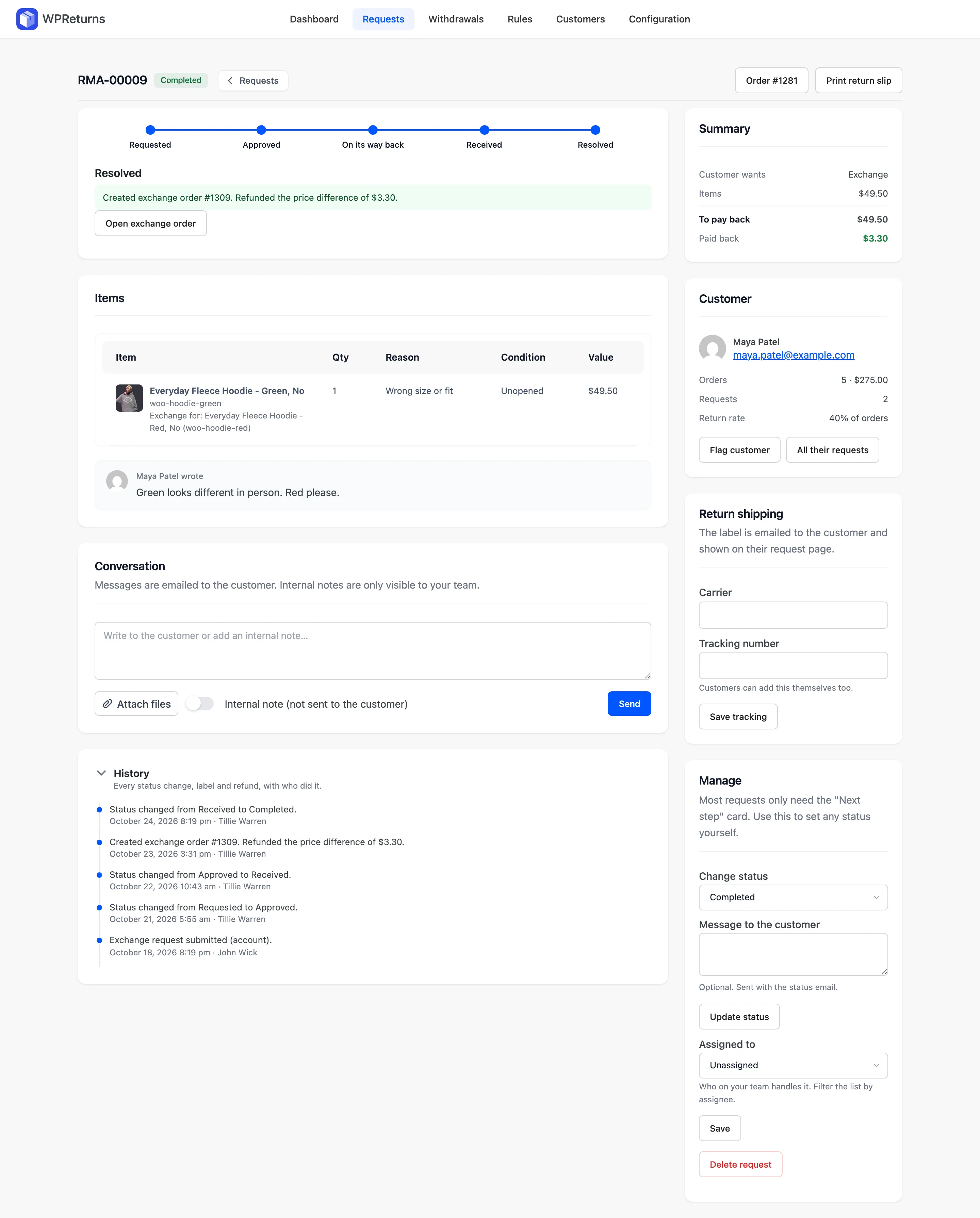
On our demo store, an exchange from a green hoodie to a red one created exchange order #1309. The request screen logged the $3.30 price difference as refunded to the customer.
The free plugin download handles returns, cancellations, the guest portal, photo uploads and the EU withdrawal button. WPReturns Pro adds the money flows and automation below.
Key features:
- A linked WooCommerce order charges or refunds the difference. The WooCommerce exchanges feature shows the flow.
- Credit goes out as a coupon or a DevDiggers Wallet balance with an optional bonus.
- Labels come from your own EasyPost or Shippo account, or you upload a file.
- Eight rule types cover windows, final sale, auto-approve, auto-reject, fees, free shipping, photos and keep-it refunds.
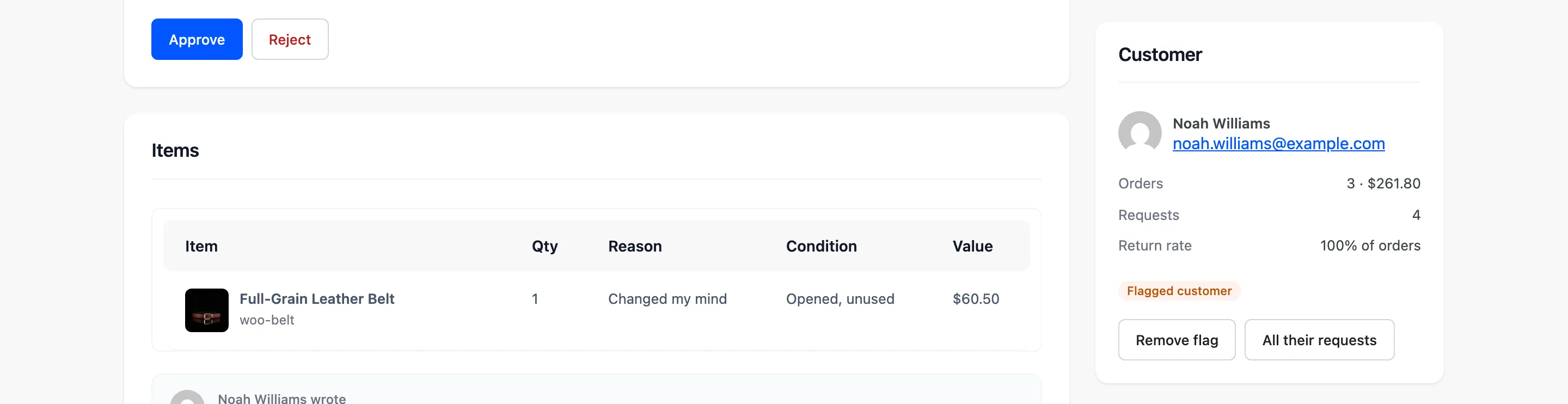
- Each request shows the customer’s return rate plus signals like serial returner, used or worn and high value.
- The dashboard tracks return rate, refunded and kept revenue, reasons and top products.
- A REST API and webhooks send request events to other systems.
WPReturns > Requests > Customer panel
WPReturns has limits too. Version 1.0.0 came out on October 31, 2026, and it has no public review history yet. The EasyPost and Shippo integrations follow their documented APIs but were not run live against a merchant account before release.
It has no box-free drop-off network and no direct Royal Mail or DHL integration. Shippo labels cover USPS, FedEx and UPS only. A hosted platform still wins if in-person drop-off points matter to you.
It scores 6 of 6 on the checklist. Exchanges, credit, labels and fraud tools are in Pro.
Pricing: The free plugin costs $0 on WordPress.org. WPReturns Pro pricing is $99 a year for one site, $249 for five and $399 for ten, with every feature on every plan.
Best for: WooCommerce stores that want exchanges, labels, fraud checks and EU compliance in one plugin with the data kept in the store.
2. WP Swings Return Refund and Exchange
Return Refund and Exchange for WooCommerce by WP Swings is the most installed free returns plugin here. It has 4,000+ active installs and a 4.7 rating from 124 reviews. The free version takes refund requests with photos and video, while the guest portal and wallet credit sit in Pro.
wordpress.org > Plugins > Return Refund and Exchange
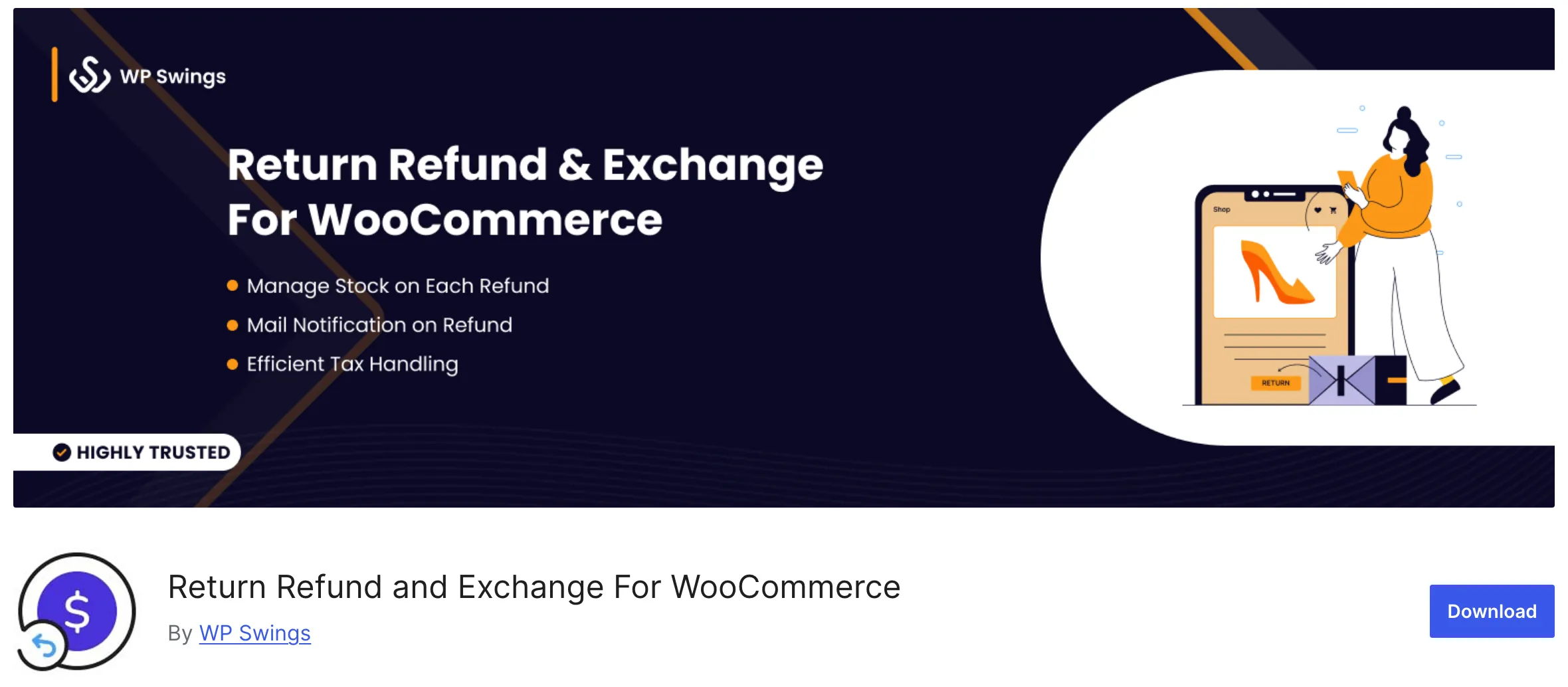
The WP Swings listing on WordPress.org showed version 4.6.5, updated on October 23, 2026. The listing mentions exchanges but does not make the free and Pro split clear.
Some 1-star reviews are titled “bad support”, and one calls the paid version a “disaster”. If you already run it, WPReturns can import its return requests later.
Key features:
- Customers attach images and video in the free version.
- You block customers by email and limit requests per user.
- You set the rules and time limits for each request.
- Customers and staff talk on the request.
- The plugin supports WPML.
- The guest portal and a wallet come with the Pro version.
Our WP Swings RMA vs WPReturns page lists the differences row by row.
It scores 3 of 6 on the checklist for its guest portal, store credit and fraud tools.
Pricing: The free version costs nothing. Pro starts at $79 a year for one site (compared on October 30, 2026).
Best for: Stores that want a free plugin with photo uploads and basic abuse controls.
3. WP Desk Flexible Refund and Return
Flexible Refund for WooCommerce by WP Desk is a free plugin with a low-cost Pro version at €59 a year. Most of its useful parts sit in Pro, from the guest form to automatic approval. It holds a 4.0 rating from 4 reviews with 2,000+ active installs.
wordpress.org > Plugins > Flexible Refund for WooCommerce
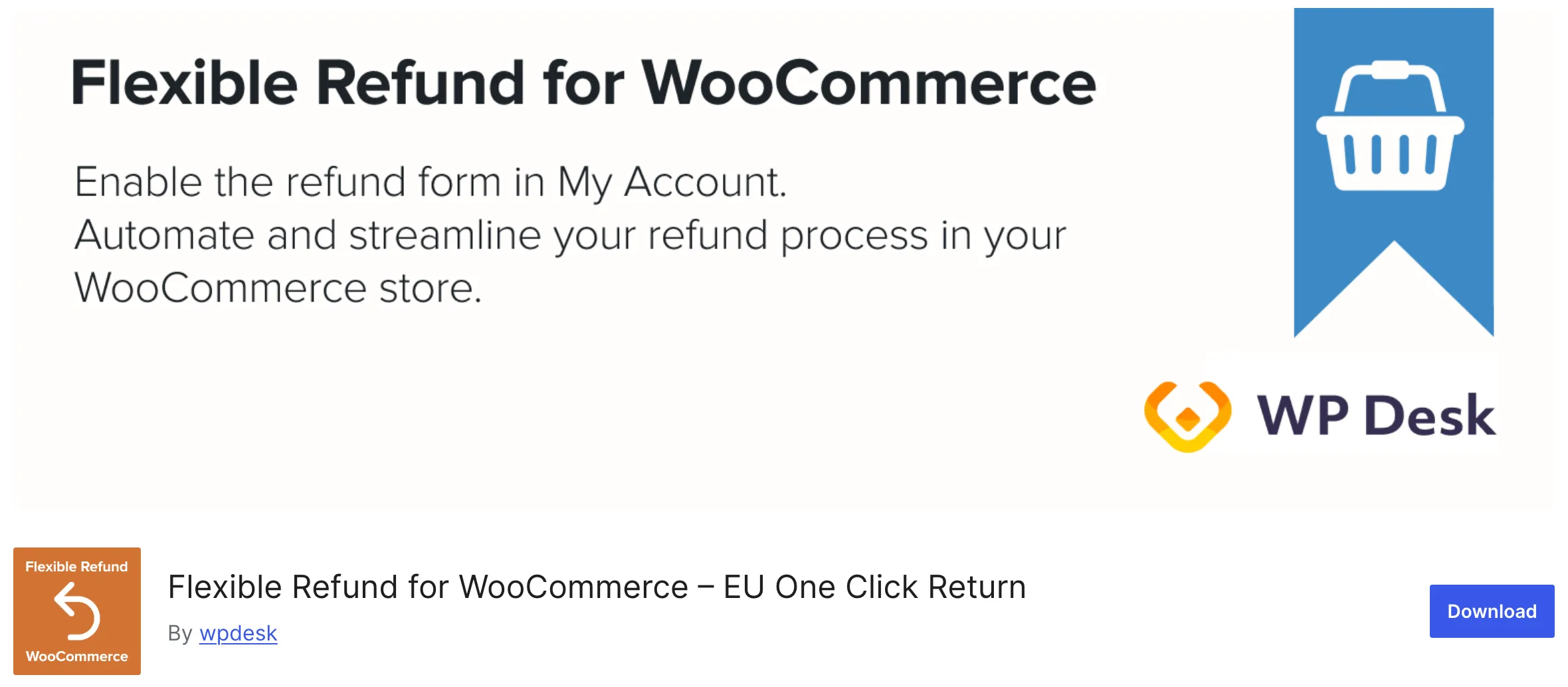
The WP Desk listing on WordPress.org showed version 2.1.0, updated on October 21, 2026. The plugin now carries “EU One Click Return” in its name, but the pages we read do not describe a two-step confirm flow.
One 1-star review points out that the public shortcode needs Pro. The reviewer felt the free plugin offers little before you pay.
Key features:
- Customers without an account submit requests through the
[flexible_refund_public]shortcode. - Conditions cover role, status, product, category and payment with ANY or ALL matching.
- Requests that match a rule can be accepted without a person.
- Separate repair and reclamation forms sit next to the refund form.
- Refunds can go out as a coupon.
- Customers attach files up to a set limit.
Our Flexible Refund vs WPReturns page covers each feature in a table.
It scores 2.5 of 6 on the checklist. The guest form and refund coupons are in Pro, and the EU flow counts as partial.
Pricing: The free version costs nothing. Pro costs €59 a year for one site (compared on October 30, 2026).
Best for: Stores on a small budget that want detailed rule conditions in a paid upgrade.
4. Zorem Returns
Zorem Returns, sold as Returns for WooCommerce on the WooCommerce Marketplace, is the closest rival on exchanges. It lists cross-product exchanges with the price difference handled for you. Store credit, restocking fees and a returns analytics dashboard come in the same $129 yearly plan.
woocommerce.com > Returns for WooCommerce
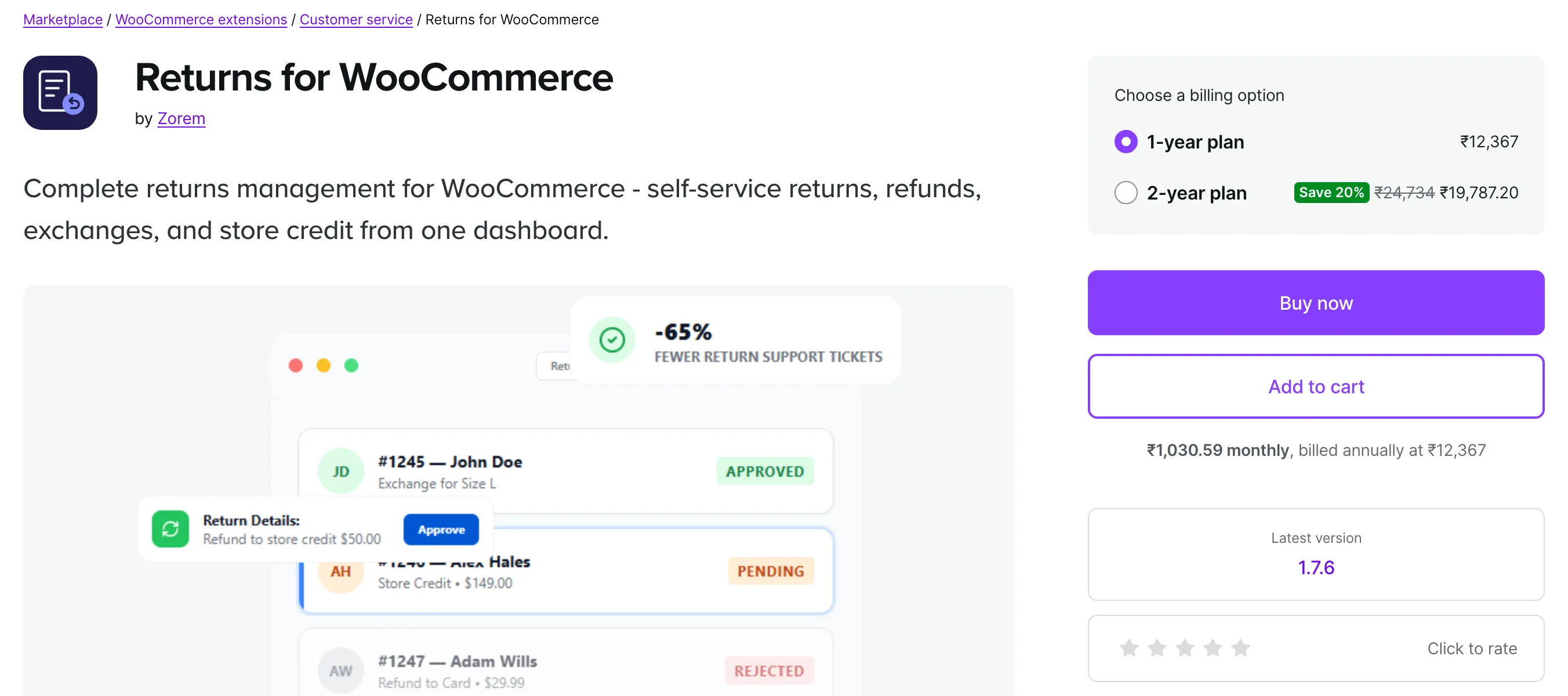
The listing showed version 1.7.6 and no rating yet on November 2, 2026. It now also names a warranty request workflow and a Keep the Item option for low-value returns.
It did not mention a guest portal, API return labels or the EU withdrawal button. Ask Zorem about those before you buy if your store needs them.
Key features:
- Customers swap to another variant or pick a product from another category.
- The plugin works out the difference on an exchange by itself.
- Refunds can turn into credit with the balance tracked for the customer.
- A global window of 14 to 90 days takes overrides per product or category.
- Flat or percentage fees come off the refund, and defective items can be excluded.
- Reports show return rate, top returned products and revenue lost or retained.
It scores 2 of 6 on the checklist for exchanges and store credit.
Pricing: $129 a year for one site (compared on October 30, 2026). The marketplace showed the price in rupees for our region.
Best for: Stores whose returns are mostly exchanges and who do not need guest returns or carrier labels.
5. YITH Advanced Refund System
YITH Advanced Refund System handles refund requests with quantities, coupon credit and rules by product, days and order total. Its FAQ says a guest cannot submit a refund request at all. The plugin costs $79.99 for the first year on YITH’s own page.
yithemes.com > YITH Advanced Refund System
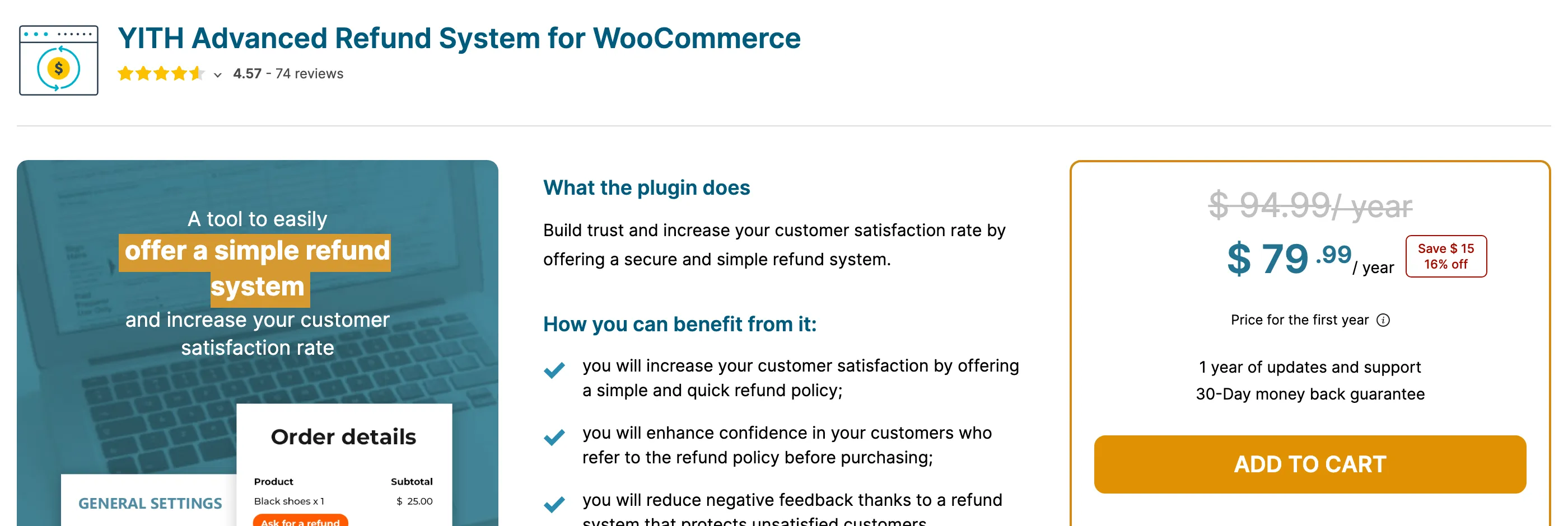
The page showed version 1.61.0, released October 1, 2026, with 4.57 stars from 74 reviews. It shows $94.99 struck through beside the $79.99 first-year price.
Photo uploads are limited to files on messages, and statuses are fixed. The page did not mention exchanges or labels.
Key features:
- Customers pick how many units of a product to refund.
- You offer a coupon instead of a refund and set its expiry.
- Refund rules work per simple product and per variation.
- You cap the days after purchase for a request.
- Requests can require an order total above a set amount.
- Admins and customers trade messages with a file on each one.
Our YITH Advanced Refund System vs WPReturns page has the details.
It scores 1 of 6 on the checklist for coupon credit. Its 74 reviews put it ahead of the other plugins on 1.
Pricing: $79.99 for the first year on YITH’s own page (checked on November 2, 2026).
Best for: Stores that already run several YITH plugins and only sell to logged-in customers.
6. WooCommerce Returns and Warranty Requests
Returns and Warranty Requests is the returns extension that Woo itself sells on the WooCommerce Marketplace. It leads on warranty, with terms per product and paid extended warranties at checkout. Its reviews are the weak point, at 2 out of 5 from 7 reviews.
woocommerce.com > Returns and Warranty Requests
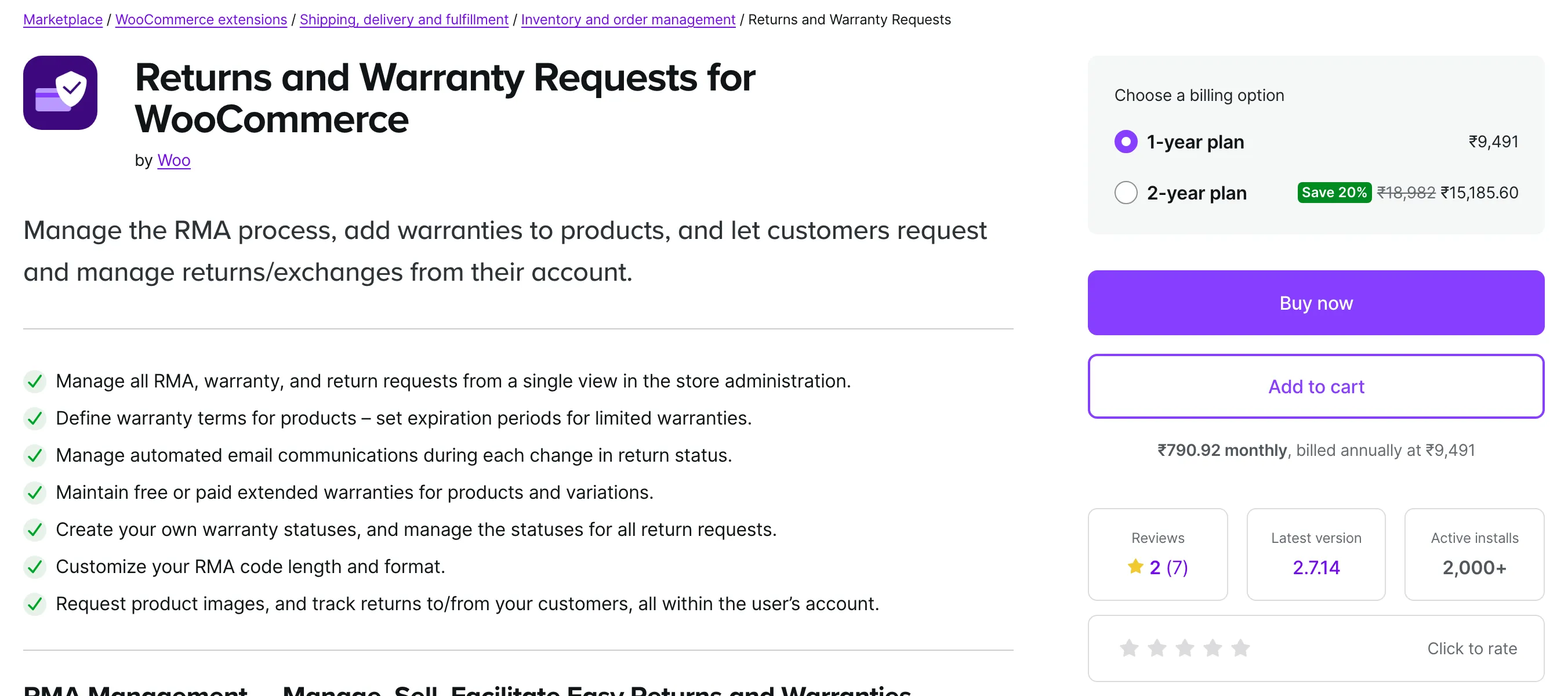
The listing showed version 2.7.14 and 2,000+ active installs on November 2, 2026. Reviews describe a database updater that stalled after an update in July 2024.
Another review says an order search bug took over a month to fix in May 2024. A July 2024 review says warranty info was hidden on out-of-stock products unless backorders were on.
Key features:
- Each product gets no warranty, an included lifetime or limited warranty, or a paid add-on.
- Shoppers buy extra coverage at checkout from several priced options.
- Guests get a unique claim link in their Order Completed email.
- You create your own statuses and use them for every request.
- You set the length and format of the RMA code.
- Customers send product images and track returns from their account.
Our Returns and Warranty Requests vs WPReturns page goes through each point side by side.
It scores 1 of 6 on the checklist for its guest claim links and has 7 reviews.
Pricing: $99 a year for one site (compared on October 30, 2026).
Best for: Stores that mainly sell extended warranties and can live with a thin returns feature set.
7. KoalaApps Advanced Returns and Refunds
Advanced Returns and Refunds for WooCommerce by KoalaApps is a paid plugin on the WooCommerce Marketplace. Its strength is rules, with conditions by product, category, role, spend, days, country, payment and status. It also approves matching requests by itself and pays credit as coupons.
woocommerce.com > Advanced Returns and Refunds
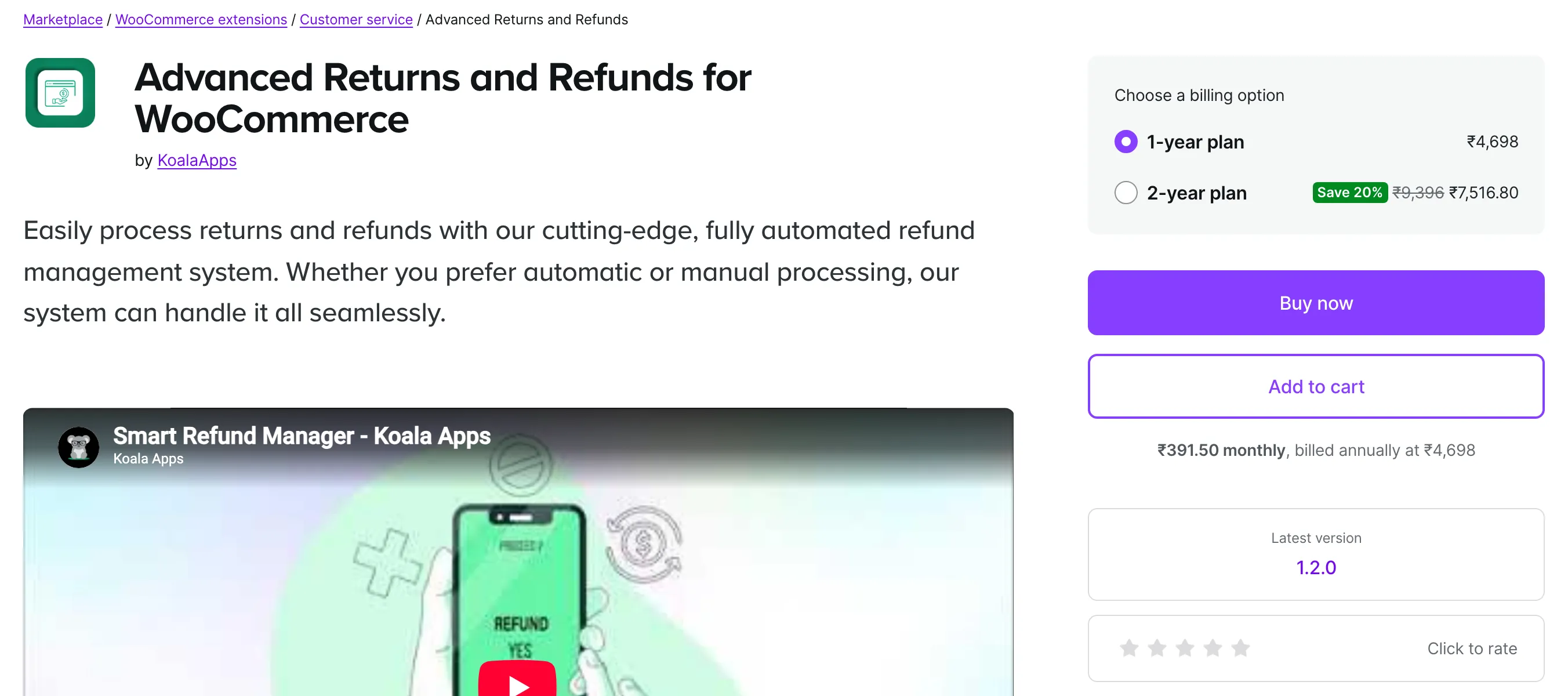
The listing showed version 1.2.0 and no rating yet on November 2, 2026. It did not mention exchanges, a guest portal or return labels.
Statuses come as a fixed set of six. A store that needs its own workflow steps will hit that limit early.
Key features:
- Rules limit refunds by product, category, role, spend, days, country, payment and status.
- Requests that match a rule are accepted without a person.
- Refund coupons take a custom prefix and an expiry date.
- You make attachments optional or required.
- Each request opens a chat between you and the customer.
It scores 1 of 6 on the checklist for coupon credit and has no reviews yet.
Pricing: The listing showed ₹4,751 a year for our region (about $49, compared on October 30, 2026).
Best for: Stores that refund mostly as coupons and need detailed rules on who can return.
Which of These Loop Returns Competitors Fits Your Store?
Choose by platform first and by the job returns do in your business second. A Shopify brand fits Loop or AfterShip, while a WooCommerce store fits a plugin that refunds through WooCommerce. After that, exchanges, warranty or budget decide the pick.
The short version by store type:
- Loop fits best when you pass 5,000 yearly orders and want box-free drop-off points.
- AfterShip gives one hosted portal and buys labels through its own carriers.
- WPReturns covers exchanges, labels, fraud checks and the EU button in one plugin but has no track record yet.
- Zorem Returns suits cross-product exchanges with automatic price differences.
- Returns and Warranty Requests and WPReturns Pro both sell extended warranties.
- WP Swings, WP Desk or the free WPReturns plugin cover basic refunds.
- KoalaApps gives detailed conditions and coupon credit.
If you are weighing AfterShip Returns alternatives because of per-return fees, the same list applies. Every plugin above charges a flat yearly price or nothing.
EU sales add one more check. Article 11a of Directive (EU) 2023/2673 requires a function labelled “withdraw from contract here”, and member states apply it from June 19, 2026.
Our EU withdrawal button feature explains what that function must do. In this list only WPReturns describes the full two-step flow.
Worth checking: Before you commit, file one test return as a guest on a phone. That single request shows you the customer’s side of the flow before real customers see it.
How to Move From a Hosted Returns App to a Plugin
Moving from a hosted returns app such as Loop or AfterShip to a WooCommerce plugin takes six steps. You close out open requests, set up the plugin and point your links at the new portal. Then you disconnect the old app so it stops reading your orders.
WPReturns can bring old requests over from 10 WooCommerce returns plugins under Configuration > Import. Loop and AfterShip are hosted apps, and the Import tab does not read their data.
WPReturns > Configuration > Import
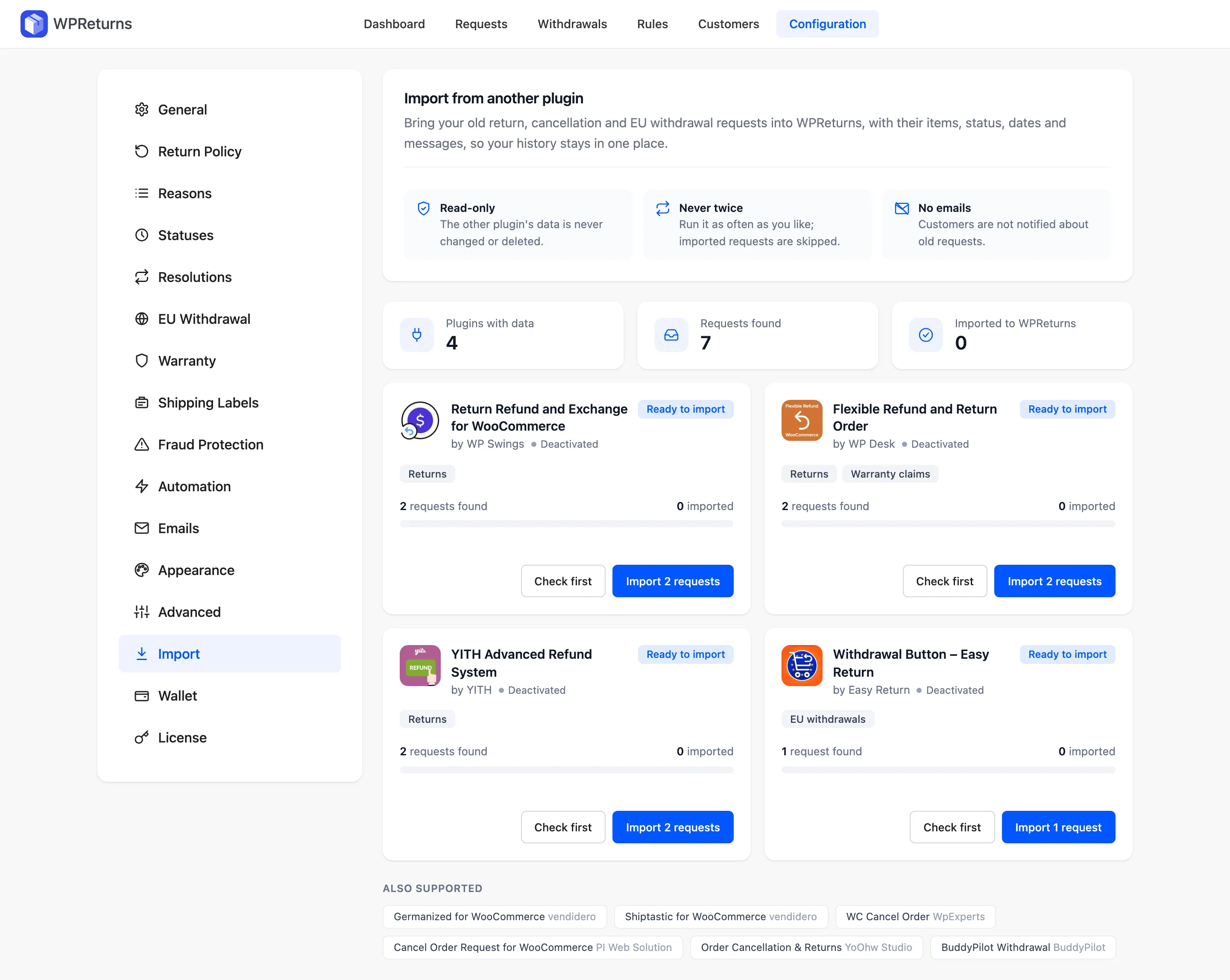
Your history in those apps stays with them. Export it from the app before you cancel. The migrate from 10 returns plugins page lists every plugin the tab does read.
Step 1: Close Out Open Requests
Finish the requests still in progress inside the old app. For the few you cannot finish, note the order numbers and create them again in WPReturns.
1WPReturns > Requests > Add New
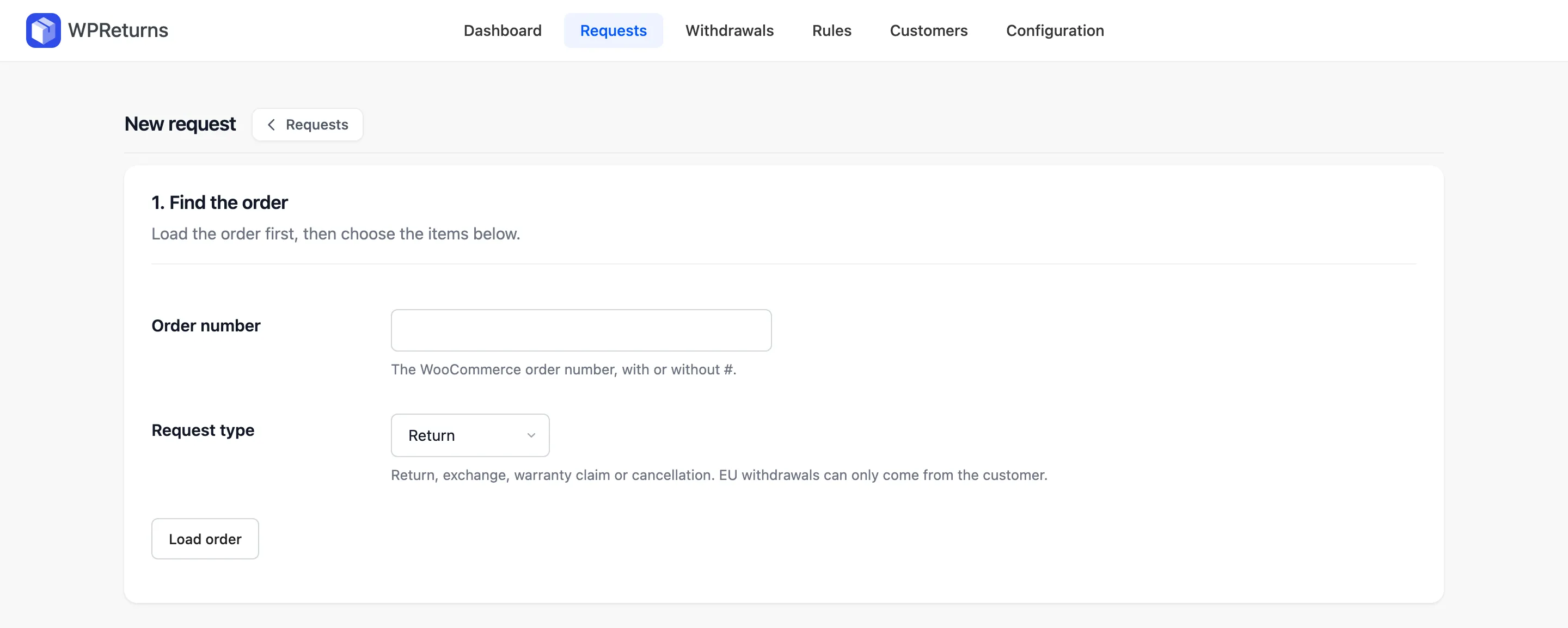
On the Requests list, select Add New and load the order by its number. The request type can be a return, exchange, warranty claim or cancellation. EU withdrawals can only come from the customer.
Step 2: Install the Free Plugin and WPReturns Pro
Search for WPReturns under Plugins > Add New and install the free plugin. Then upload the Pro zip under Upload Plugin and activate both.
2Plugins > Installed Plugins

Pro needs the free plugin and keeps the same data. The installation guide lists the WordPress, PHP and WooCommerce versions it needs.
Step 3: Run the Setup Wizard
The wizard opens after activation and takes seven short screens. It sets your return window, the resolutions you offer, return shipping and the EU withdrawal button.
3WPReturns > Setup Wizard > Step 3 of 7
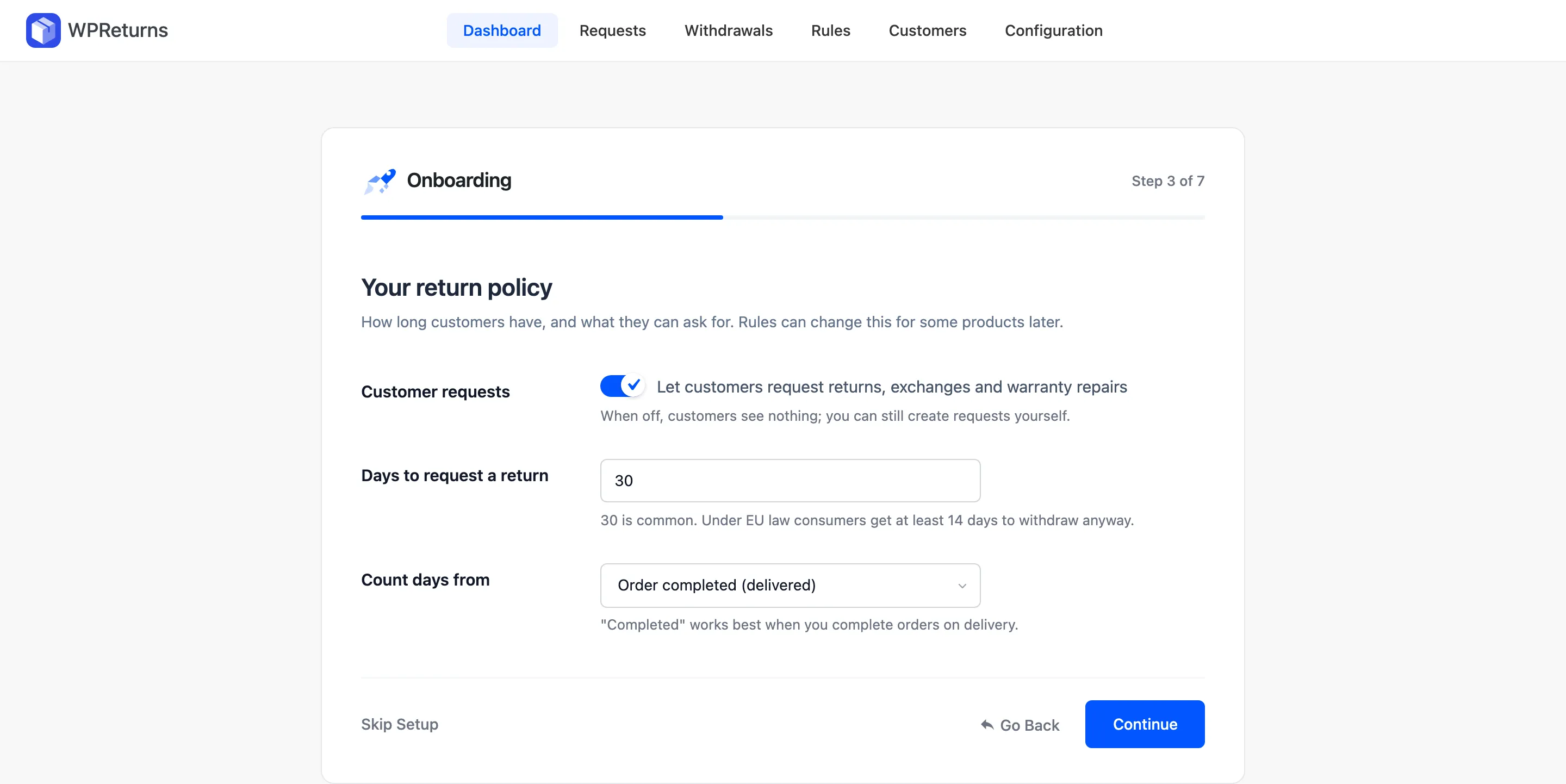
Copy your old window into Days to request a return. Pick Order completed (delivered) under Count days from if you complete orders on delivery. The setup wizard guide covers every screen.
Step 4: Copy Your Return Policy Into Rules
Move your reasons, fees and final-sale items over next. Reasons live under Configuration > Reasons, and product exceptions go on the Rules screen in Pro.
4WPReturns > Rules
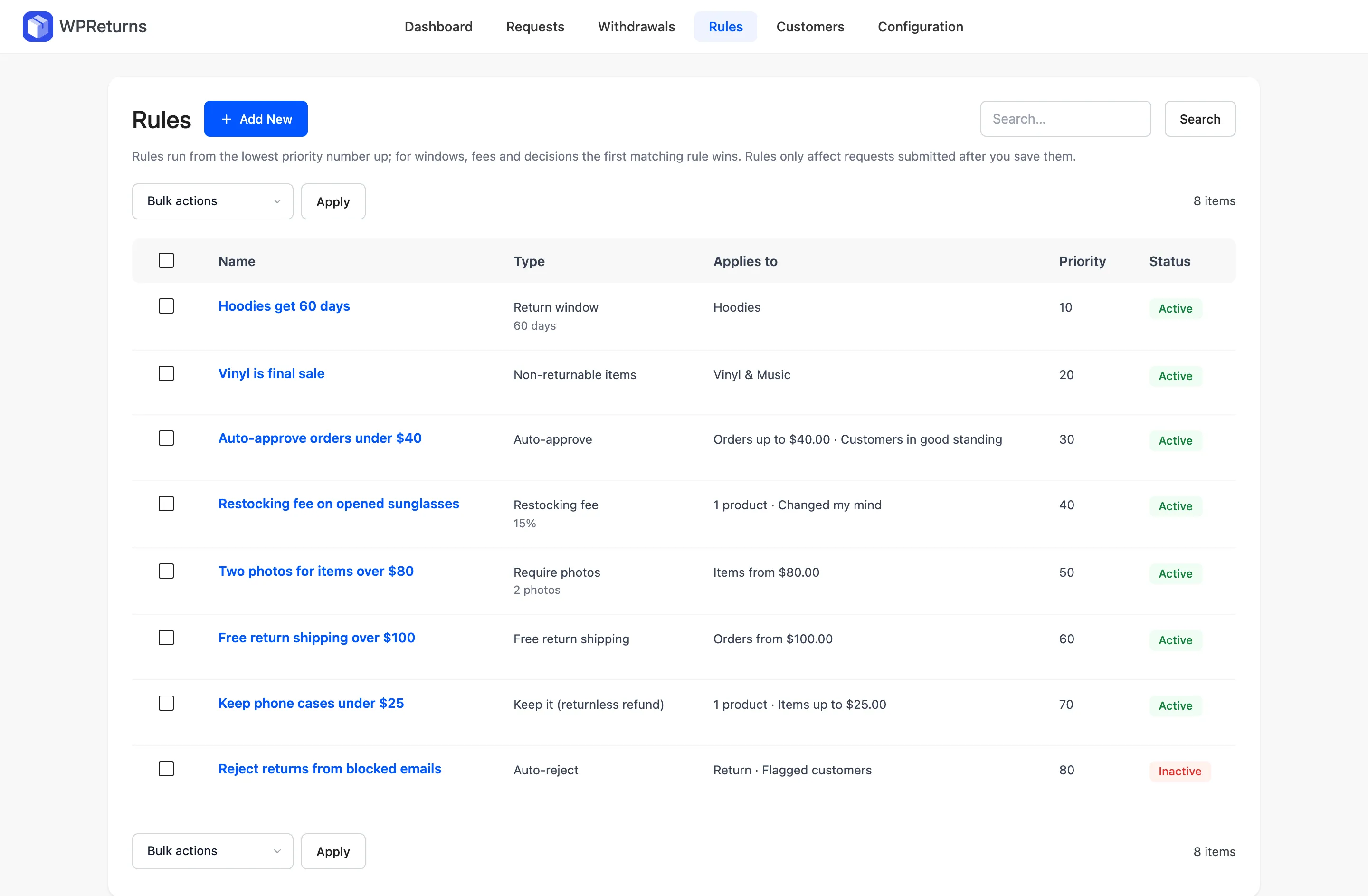
Rules only affect requests submitted after you save them. The return rules guide shows each of the eight types with an example.
Step 5: Point Your Links at the New Returns Page
WPReturns creates a returns portal page on activation. Customers find their order there with the order number and billing email.
5yourstore.com/returns
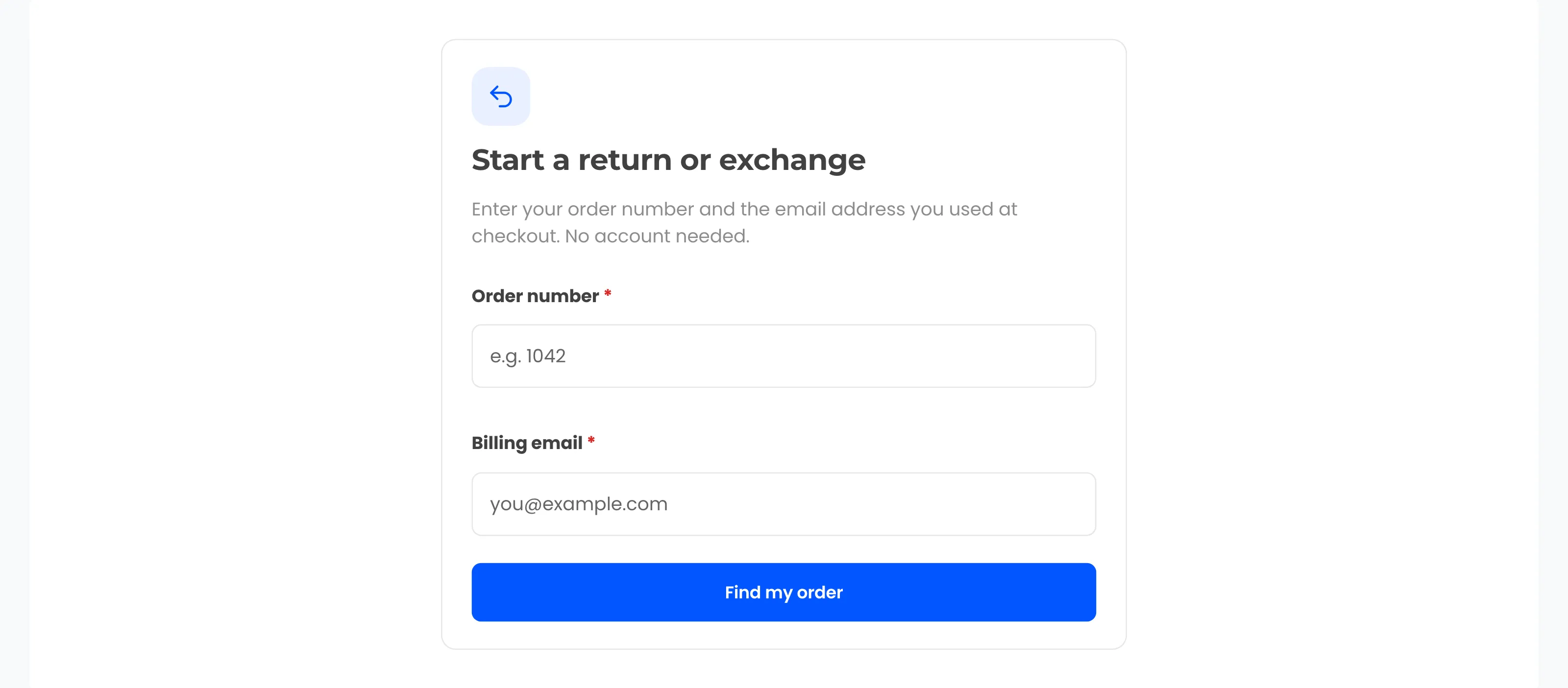
Point your footer, policy page and order emails at that page. You can also place the [ddwcwr_returns_portal] shortcode on any page. The returns portal feature shows the full customer side.
Step 6: Disconnect the Hosted App
Turn the old app off only after the new portal works. Then remove every way it can still read your orders.
Switch Off the Old App in Order
- 1TestOne guest return goes through WPReturnsPortal live
- 2WebhookDelete the Order updated webhookNo more order events
- 3API keyRevoke the key the app usedNo more access
- 4PluginDeactivate the connector pluginStore clean
Delete its webhook under WooCommerce > Settings > Advanced > Webhooks, as the WooCommerce webhooks guide describes. Revoke its key under WooCommerce > Settings > Advanced > REST API.
Tip: Keep the old app’s portal live for one return window after the switch. Customers with an older email link can still finish a request there.
The return labels feature covers EasyPost, Shippo and uploaded labels once the new setup is live.
Conclusion
Loop Returns alternatives for WooCommerce work best when they run inside the store. Loop is built for Shopify, and AfterShip runs your returns from its own servers on monthly and per-return pricing.
Among the plugins, WPReturns scored highest on our checklist, with real gaps in carrier networks and review history. WP Swings is the most proven free plugin, and Zorem is the one to check for exchanges.
A hosted app’s history will not move by itself. Plan the switch for your next quiet week.
Start with the free plugin download. Compare the free and Pro editions once you know which jobs your returns need.