Automation
The Automation tab runs daily jobs that keep returns moving without staff work. It sends label and ship-by reminders, closes stale requests and can refund, credit or exchange a return some hours after it arrives. Only requests submitted after you turn a setting on are affected.
Available in: Pro
Where to find it
Section titled “Where to find it”DevDiggers Plugins > WPReturns > Configuration > Automation
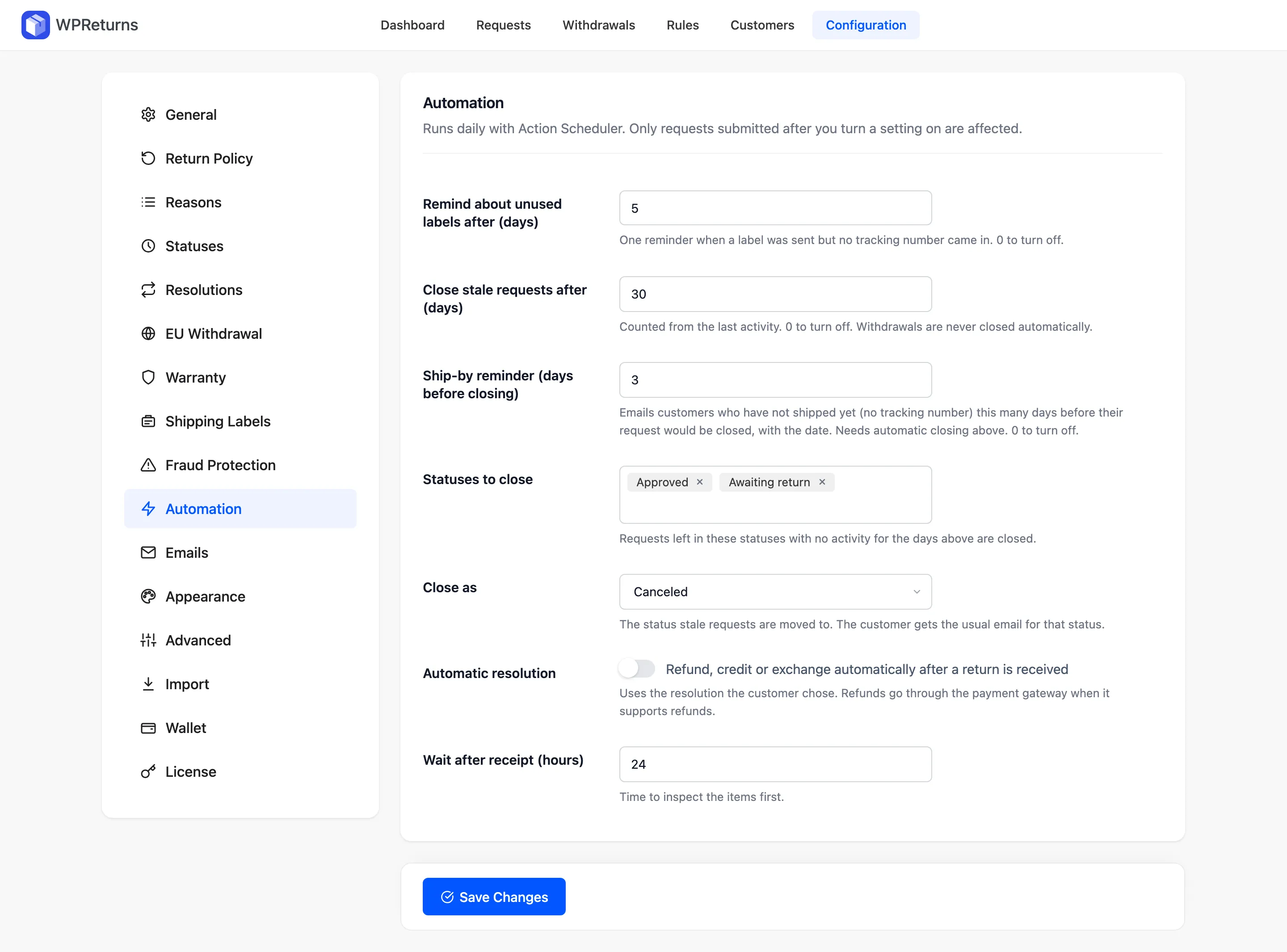
Settings
Section titled “Settings”| Field | What it does | Default |
|---|---|---|
| Remind about unused labels after (days) | Sends one reminder when a label was sent but no tracking number came in. 0 turns it off. | 5 |
| Close stale requests after (days) | Counted from the last activity. 0 turns it off. Withdrawals are never closed automatically. | 30 |
| Ship-by reminder (days before closing) | Emails customers who have not shipped yet (no tracking number). It goes out this many days before the request would close and names the date. Needs automatic closing. 0 turns it off. | 3 |
| Statuses to close | Requests left in these statuses with no activity for the days above are closed. | Approved, Awaiting return |
| Close as | The status stale requests move to: Canceled or Completed. The customer gets the usual email for that status. | Canceled |
| Automatic resolution | “Refund, credit or exchange automatically after a return is received”. Uses the resolution the customer chose. Refunds go through the payment gateway when it supports refunds. | Off |
| Wait after receipt (hours) | Time to inspect the items first. | 24 |
How it runs
Section titled “How it runs”The jobs run once a day, at about 03:00 UTC, through Action Scheduler, the WooCommerce task runner. You can see the scheduled action ddwcwr_daily_maintenance under WooCommerce > Status > Scheduled Actions.
Deactivating WPReturns Pro removes the scheduled action. It comes back when you activate Pro again.
Example timeline
Section titled “Example timeline”With the defaults, Jane Cooper’s return for order #1042 is approved on June 1. She ships with her own carrier. No label is sent.
| Date | What happens |
|---|---|
| June 1 | Request approved. Jane gets the approval email. |
| June 28 | No tracking number yet. The ship-by reminder names July 1 as the closing date. |
| July 1 | Still no activity. The request moves to Canceled and Jane gets the status email. |
The ship-by reminder does not count as activity and leaves the closing date alone.
When a label is sent and no tracking number comes in, the label reminder goes out once after 5 days. It does not move the closing date either.
With Automatic resolution on, a parcel you mark received is refunded 24 hours later.