Configuration
General
The General tab turns the customer side of WPReturns on or off and decides which requests customers can make. Choices are refunds, store credit, exchanges, warranty claims and order cancellations. It also sets where customers make requests: the My Account returns page or the guest returns portal.
Available in: Free and Pro (store credit, exchanges, warranty claims and instant cancellations are Pro)
Where to find it
Section titled “Where to find it”DevDiggers Plugins > WPReturns > Configuration > General
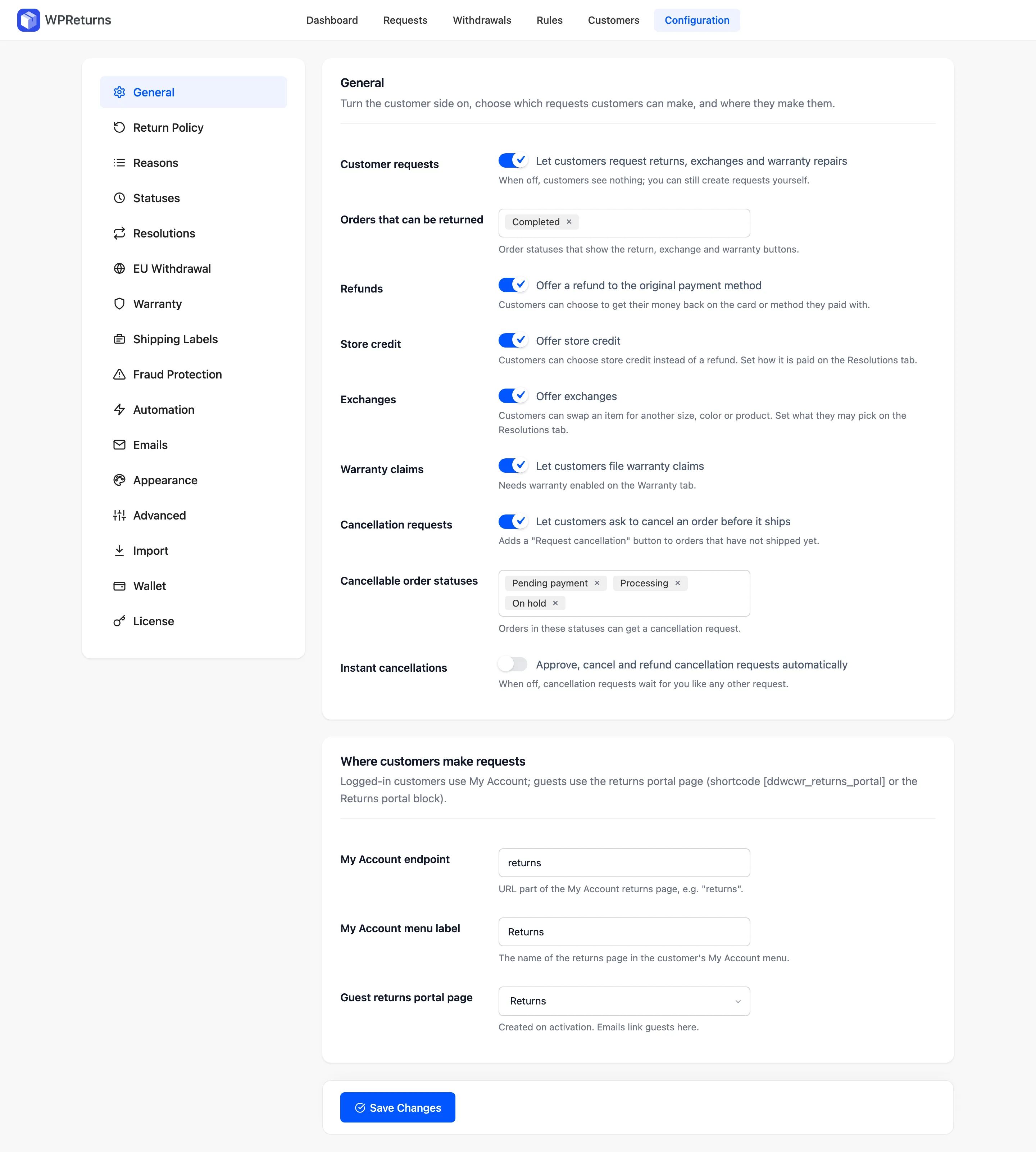
General section
Section titled “General section”| Field | What it does | Default | Plan |
|---|---|---|---|
| Customer requests | “Let customers request returns, exchanges and warranty repairs”. When off, customers see nothing. You can still create requests yourself. | On | Free and Pro |
| Orders that can be returned | Order statuses that show the return, exchange and warranty buttons. | Completed | Free and Pro |
| Refunds | “Offer a refund to the original payment method”. Customers get their money back on the card or method they paid with. The free plugin labels this field Returns. | On | Free and Pro |
| Store credit | “Offer store credit”. Customers can pick store credit over a refund. Set how it is paid on the Resolutions tab. | On | Pro |
| Exchanges | “Offer exchanges”. Customers swap an item for another size, color or product. Set what they may pick on the Resolutions tab. Customers see Exchange only when “same product” or “any product” exchanges are allowed there. | On | Pro |
| Warranty claims | “Let customers file warranty claims”. Needs warranty turned on in the Warranty tab. | On | Pro |
| Cancellation requests | “Let customers ask to cancel an order before it ships”. Adds a “Request cancellation” button to orders that have not shipped. | On | Free and Pro |
| Cancellable order statuses | Orders in these statuses can get a cancellation request. | Pending payment, On hold, Processing | Free and Pro |
| Instant cancellations | “Approve, cancel and refund cancellation requests automatically”. When off, cancellation requests wait for you. | Off | Pro |
Where customers make requests
Section titled “Where customers make requests”Logged-in customers use My Account. Guests use the returns portal page, which holds the [ddwcwr_returns_portal] shortcode or the Returns portal block.
| Field | What it does | Default | Plan |
|---|---|---|---|
| My Account endpoint | The URL part of the My Account returns page. | returns | Free and Pro |
| My Account menu label | The name of the returns page in the My Account menu. | Returns | Free and Pro |
| Guest returns portal page | The page guests use. Created on activation. Emails link guests here. | The page created on activation | Free and Pro |
Saving this tab flushes the WordPress rewrite rules. A new endpoint works right away.
Practical notes
Section titled “Practical notes”- If you complete orders on delivery, keep Orders that can be returned on Completed only. Customers then cannot ask to return an order still in transit.
- A cancellation request on an unshipped order works like a return. You approve it and the order is canceled and refunded. With Instant cancellations on, Pro does this the moment the customer asks.
- Changing the endpoint changes the URL. With the endpoint
returns, Jane Cooper finds her requests at/my-account/returns/.