Statuses
The Statuses tab lists the steps a return request moves through, from Requested to Completed. You can rename and recolor the seven built-in statuses and choose which ones email the customer. Pro adds custom steps such as “Inspecting” and limits which staff can move requests into refund statuses.
Available in: Free and Pro (custom statuses and Permissions are Pro)
Where to find it
Section titled “Where to find it”DevDiggers Plugins > WPReturns > Configuration > Statuses
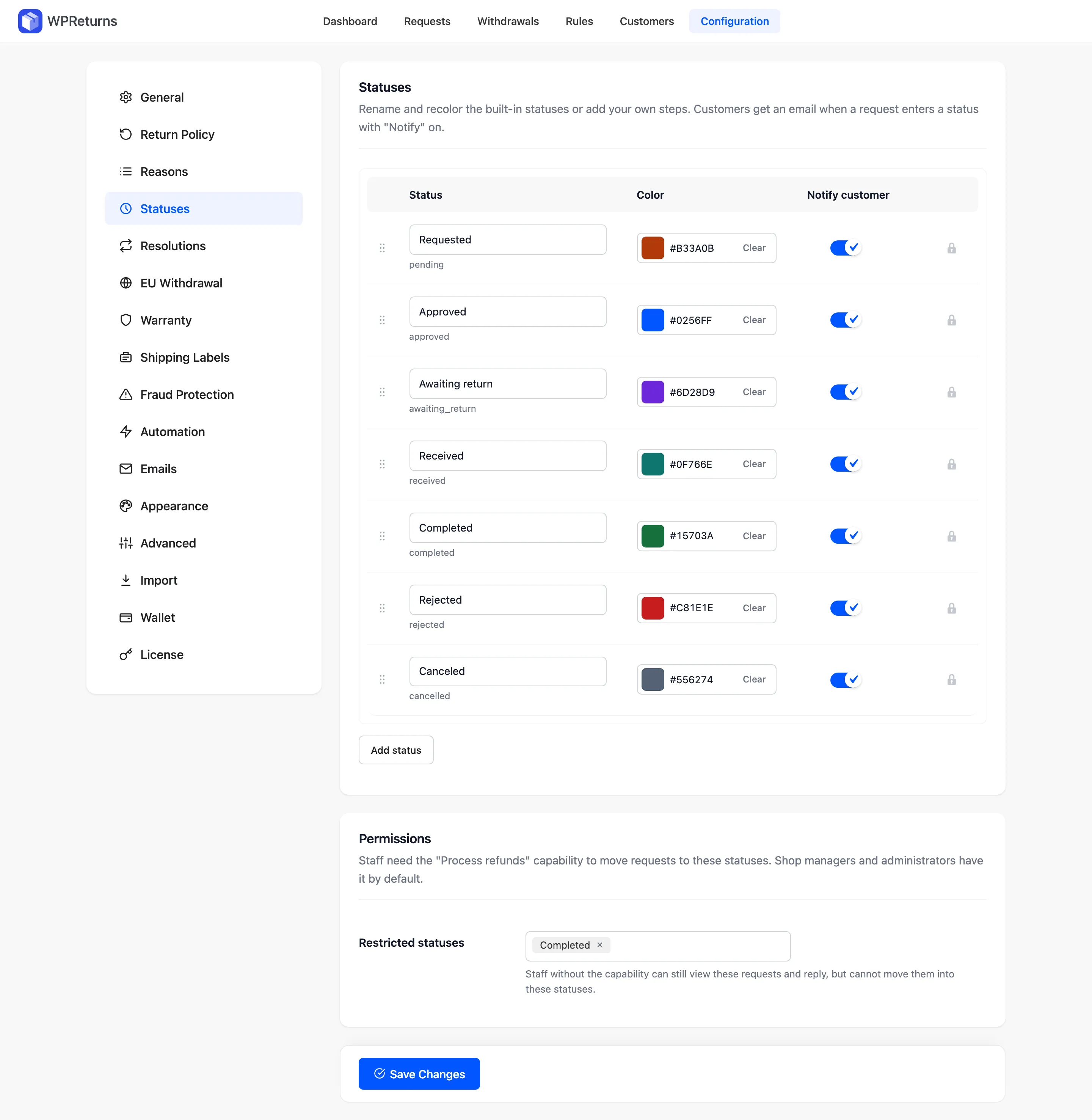
Statuses table
Section titled “Statuses table”| Column | What it does |
|---|---|
| Drag handle | Drag a row to change the order. Arrow keys work too. |
| Status | The name customers and staff see. The internal slug shows under the name. |
| Color | The badge color in lists and on the request screen. |
| Notify customer | The customer gets an email when a request enters this status. |
| Actions | Remove a custom status. Built-in statuses show a lock and cannot be removed. |
In Pro, click Add status to create a custom status. A new row starts gray with Notify customer on.
Built-in statuses
Section titled “Built-in statuses”| Status | Slug | Color | Notify customer |
|---|---|---|---|
| Requested | pending | #b33a0b | On |
| Approved | approved | #0256ff | On |
| Awaiting return | awaiting_return | #6d28d9 | On |
| Received | received | #0f766e | On |
| Completed | completed | #15703a | On |
| Rejected | rejected | #c81e1e | On |
| Canceled | cancelled | #556274 | On |
Approved and Rejected have their own emails. Every other status with Notify customer on sends the “Return status updated” email. See Emails.
Permissions (Pro)
Section titled “Permissions (Pro)”Staff need the “Process refunds” capability to move requests into the statuses listed here. Shop managers and administrators have it by default.
| Field | What it does | Default |
|---|---|---|
| Restricted statuses | Staff without the capability can still view these requests and reply. They cannot move requests into these statuses. | Completed |
Example
Section titled “Example”A store that checks every returned item can add an “Inspecting” status between Received and Completed. Turn Notify customer off for it if customers do not need that update. Jane Cooper still sees the Inspecting step on her request page but gets no email for it.