Wallet
The Wallet tab connects WPReturns to DevDiggers Wallet, a separate plugin that gives each customer a balance in their account. Once connected, store credit can go into the wallet and returns on wallet-paid orders are refunded to the wallet. The tab also shows how much WPReturns has paid into wallets.
Available in: Pro (DevDiggers Wallet is a separate plugin)
Where to find it
Section titled “Where to find it”DevDiggers Plugins > WPReturns > Configuration > Wallet
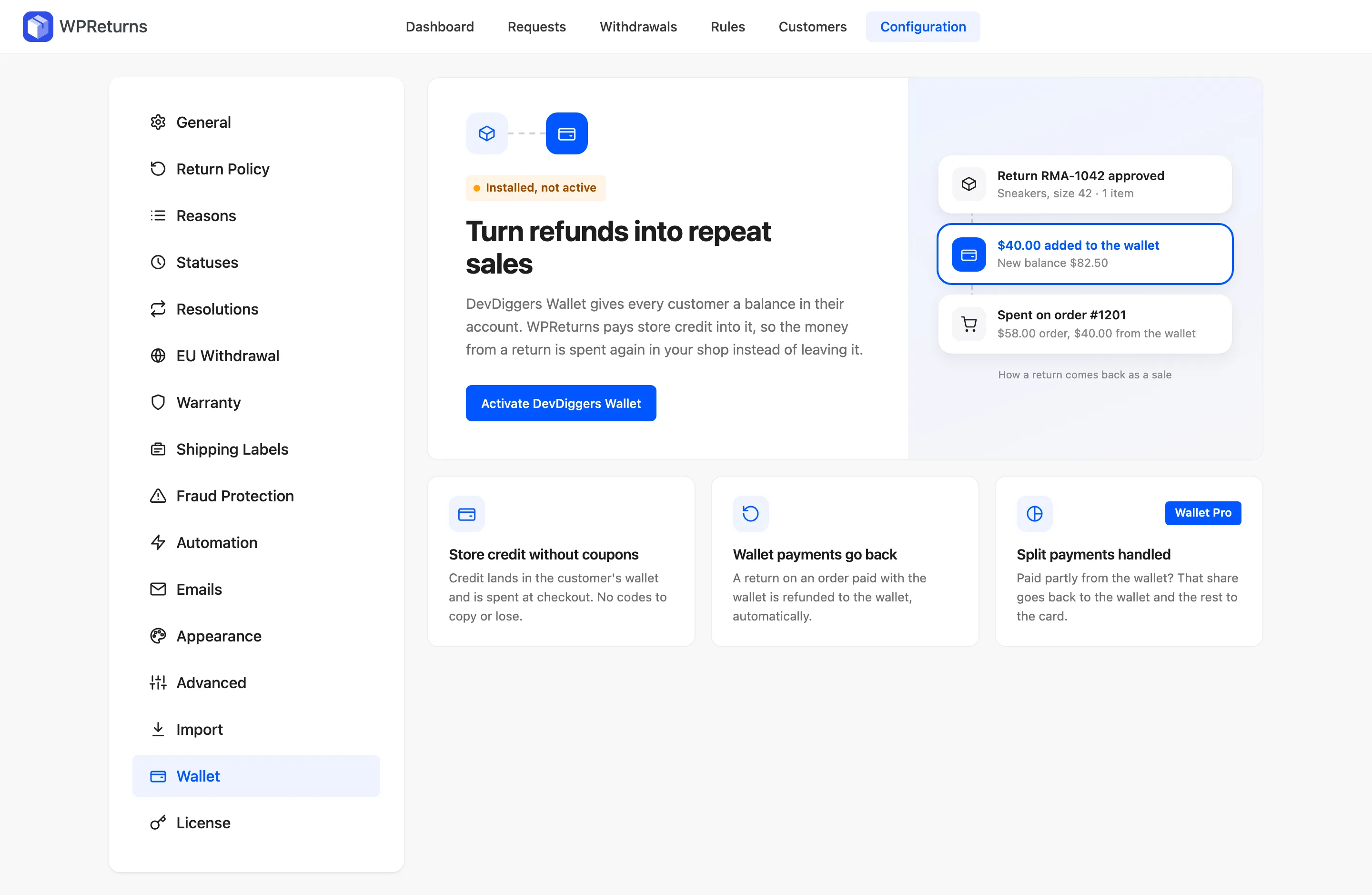
The tab has no settings of its own. It shows the connection status and links to the setting that decides how store credit is paid.
Connection status
Section titled “Connection status”| Status | Meaning | What to do |
|---|---|---|
| Not installed | DevDiggers Wallet is not on the site. | Click Get DevDiggers Wallet, or Install the free version from wordpress.org. |
| Installed, not active | The Wallet plugin is installed but switched off. | Click Activate DevDiggers Wallet. |
| Connected to Wallet | The free Wallet plugin is active. | Click Store credit settings and set Pay store credit as to the wallet. |
| Connected to Wallet Pro | Wallet Pro is active. Split payments work too. | Same as above. |
What the connection does
Section titled “What the connection does”| Feature | What it does | Needs |
|---|---|---|
| Store credit without coupons | Credit lands in the customer’s wallet and is spent at checkout without a coupon code. | “Pay store credit as” set to the wallet on the Resolutions tab |
| Wallet payments go back | A return on an order paid with the wallet is refunded to the wallet. | Wallet active |
| Split payments handled | When an order was paid partly from the wallet, that share goes back to the wallet and the rest to the card. | Wallet Pro |
Each feature card shows On or Off. If store credit is still paid as a coupon, the card says so.
Numbers on the tab
Section titled “Numbers on the tab”When Wallet is connected, the tab shows three totals from Wallet’s own transaction log:
- Kept in your store is the total WPReturns paid into wallets.
- Wallet payouts is the number of wallet credits.
- Customers credited is how many customers received credit.
Example
Section titled “Example”Jane Cooper returns sneakers from order #1042 and picks store credit. You approve return RMA-01042 and $40 is added to her wallet. She later spends it on order #1201, a $58 order with $40 paid from the wallet.