Configuration
Reasons
The Reasons tab holds the return reasons customers pick from, one reason for each item they return. You can add, rename, reorder and hide reasons, and require a photo for some of them. In Pro you also mark reasons as the store’s fault to waive return fees for them.
Available in: Free and Pro (the “Store’s fault” column is Pro)
Where to find it
Section titled “Where to find it”DevDiggers Plugins > WPReturns > Configuration > Reasons
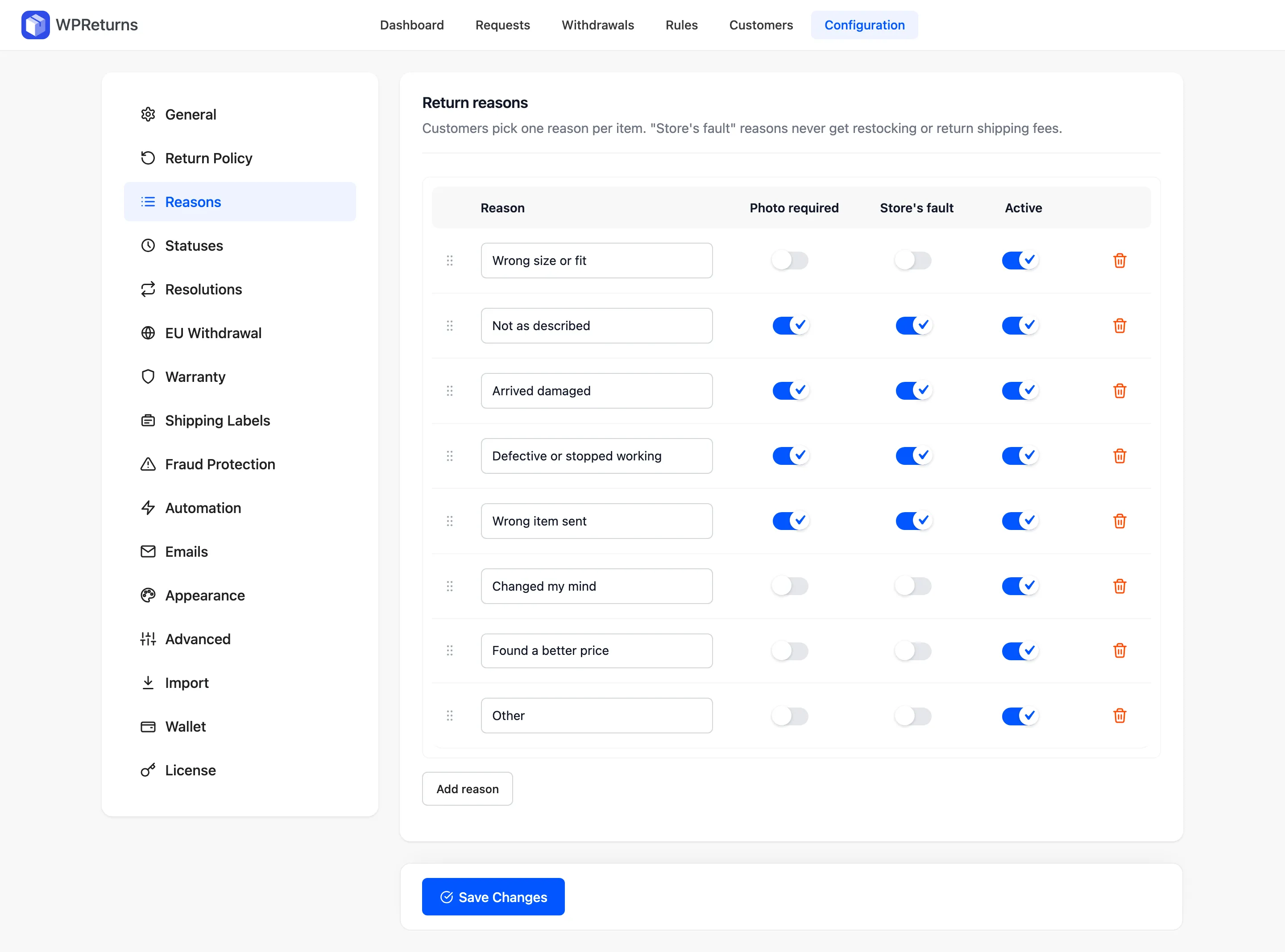
Columns
Section titled “Columns”| Column | What it does |
|---|---|
| Drag handle | Drag a row to reorder it. You can also focus the handle and use the up and down arrow keys. |
| Reason | The text customers see on the return form. |
| Photo required | The customer must attach at least one photo or video for this reason. |
| Store’s fault (Pro) | Restocking fees and return shipping fees are never charged for this reason. |
| Active | Shown on the return form. Untick to hide a reason without deleting it. |
| Remove | Deletes the row. |
Click Add reason to add a row. Click Save Changes to keep them.
Default reasons
Section titled “Default reasons”| Reason | Photo required | Store’s fault |
|---|---|---|
| Wrong size or fit | No | No |
| Not as described | Yes | Yes |
| Arrived damaged | Yes | Yes |
| Defective or stopped working | Yes | Yes |
| Wrong item sent | Yes | Yes |
| Changed my mind | No | No |
| Found a better price | No | No |
| Other | No | No |
Practical notes
Section titled “Practical notes”- Hide a reason with Active if old requests use it. The reason name stays on those requests and in reports.
- Use Photo required for damage and defect reasons. You see the problem before you approve the return.
- In Pro, reasons feed the analytics. The Analytics screen shows the top reasons per period.
- Reason names can be translated with WPML or Polylang through the bundled
wpml-config.xml.