
A returnless refund is a refund where the customer keeps the item. The store pays out the money and skips the label, the parcel and the inspection. It saves money only when a return would cost more than the item is worth.
Returns are big. The National Retail Federation and Happy Returns estimate that retailers will see 15.8% of annual sales come back in 2025, or $849.9 billion (NRF, 2025). The same report puts 9% of returns down to fraud.
This guide shows when to offer a returnless refund and how to limit abuse. It also walks through a keep it rule in WPReturns Pro 1.0.0, which we make. We read its rule code and docs in November 2026 for this guide.
What Is a Returnless Refund?
A returnless refund is a refund the store grants without asking for the product back. The customer keeps the item and gets the money or store credit. The store takes the loss on the unit and saves return shipping, warehouse handling and restocking.
Other names for it are a keep it refund, a keep the item refund and a refund without return. Some stores also use it for a replacement they send without collecting the first one.
Large marketplaces made it common, and small stores now copy it for their cheapest products. The idea is plain math. A $9 candle that costs $5 to ship back is not worth a label.
When Should You Offer a Returnless Refund?
Offer a returnless refund when the full cost of a return is higher than what you could get back by reselling the item. That happens with low-priced items, bulky parcels and products you cannot resell. Test every product against the same simple sum.
The sum has two sides. On one side sits the cost of the return: the label, the handling time and the repacking. On the other side sits the value you recover when the item goes back on the shelf.
Three kinds of products usually pass the test:
- Items priced low enough that a label costs much of the sale.
- Heavy or bulky products where shipping back costs nearly as much as shipping out.
- Hygiene and consumable goods, such as underwear or opened cosmetics, that you could never resell.
Say an $18 tee costs you $6 and a return costs $14 to process. A returnless refund loses you $6. A normal return costs $14.
Keeping the shirt with the customer is the cheaper path.
| Returnless refund or return: the extra cost on top of the refund | Keep it$18 tee | Return$18 tee | Keep it$140 jacket | Return$140 jacket |
|---|---|---|---|---|
| Your cost for the item | $6 | $6 | $56 | $56 |
| Item you cannot sell again | $6 | $0 | $56 | $0 |
| Shipping and handling | $0 | $14 | $0 | $16 |
| Extra cost to you | $6 | $14 | $56 | $16 |
The jacket flips the answer. Keeping it costs $56, while a return costs $16. Price is the first filter, and you can set it as a ceiling in a rule.
Note: Run the sum with your own handling cost. Time your packing station for a week and add the label price. A rule built on a guess is the main way a keep it policy goes wrong.
When Return Shipping Cost Beats the Item Price
Return shipping cost can pass the price of a cheap item. A heavy $12 item that costs $9 to ship back loses money twice, on the label and on handling. A keep it refund stops that loss at the first step.
Shipping cost depends on weight more than price. A pack of ceramic tiles or a bag of pet food costs a lot to send back. Both are good candidates even when the price looks fine.
Who pays return shipping is a separate question. In WPReturns Pro a keep it request has no return shipping fee at all, because nothing ships. Our restocking fee guide covers the fee side for items that do come back.
Do Returnless Refunds Invite Fraud?
Yes, they can, because a customer who learns your price ceiling can claim again and again. The risk is real but narrow. A ceiling on item price and a check on each customer keep it small, and most customers still ask for a refund honestly.
Fraud is a known cost in returns. The NRF report found that 9% of all returns are fraudulent. The Appriss Retail 2026 report puts preventable returns fraud and abuse at 14.2% of $706 billion in returns.
Neither number is about keep it refunds alone. They show that return rules need a guard. Our return fraud guide explains the patterns in more detail.
Three guards fit a keep it rule:
- A low item price ceiling that keeps the worst case small.
- A condition that applies the rule only to customers who are not flagged.
- A look at the return rate of each customer before you widen the rule.
WPReturns > Customers
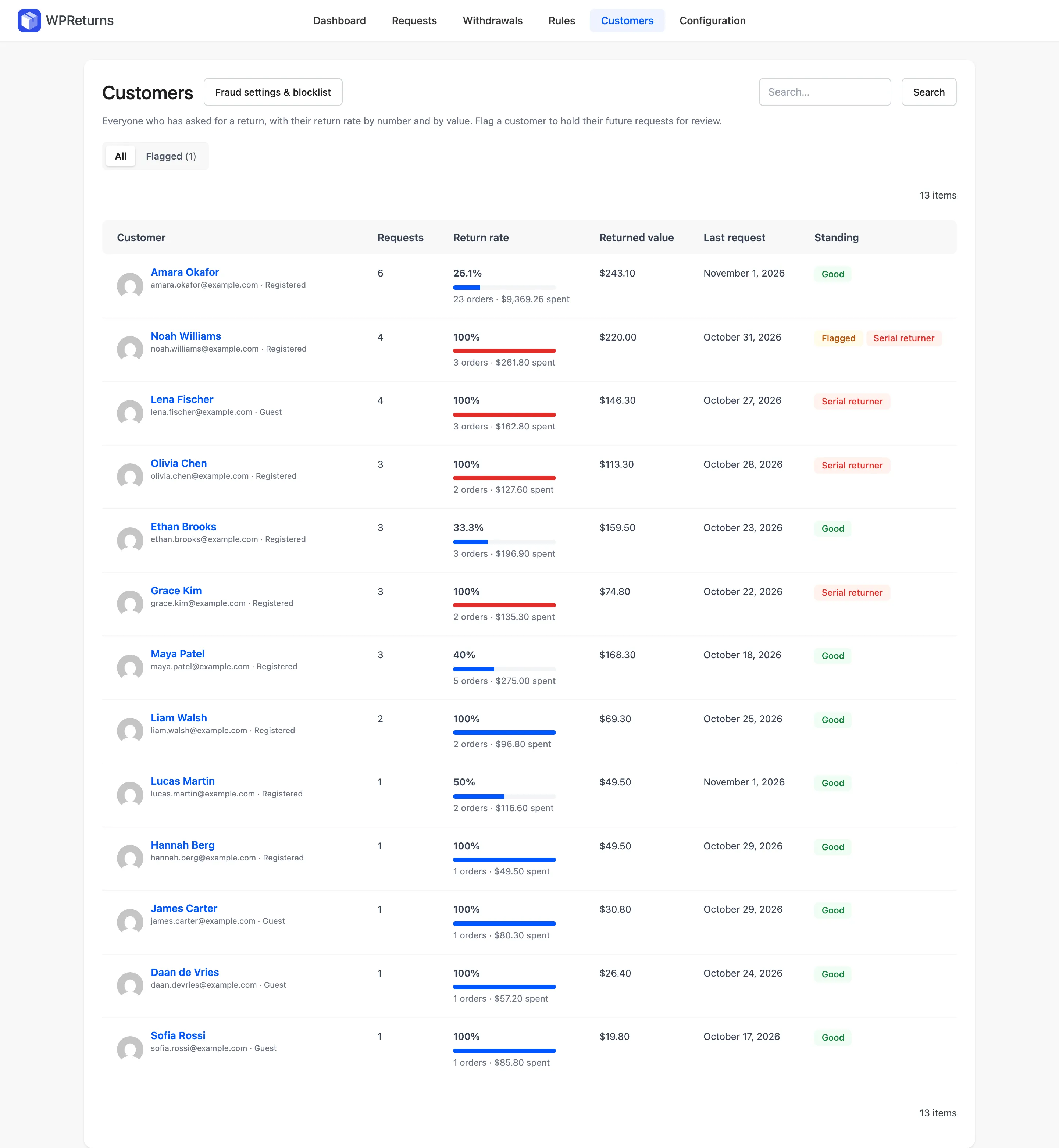
WPReturns Pro keeps a return rate for every customer who has asked for a return. The meter turns red for a serial returner. Our fraud protection feature page lists every flag it scores.
When Not to Offer a Keep It Refund
Skip a keep it refund on pricey products, on items you can resell and on anything that may be faulty. A faulty item may need inspection, and a resellable one is worth more back on your shelf than the cost of the return.
Four cases are better left as normal returns:
- High-priced items where recovering the product beats the refund.
- Warranty claims, where you may want to inspect or repair the item.
- EU withdrawals, which follow their own rules and are never auto-rejected.
- Customers who are flagged or have a high return rate.
WPReturns Pro follows this split. A keep it rule applies to return and exchange requests only. Warranty claims and withdrawals keep their normal steps.
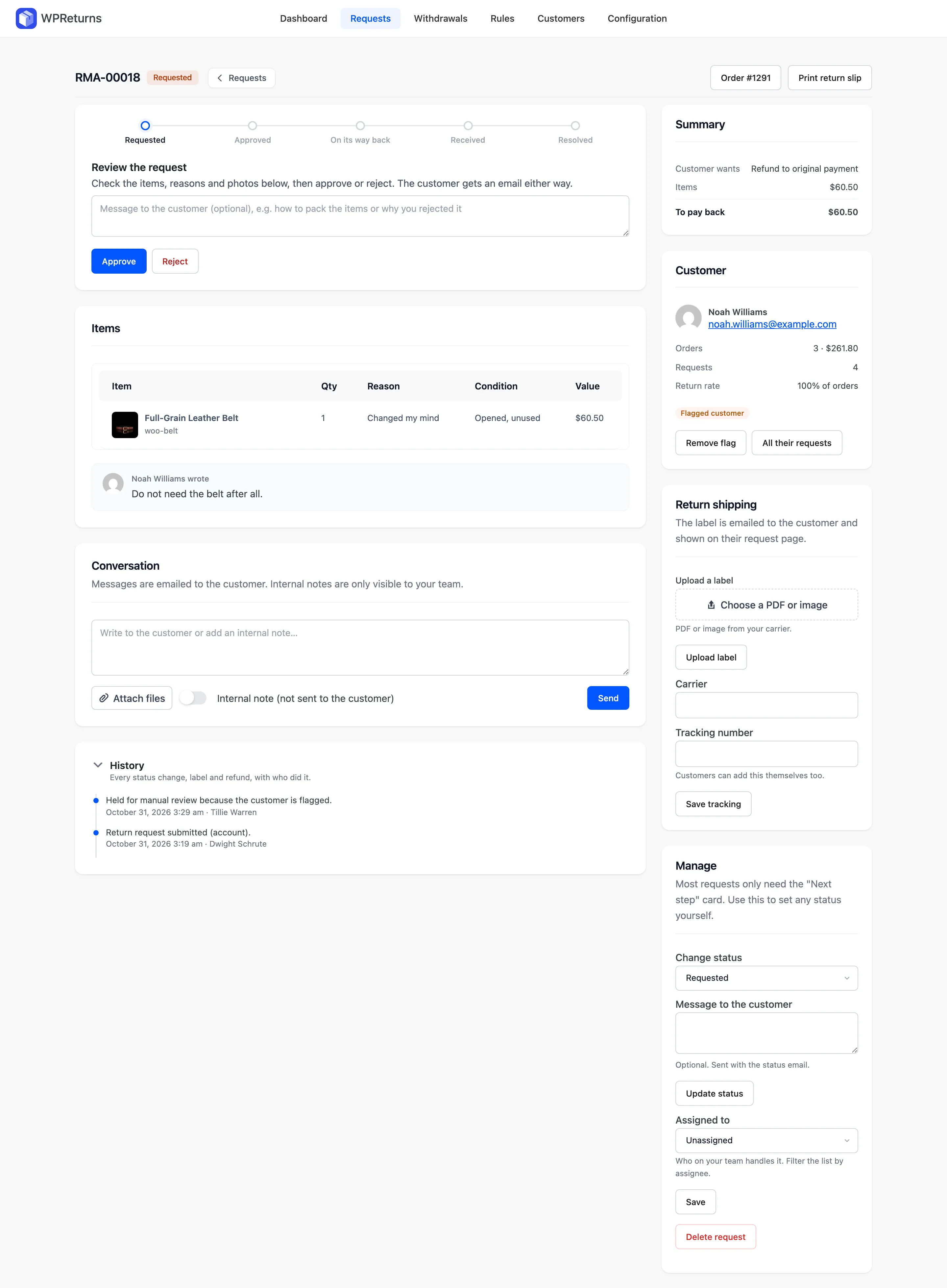
A flagged customer still goes through review. When a customer is flagged by hand, their request waits for a person. The history logs that it was held for manual review.
WPReturns > Requests > Request
How to Set Up a Keep It Rule in WooCommerce
WooCommerce core has no keep it setting. You refund from the order screen and tell the customer to keep the parcel. In WPReturns Pro one rule with a price ceiling and a customer check does this the same way for every request.
The WooCommerce refund guide shows how refunds work on the Edit Order page. Manual refunds record the refund in the store and leave the payment to you. Nothing there says whether the item comes back.
That works for a few cases a week. It fails when staff apply it differently each time.
How WPReturns Pro handles a keep it request
- 01Customer asksReturn or exchange request for matching itemsRequest
- 02Rule matchItem price and customer conditions all matchCheck 1
- 03No shippingNo label and a return shipping fee of zeroCheck 2
- 04ApproveAuto-approve or a person approves itDecision
- 05ResolveRefund or store credit with no stock to restockResult
Step 1: Add the Keep It Rule
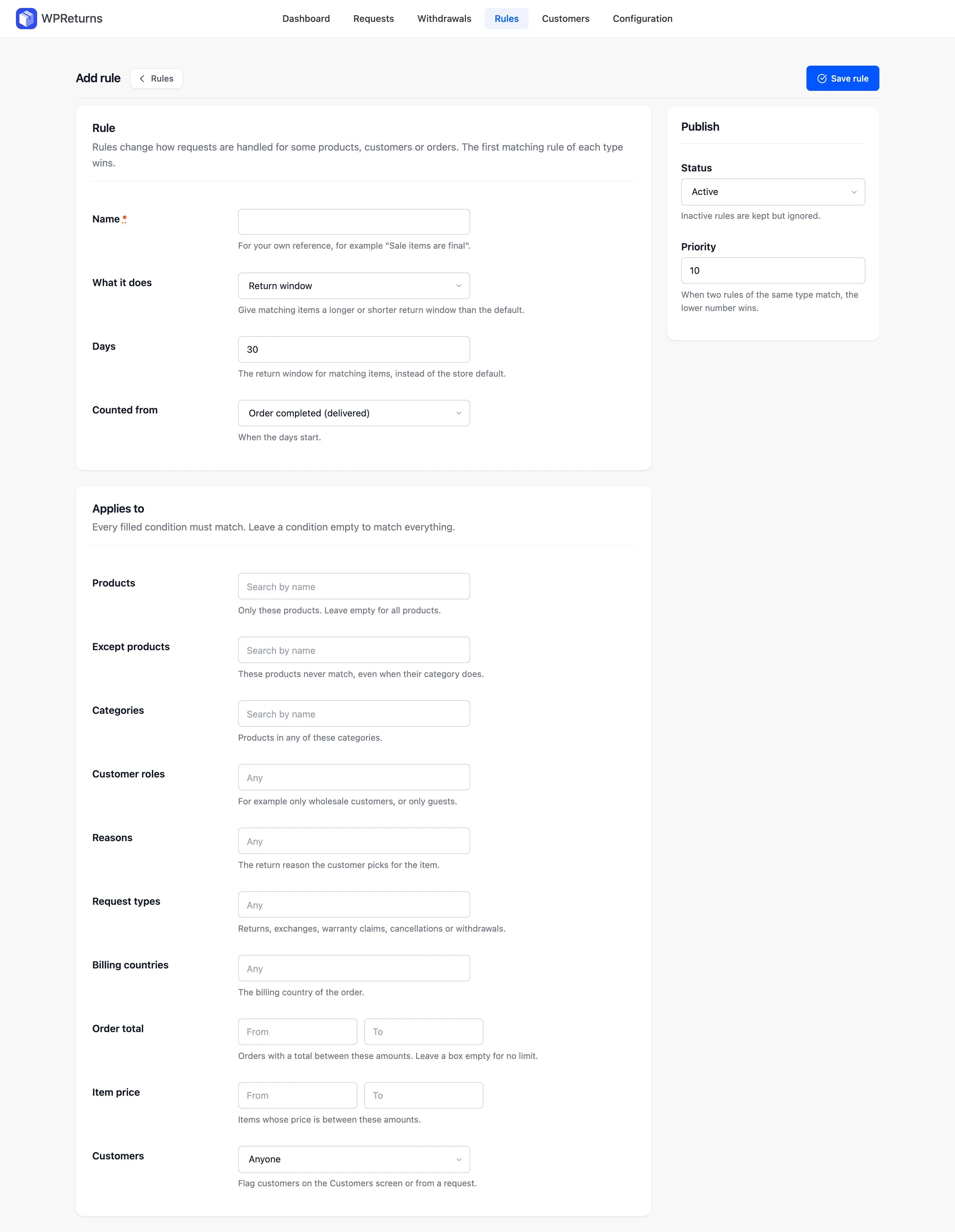
Go to DevDiggers Plugins > WPReturns > Rules and select Add New. Give the rule a name such as “Keep cheap items” and set What it does to Keep it (returnless refund).
The rule has no settings of its own.
The rule is a Pro feature. The free plugin has one return window and final-sale items only.
1WPReturns > Rules > Add rule
Step 2: Set the Price Ceiling
Under Applies to, fill in the conditions. Enter an Item price To value, such as 10. Every condition you fill in must match, and an empty one matches everything.
Set Status to Active and pick a Priority.
Add Categories to limit the rule to candles or consumables. Add Customers set to Only customers who are not flagged to keep serial returners out. Our return rules guide lists every condition.
2WPReturns > Rules
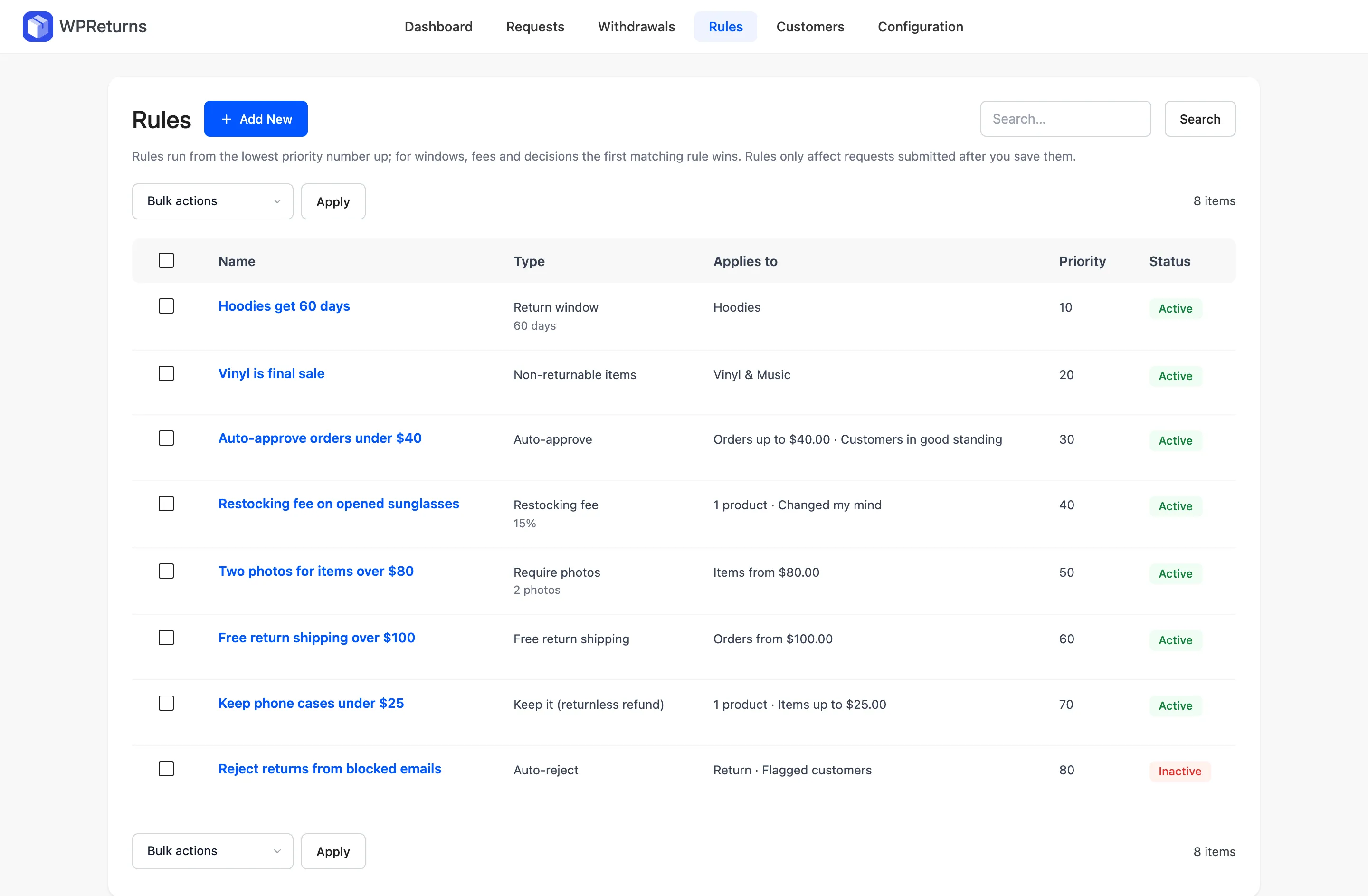
A rule only affects requests submitted after you save it. Open requests keep their old setup.
Step 3: Turn On the Fraud Checks
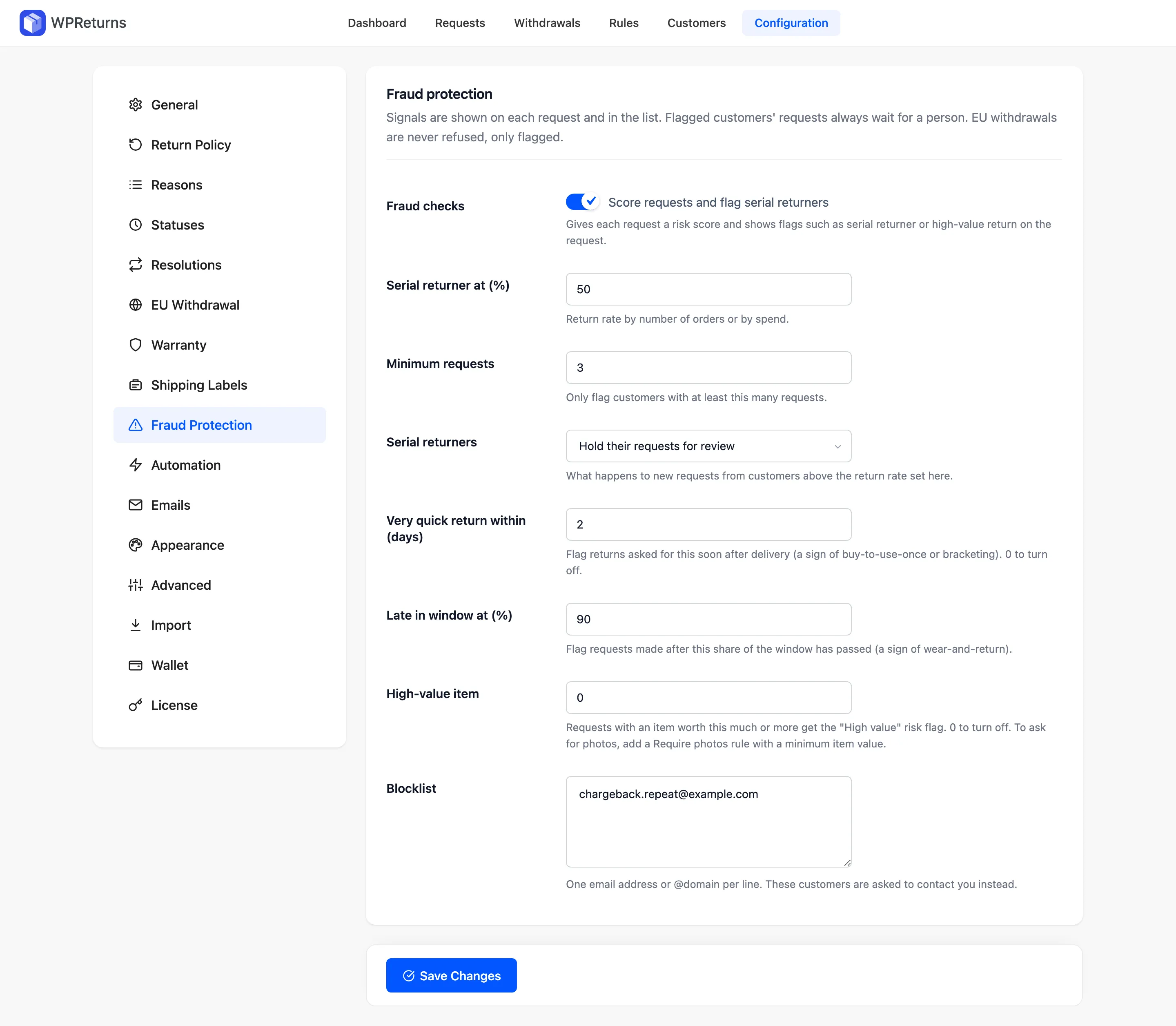
Go to WPReturns > Configuration > Fraud Protection and switch on Fraud checks. Set when a customer counts as a serial returner and what happens to their requests. A held request waits for a person, even when an auto-approve rule matches.
This is the guard for your keep it rule. Flagged requests are slowed down, while honest customers get the quick path.
3WPReturns > Configuration > Fraud Protection
Step 4: Resolve and Check the Request
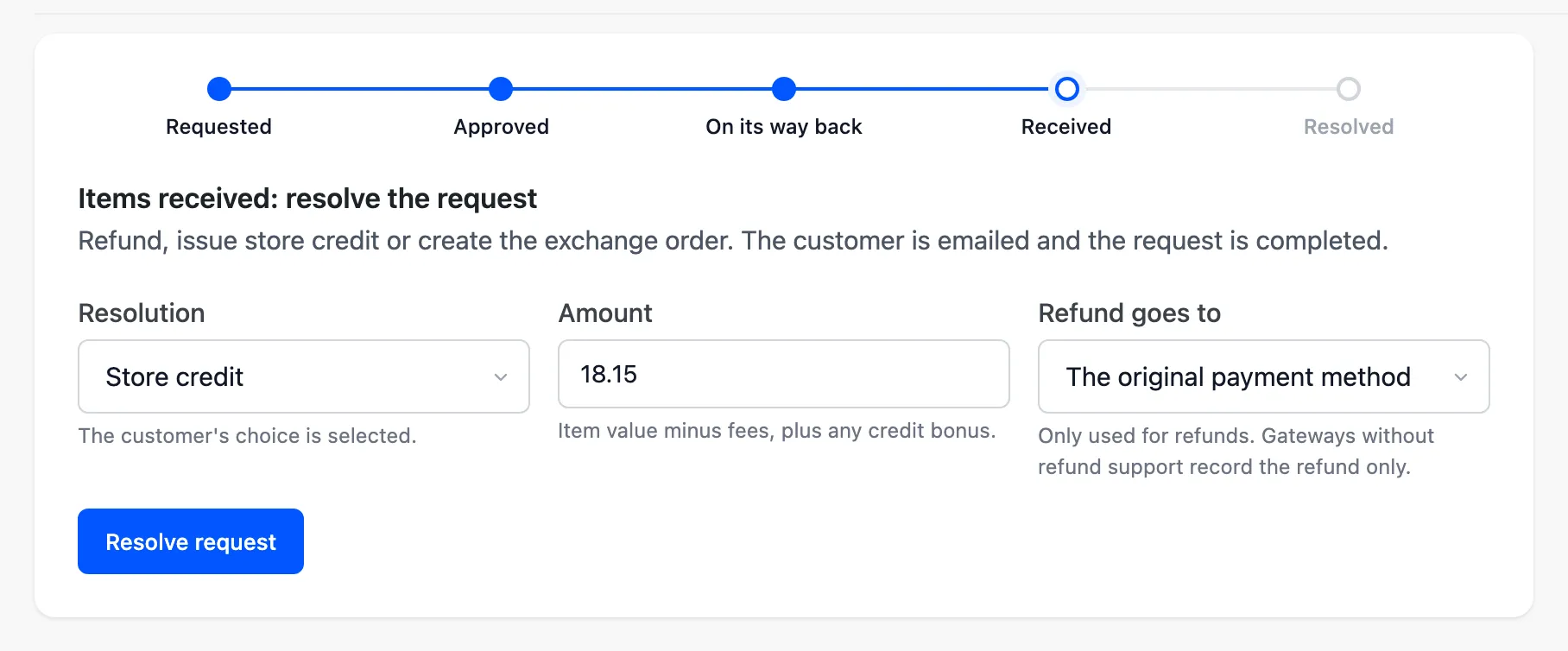
Place a test order below your ceiling and start a return as the customer. The form shows “No need to send this one back.” under the item. Approve the request and resolve it as a refund or store credit.
Open the request history afterward. It logs that the item does not need to be sent back. Stock is not restocked on a keep it request, because the item never returns.
4WPReturns > Requests > Resolve request
What the Customer and the Store See
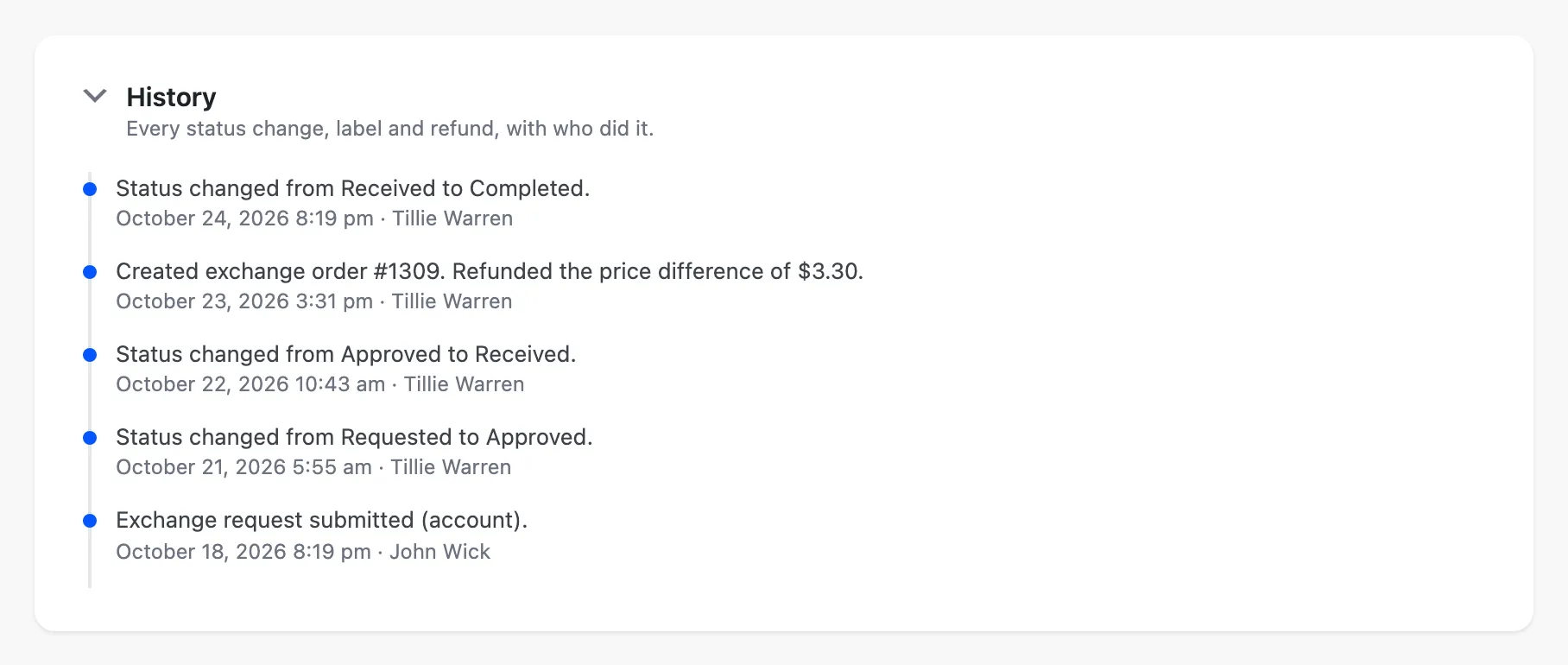
A keep it request skips every shipping step. The customer sees a note that nothing needs to go back, and the approval email says the same. The store sees the request marked Keep it in the list and a history line that says the item stays.
The approval email says the customer does not need to send anything back. No return label is created and no packing slip is needed.
One detail matters for mixed orders. The request counts as keep it only when every item on it matches the rule. If a customer returns a $6 item and a $60 item together, the whole request follows the normal path.
WPReturns > Requests > Request history
Which Resolution Fits a Keep It Request?
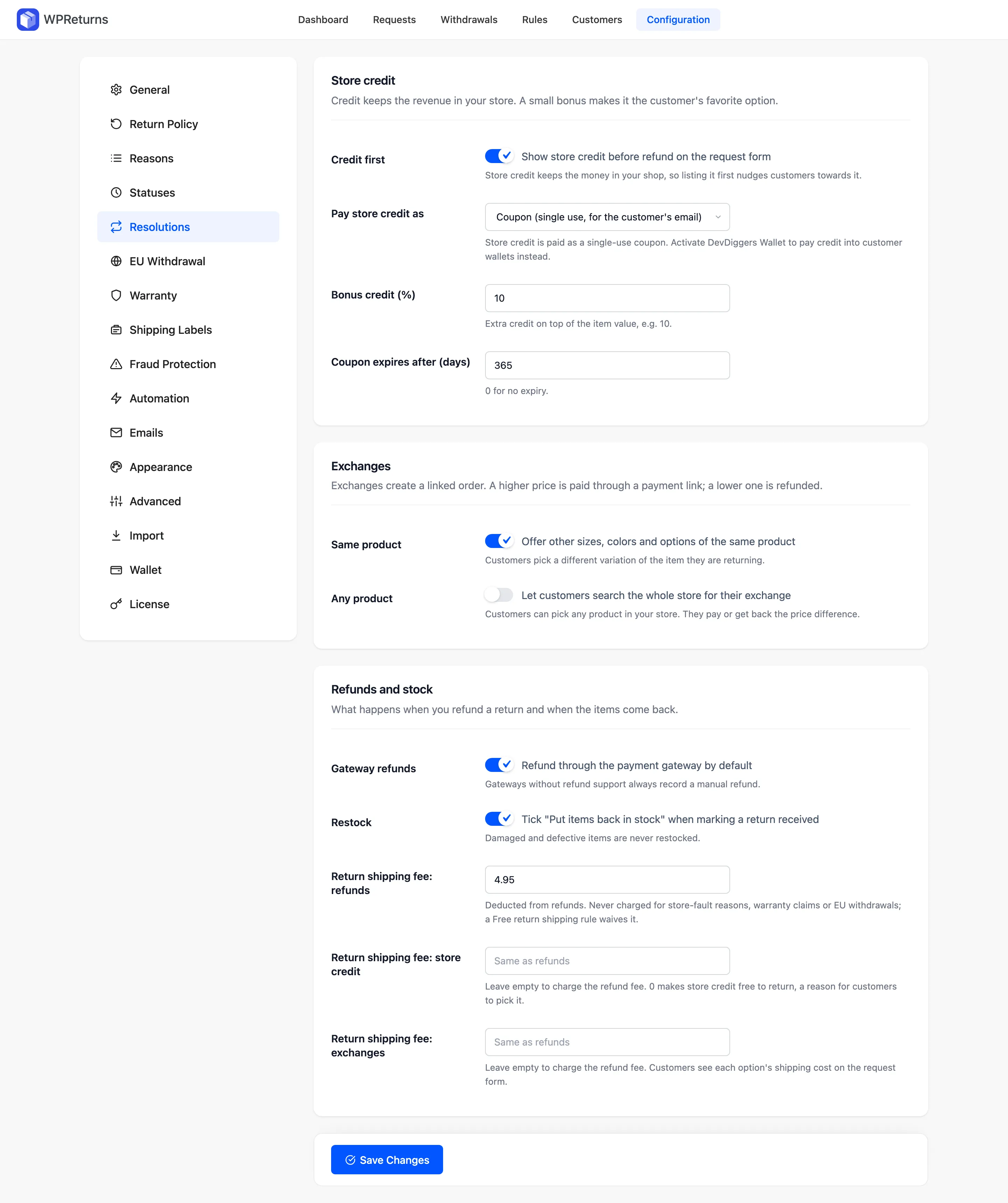
You can pair the keep it decision with any resolution the customer can pick. A full refund is the simplest and the fastest to explain. Store credit keeps the money in your shop and often costs you less than cash.
Store credit often costs you less than a refund because the money stays in your store. WPReturns works out the credit bonus on the refund amount after fees. Our store credit vs refund guide compares the two.
Which resolutions customers can pick is a setting. Open the Resolutions tab to see what is on.
WPReturns > Configuration > Resolutions
Conclusion
A returnless refund is a cost decision. Offer it when a return costs more than the item can earn back, and keep it away from pricey, resellable or faulty products. A price ceiling and a customer check cover most of the risk.
Start small. Pick one cheap category, set a low ceiling and look at the Customers screen after a month. Then widen the rule or tighten it.
Build the rule once in WPReturns Pro and every request follows it. See the pricing page for plans.