
A holiday return policy is a dated extension of your normal return window for gift season. A shopper who buys in November gets a January deadline instead of 30 days. That removes the main reason people hesitate to buy gifts online.
Large stores run these every year. Amazon’s 2025 policy covered most items bought November 1 to December 31, with returns accepted until January 31, 2026 (Amazon). Apple products had a shorter window ending January 15.
This guide covers how long the window should be and when it should start. We read the sources in November 2026 and tested the WooCommerce setup on WPReturns Pro 1.0.0, our own plugin. You also get wording to copy, a plan for gift returns and the step that ends the extension.
What Is a Holiday Return Policy?
A holiday return policy is a seasonal exception to your standard return policy. It names a purchase period, a longer return window and a final deadline. It ends on a published date, and your normal terms come back after it.
Google treats it the same way. Its return policy markup has a returnPolicySeasonalOverride property with a startDate, an endDate and merchantReturnDays (Google Search Central). Merchant Center calls it a Window extension and lets you pick a date range (Google Merchant Center Help).
The extension sits on top of your policy and changes nothing underneath it. A Christmas return policy is the same idea under a narrower name. Stores that sell for other gift seasons can run one the same way.
How Long Should a Holiday Return Window Be?
A fixed end date in late January is the simplest holiday return window, as Amazon used January 31 in 2025. That gives a November 28 order 64 days and a December 24 order 38 days. Work out the numbers for your own dates before you publish.
The table shows what a January 31 deadline means for three order dates, against a standard 30 day window counted from the order date.
| Order date | Standard 30 day deadline | Deadline with the holiday window | Days to return |
|---|---|---|---|
| November 1 | December 1 | January 31 | 91 |
| November 28 | December 28 | January 31 | 64 |
| December 24 | January 23 | January 31 | 38 |
Early buyers get the longest window and last-minute buyers get the shortest. That matches how gifts work, because most late orders are opened within days. Still, a December 24 order should get at least what a normal order gets.
A longer window has costs. Returns arrive later. Your stock sits in limbo until the item is back.
We found no neutral data on how a longer window changes your return rate. Test one season and compare it with your own numbers.
Tip: Pick the end date first and count backward. A date such as January 31 is easy to print on a banner, and shoppers remember it.
When Should a Holiday Return Window Start?
Start the clock at delivery when you can track it. A gift ordered on December 20 and delivered on December 28 would otherwise lose a week in transit. Count from the order date only when you cannot confirm delivery, and print the same rule everywhere.
WPReturns has this choice in one field. Count days from takes Order completed (delivered) or Order placed. Completed works best when you mark orders complete on delivery, as our return policy settings guide explains.
WPReturns counts the window in days and never as a calendar date. A fixed January 31 deadline is not a setting in version 1.0.0. Use a rolling window that covers your latest order and print the date in your policy text.
For example, 45 days from delivery covers a December 10 order until about January 24. Use 60 days if you want December orders to reach the end of January.
From standard policy to holiday policy
- 01Pick the datesPurchase period and a published end datePlan
- 02Set the windowRaise the days and choose where they count fromStep 1
- 03Hold back itemsMark seasonal and final-sale itemsStep 2
- 04Announce itPolicy line on product pages and at checkoutStep 4
- 05End itReset the days the day after the deadlineFinish
How to Set Up a Holiday Return Policy in WooCommerce
WooCommerce core has no return window setting. WPReturns adds one on its Return Policy tab, and Pro adds Return window rules for a single category. Raise the days, mark seasonal items final sale and show the new terms before checkout.
Step 1: Raise the Return Window
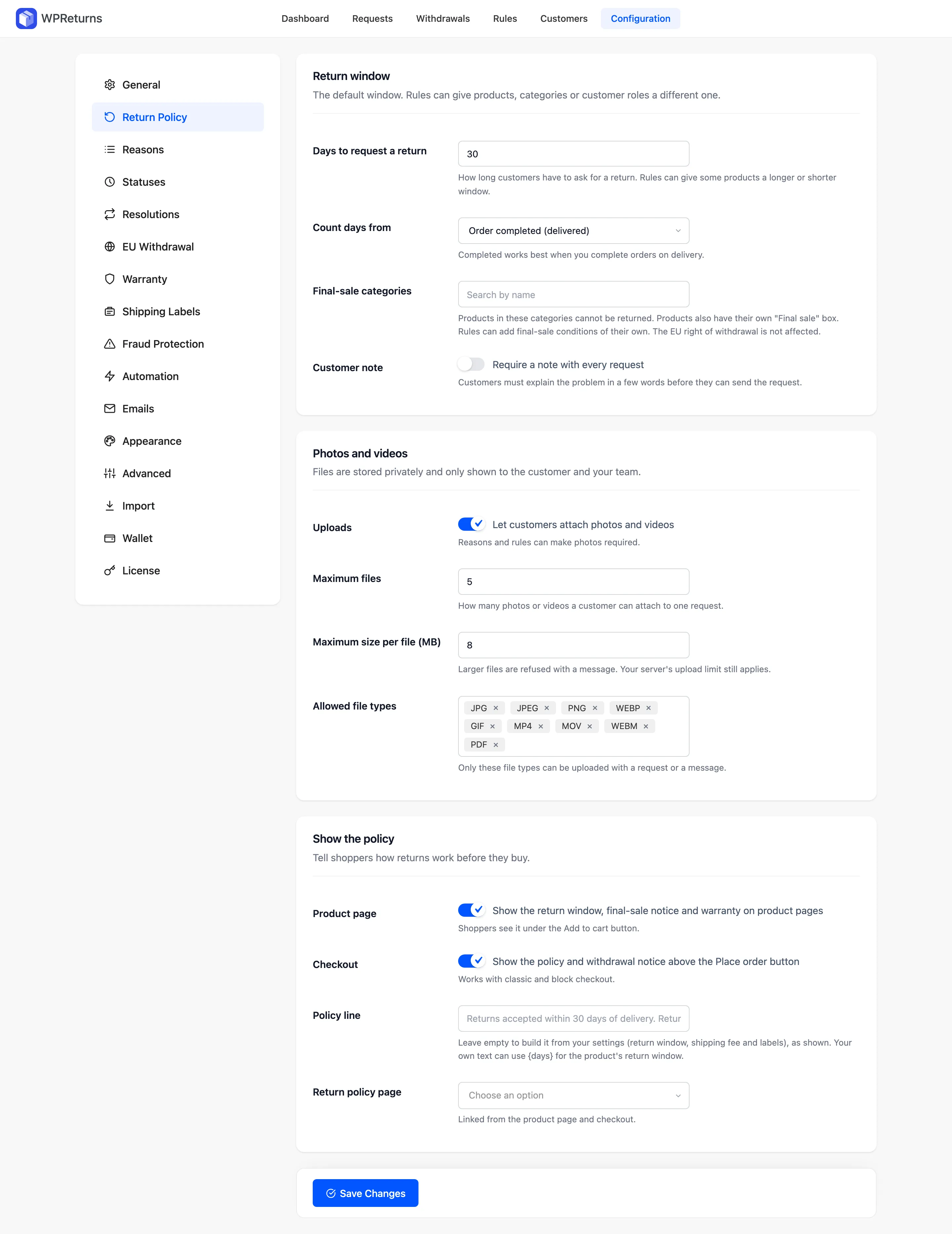
Go to DevDiggers Plugins > WPReturns > Configuration > Return Policy. Set Days to request a return to your holiday number and pick where the days count from. Select Save Changes.
WPReturns reads the window when a customer starts a return. The new number therefore applies to orders placed before you changed it too. This setting is in the free plugin.
1WPReturns > Configuration > Return Policy
Step 2: Hold Back Seasonal Items
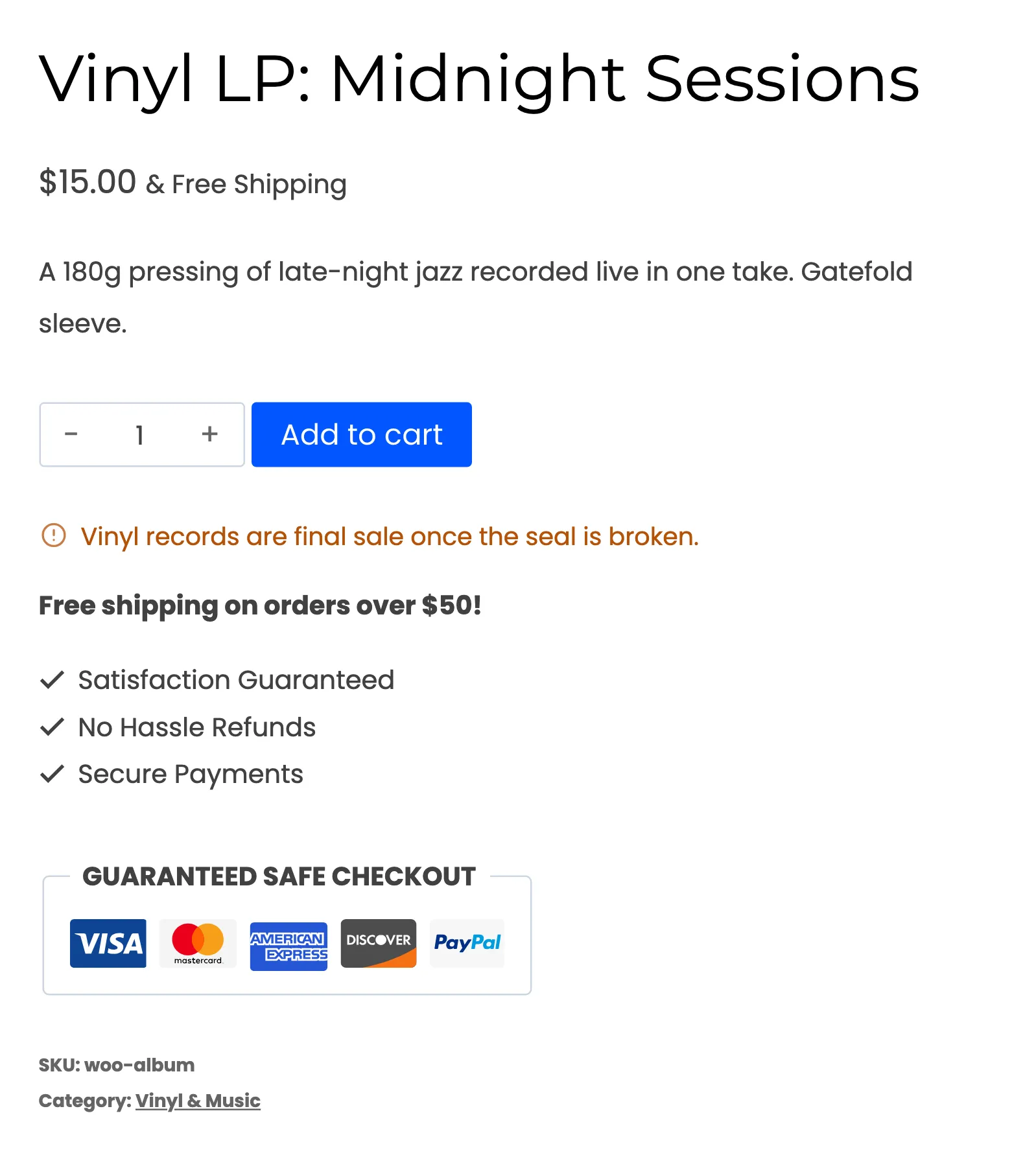
Decorations, personalized items and gift cards rarely belong in an extended window. Add their categories to Final-sale categories on the same tab, or tick Final sale on one product. A final-sale item shows its notice under the Add to cart button.
Final sale never blocks the EU right of withdrawal. Our return rules feature page lists the other ways to limit returns.
2Product page
Step 3: Give One Category More Time
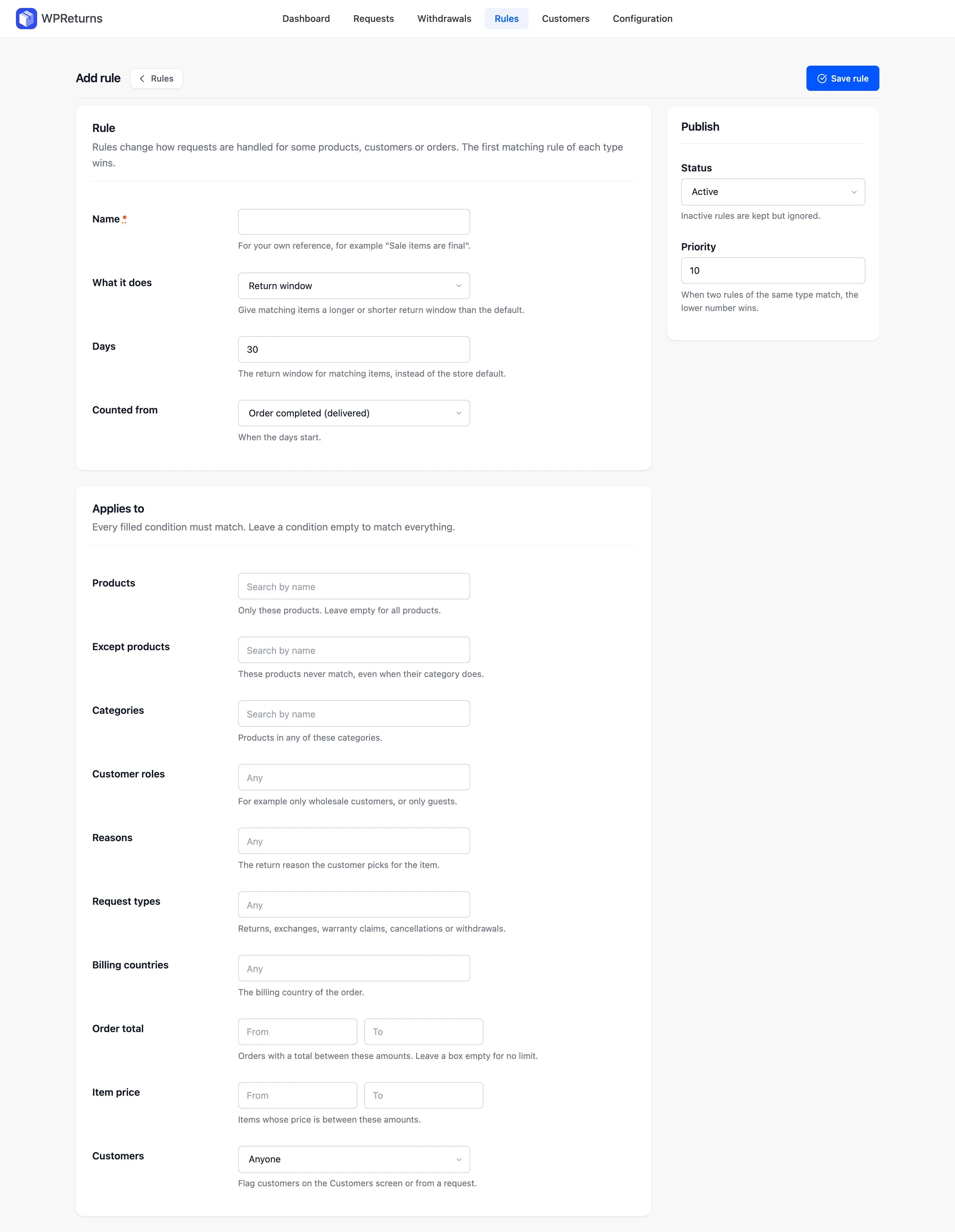
Go to DevDiggers Plugins > WPReturns > Rules and select Add New. Set What it does to Return window, enter the Days, choose Counted from and pick a category under Applies to. A matching rule beats the global window.
Products that match no rule keep the global number. So you can keep 30 days for the catalog and give a Gifts category 60. This step needs WPReturns Pro, and the rules guide lists every condition.
3WPReturns > Rules > Add rule
Step 4: Show the Policy Before Checkout
Leave the Policy line empty and WPReturns builds it from your days. It reads like “Returns accepted within 60 days of delivery.”
Type your own text to add the dates. Use {days} for the product’s window.
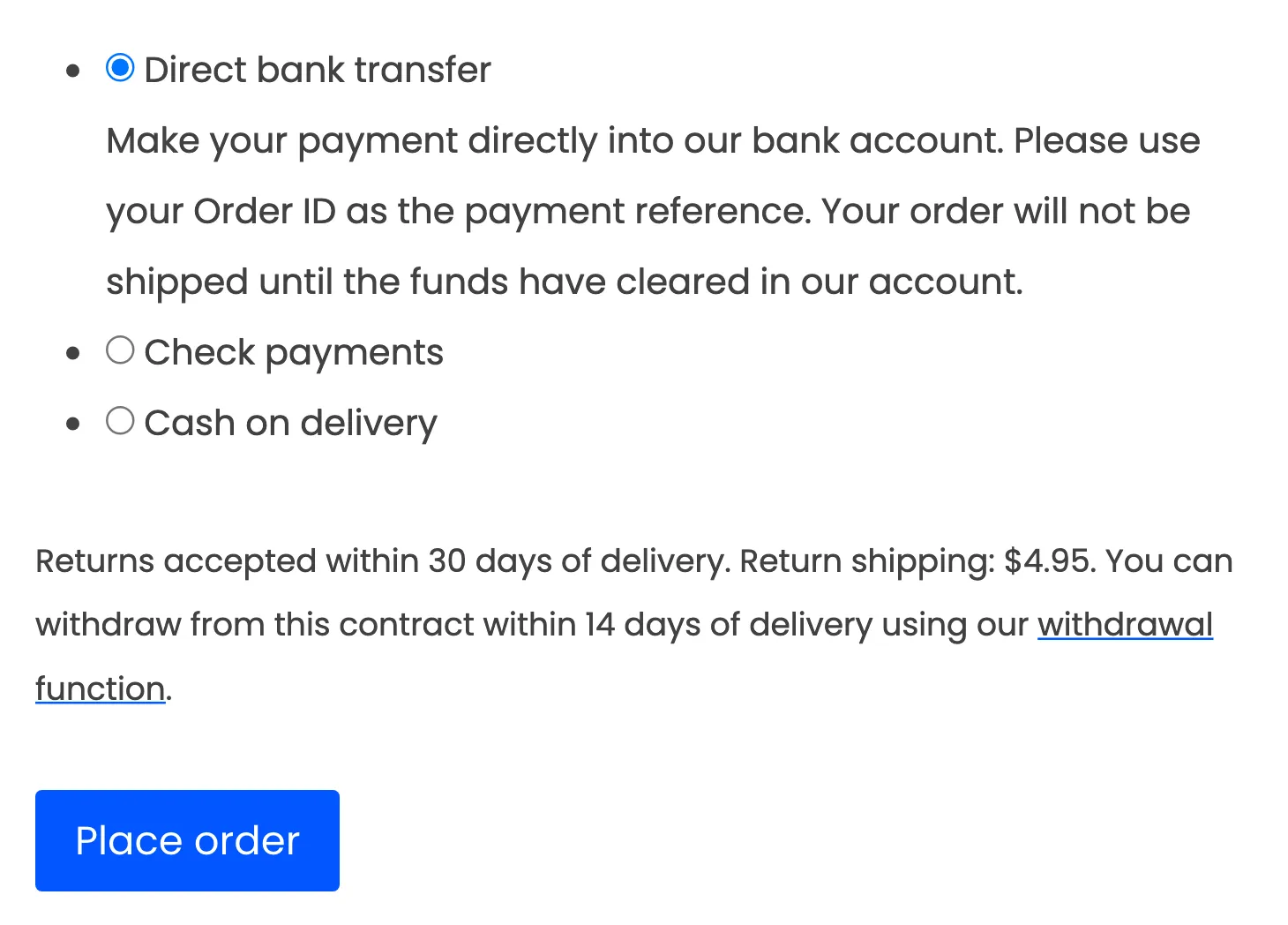
Keep Product page and Checkout switched on. The line then sits under Add to cart and above Place order. Block and classic checkout both show it.
4Checkout
What Should an Extended Holiday Return Policy Say?
Extended holiday return policy wording needs four short parts. Give the purchase dates, the window, the counting rule and the list of items the extension excludes. Put the full text on a policy page and repeat one sentence at checkout where shoppers decide.
Copy this template and replace the dates and days:
Holiday returns: items bought from November 1 to December 24 can be returned for 60 days after delivery.Orders placed after December 24 follow our standard 30 day policy.Final sale items, gift cards and personalized items are not covered.Items must be unused and in their original packaging.The checkout line can be shorter: “Holiday returns: buy by December 24 and return within 60 days of delivery.” Keep the number in that line the same as the days you saved in WPReturns.
EU customers keep their statutory right to withdraw within 14 days of delivery. Add that line if you ship to the EU, and read our EU withdrawal button guide before you write it.
How to Handle Gift Returns
A gift recipient has neither the order number nor the buyer’s email. Decide how they can start a return before the first gift ships. Tell buyers to forward their order details, and let your team start requests for recipients who write in.
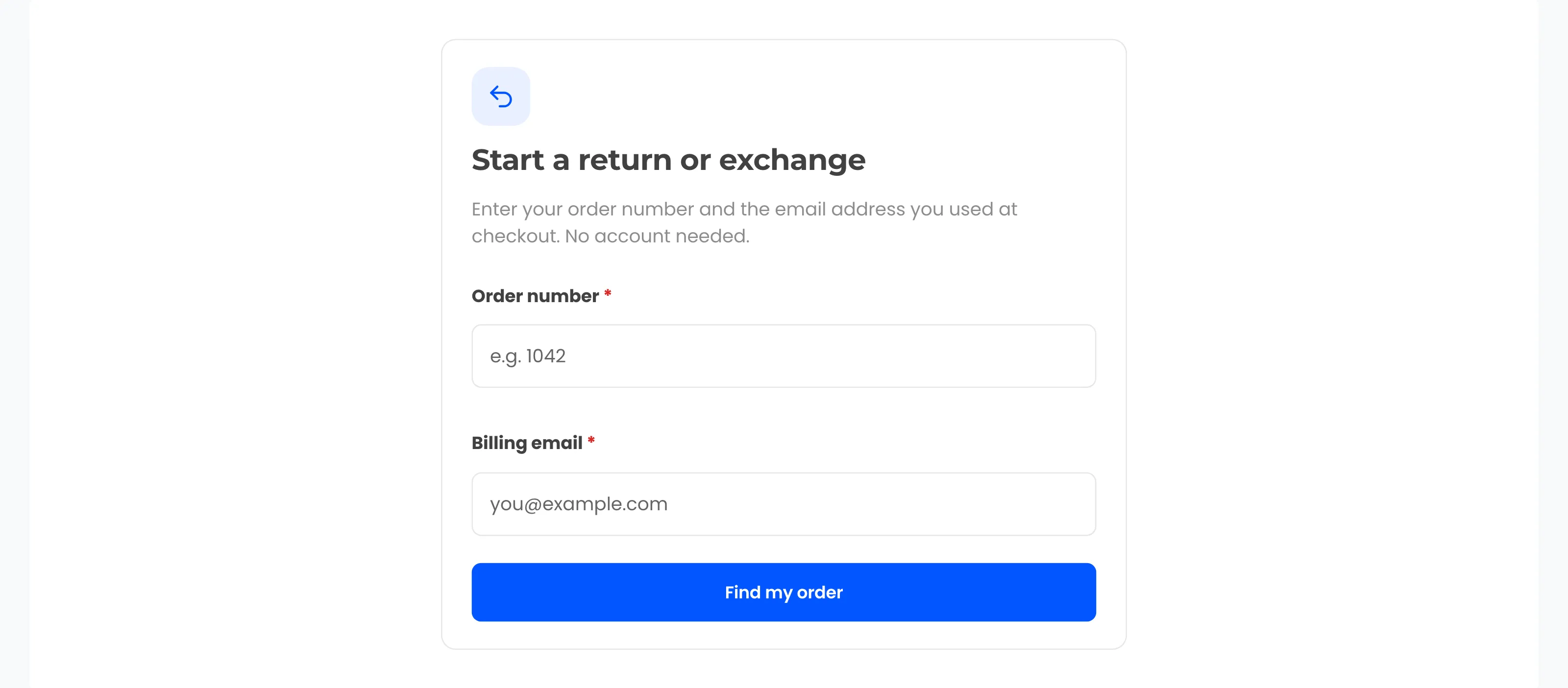
The WPReturns guest portal asks for the order number and the billing email, so a recipient needs both from the buyer (guest portal guide). It has no gift receipt in version 1.0.0. We did not build one, so say so in your policy.
When a recipient writes to you, staff can start a request for that order from the Requests screen. Resolve it as an exchange or store credit where you can. Both keep the money in your store, as our guide to store credit vs refund explains.
Add one line to the order confirmation email that tells gift buyers how to pass the details on. Our guide to a WooCommerce returns portal covers the lookup in full.
Your store > Returns
How to Protect a Holiday Return Policy From Abuse
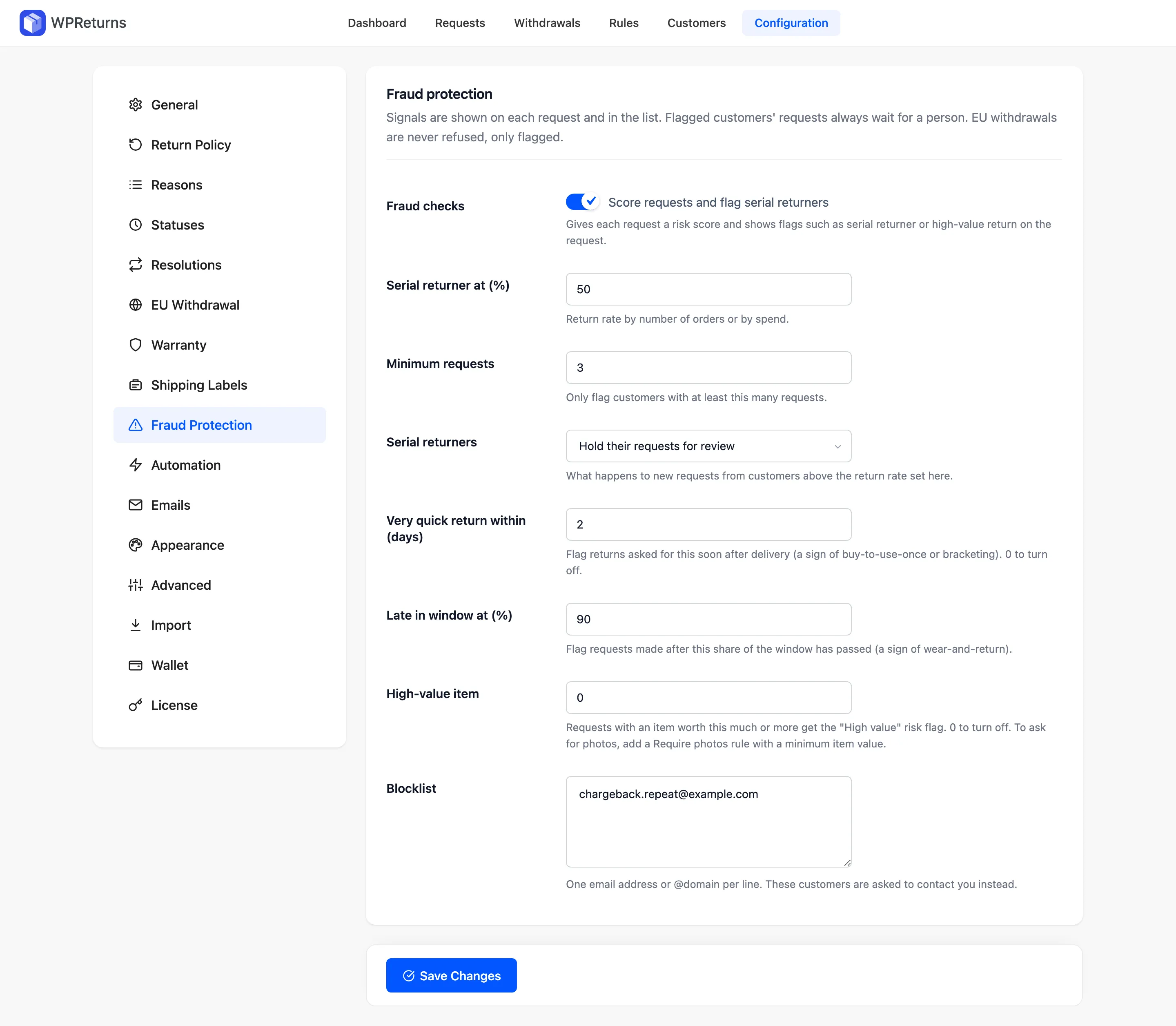
A longer window gives wardrobing more room, but a blanket crackdown punishes honest gift buyers. Flag the signals instead. WPReturns scores each request and flags serial returners, quick returns, late returns and high-value items for a person to review before any money moves.
Two defaults matter for a long window. Late in window at 90% flags requests after nine tenths of the window has passed. On a 60 day window that is day 54, and the flag moves with your extension.
Very quick return within 2 days flags buy-to-use-once behavior. Set a High-value item amount if you sell pricey gifts. Our fraud protection feature and the guide to reducing return fraud cover the signals.
WPReturns > Configuration > Fraud Protection
How to End the Holiday Return Policy
End the extension the day after your published deadline. Set the days back to your normal number, or switch the Return window rule to Inactive. Then update the policy line and the policy page so they stop promising the old dates.
Timing matters because WPReturns reads the window when a customer starts a return. Lowering the days early also cuts the time left on orders you sold with the holiday promise. Rules have no date condition in version 1.0.0, and nothing switches off by itself.
Put the reset in your calendar with the deadline. Update your Google return policy at the same time, because Merchant Center holds the date range you chose.
The January wave is real work for your team. Handle it with approval rules and clear statuses. Our restocking fee guide covers the fee side of returns.
Conclusion
A holiday return policy works when it is dated, visible and easy to end. Pick a published deadline, count from delivery and write four short lines of wording. Show them on product pages and at checkout.
Then plan for gifts and abuse before the season starts. WPReturns Pro gives you Return window rules, fraud flags and store credit in one plugin. See the pricing page or the free vs Pro table to choose.